Best Tablets for Video Calling in 2026
Focus on selfie cam quality, built-in mics, and screen size

Jun 12, 2026 | Share 


Brand Guides
-
Best tablet for video calls
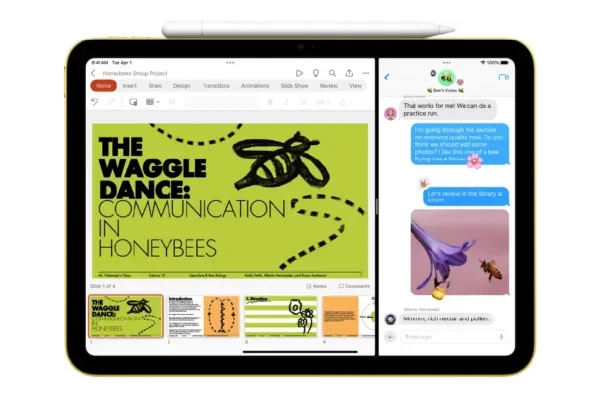 Apple iPad (11th Gen)Price: $299
- Screen size: 10.9
- Selfie camera: Landscape 12MP
-
Best Android tablet for video calls
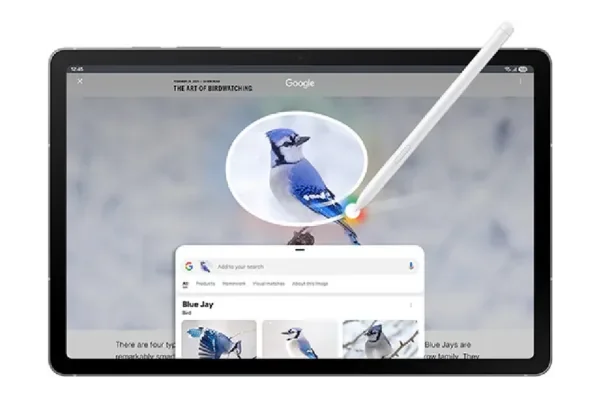 Samsung Galaxy Tab S10 (FE Edition)Price: $399.99
- Screen size: 10.9
- Selfie camera: 12MP Ultra Wide
-
Best budget tablet for video calls
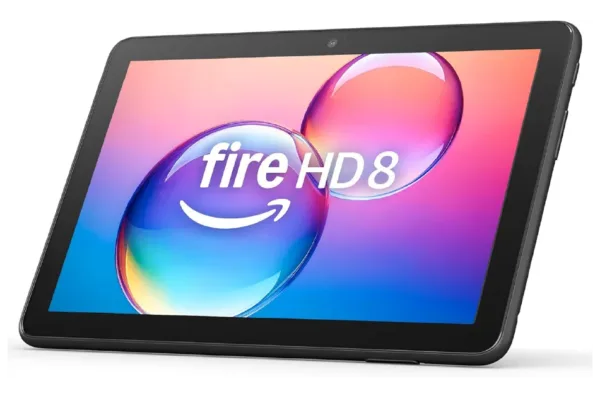 Amazon Fire HD 8Price: $129
- Screen size: 8.0
- Selfie camera: 2MP (1080p video support)
* See disclaimers.

Calling grandma? Start with fast, reliable internet.
Enter your zip to start shopping for a great local plan.
Best tablets for video calling at a glance
Tablets are a fantastic tool for making family video calls. They’re bigger and brighter than a phone, but light enough to carry with you or prop up anywhere.
Our top pick if you’re starting from scratch is the tried and true iPad, especially if you already have a MacBook or an iPad. If you’re an Android user, we recommend the Galaxy Tab S10.
Here’s a quick list of the best video calling tablets you can get:
- Best overall: iPad (11th Gen)
- Best Android: Galaxy Tab S10 FE
- Best budget tablet: Amazon Fire HD 8 tablet
- Best budget Android tablet: Samsung Galaxy Tab A11+
- Our premium pick: iPad Air
The best tablet for you depends on which calling apps you use, your budget, and your preferences for screen size, mics, and camera quality. Get details for each of our top picks below.
In this roundup:
iPad | Galaxy Tab S10 FE | Amazon Fire HD 8 | Samsung A11+ | iPad Air | How to choose a tablet for video calls | Other ways to make video calls | My take
In this roundup:
Best tablet for video calling: Apple iPad (11th Gen)
Pros
 Excellent front and rear cameras
Large, crystal-clear display
Smooth compatibility with all major video calling apps
Cons
 Slight gap between glass and LCD panel
Slower charging
No built-in AI features
Why we recommend the Apple iPad (11th Gen)
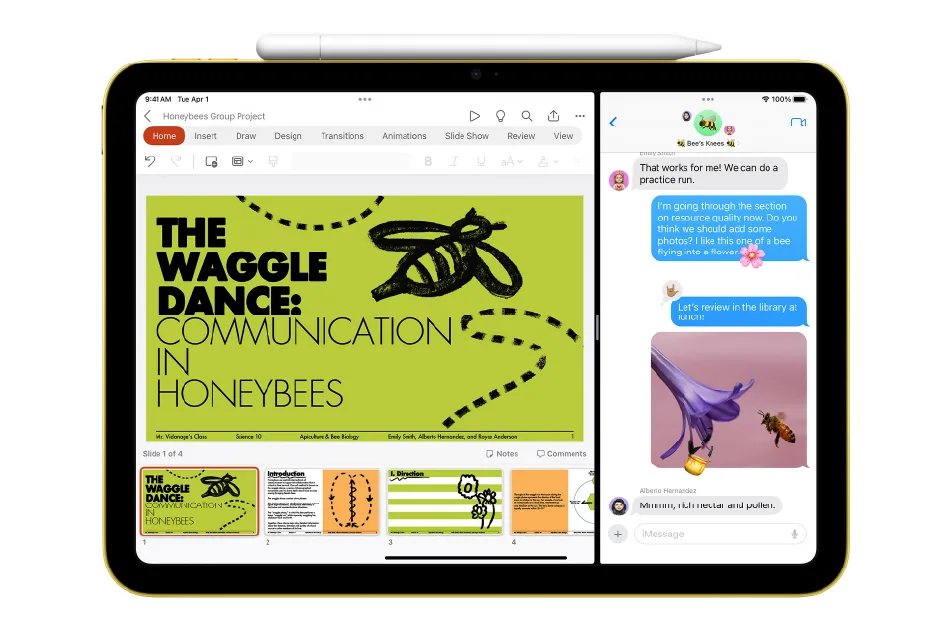
The iPad changed the game for video calling more than 15 years ago, and it’s still one of the best values in tablets. The latest model features a pro-level camera on both the rear and the front of the device, including Center Stage functionality that keeps you centered even when you stand up and move. You also get Apple’s Voice Isolation, so you’ll look and sound great to the person you call. They will also look and sound great to you, thanks to dual speakers, a big Liquid Retina display, and a bonus: oleophobic coating that keeps fingerprints to a minimum.
It all works like magic, and you’ll be able to depend on it for years. You also get industry-best usability. Every major video calling app works well on the iPad, even Google Meet and super-secure options like Telegram.
The 11th-generation iPad is well worth the $300 price tag, but there are some downsides. The screen’s not quite as good as with more premium iPad models, and it doesn’t work quite as well with the Apple Pencil for drawing or taking notes. There’s also no AI built-in, and the battery charges more slowly than our premium picks.
* See disclaimers.
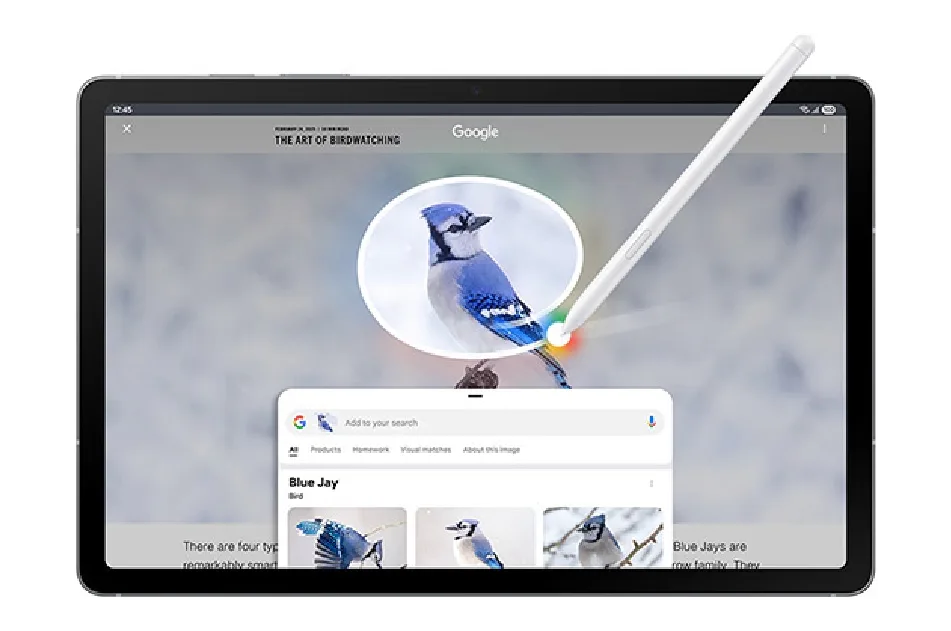
Best Android tablet for video calling: Samsung Galaxy Tab S10 FE
Pros
12MP front-facing camera
Hands-on mic control
Included S Pen stylus
Cons
High price (unless you shop sales)
Non-OLED screen
Why we recommend the Samsung Galaxy Tab S10 FE
If you’re an Android user shopping for a dedicated video-calling tablet, go with the Samsung Galaxy Tab S10. You get Samsung’s stellar reputation for hardware quality, plus a fantastic 12MP front-facing camera. You also get hands-on control of the built-in mic, with the option to switch between Standard, Voice Focus, and Full Spectrum from the quick setting panel.
You’ll see the person you’re calling through a 10.9-inch LCD screen with 2304 x 1440 resolution and a 90Hz refresh rate. It’s fast enough and bright enough for video calls (even if it’s a little sluggish for gaming).
We also love that you get the S Pen stylus in the box, making it easy to take notes or multi-task with AI features while you video chat. It also supports all the major calling apps we recommend (except FaceTime, which is exclusive to the Apple ecosystem).
* See disclaimers.

Pro tip: Shop Samsung Galaxy sales
The list price for the Samsung Galaxy Tab S10 FE is a little high, but you can often find it on sale at places like Walmart and Best Buy. You might also be able to save by buying through your mobile phone provider.
We love the entire line of Samsung Galaxy products … just don’t pay full price.
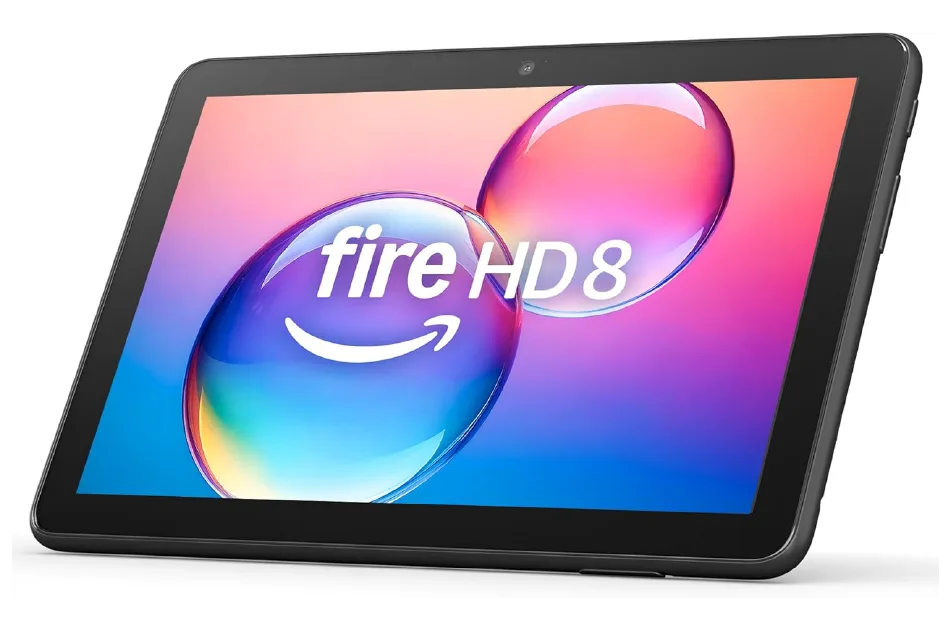
Best tablet for budgets: Amazon Fire HD 8
Pros
Long battery life
Portable size
Alexa integration for voice-dialing
Cons
Low-res front-facing camera
Limited to Amazon app store
No support for Google Meet or WhatsApp
Why we recommend the Amazon Fire HD 8 for budget shoppers
The Amazon Fire tablet is a nice option for video calls if you’re on a tight budget. It comes with a rugged battery, and at just eight inches, it’s easy to carry around. The cameras aren’t terrific—you get just 2MP on both the front and rear-facing cameras. That’s plenty good for staying in touch with the kids though.
You also get a built-in mic, but you have to speak directly into it to make sure you can be heard. It’s functional, and that’s about all you could ask for at this price.
The Fire HD supports Zoom and Facebook Messenger calls through apps you can download from the Amazon app store, but its primary video calling software is Alexa calling. Teams, WhatsApp, and privacy apps like Telegram and Signal aren’t supported.
* See disclaimers.
Best budget tablet for Android: Samsung Galaxy Tab A11+

Pros
Fast-charging, long-lasting battery
Quad speakers
MicroSD slot and headphone jack
Cons
Midrange front-facing camera
No stylus or keyboard cover support
Non-OLED screen
Why we recommend the Samsung Galaxy Tab A11+
If you’re in the Android or Google ecosystems and need a tablet that’s great for streaming and video calls, look no further than the Samsung A11+. The price is twice what we recommend for true budget shoppers, but you can save $40 or more if you shop sales.
This tablet comes with fast charging capability and a 7,040 mAh battery that lasts for hours. You also get a 5MP front-facing camera and built-in mic with One UI processing for background noise suppression. It’s not stellar in low lighting, and you don’t get built-in mic controls like with the premium model, but it’s decent for family video calls.
You also get a big 11-inch screen and quad speakers, making it easy to see and hear the person you’re calling. If you need even more call clarity, you can also connect earbuds or gaming headphones via the 3.5mm audio jack.
This tablet doesn’t have the memory or processing power of its more expensive cousins from Samsung, but it’s a great choice for families. All major video calling apps (except FaceTime) are well-supported, and you can count on security patches and updates for the next seven years.
* See disclaimers.
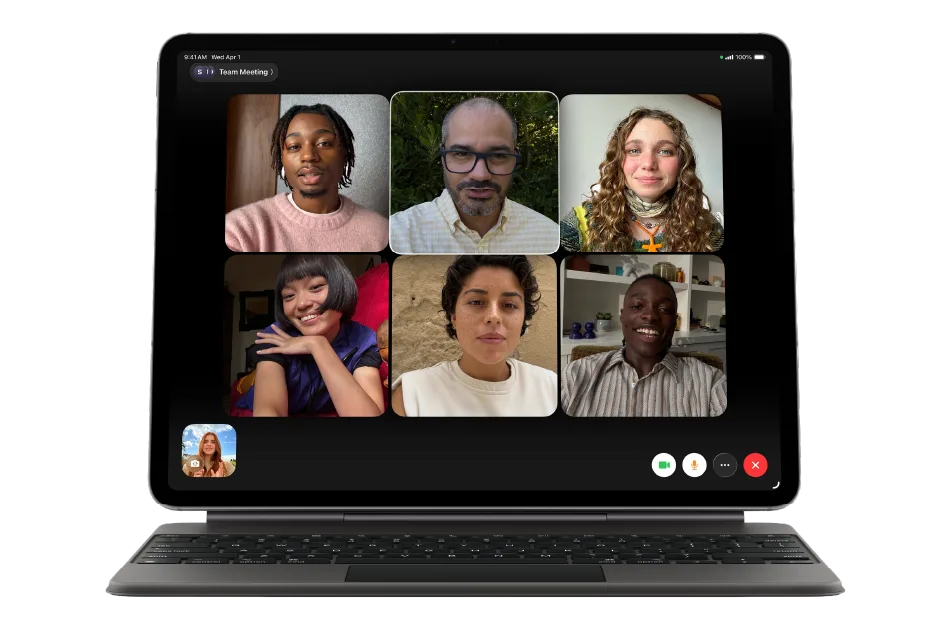
Our premium pick: Apple iPad Air 11″
Pros
Cinematic 12MP camera with Center Stage software
Native support for FaceTime video calls
Built for pro apps + Apple Intelligence
Cons
No headphone jack
Touch ID only (no Face ID support)
No included accessories
Why we recommend the Apple iPad Air 11"
Apple’s iPad Air is the only video calling tablet we recommend here that can double as a work laptop. It’s fast enough for professional apps, with a battery that can last for 7 to 10 hours. You get two built-in mics and a 12MP camera in landscape orientation, and that means room for more people to fit into the frame on a family call. You also get the same Center Stage tech you get with the standard iPad.
Best of all, this high-powered tablet will work seamlessly with your other Apple devices and handle FaceTime calls like a dream. You can also use apps like Zoom, Facebook Messenger, WhatsApp, and Telegram with just a few taps.
Under the hood, you get a powerful M4 chip and Wi-Fi 7, plus support for the Apple Pencil Pro and Magic Keyboard. That means fast switching between apps, plus a nice experience in productivity apps for business or studying.
If budget isn’t the primary concern and you want a tablet that excels at video calls, handles everything you can throw at it, and will still feel fast five years from now, it’s worth every penny.
* See disclaimers.
How to choose a tablet for video calls
We recommend tablets that are great all-around picks for any household, with a focus on the things that matter for great video calling experiences. Here are the factors we give the most weight:
Screen size: If you’re upgrading from a smartphone for video calls, the size needs to feel significant—but not enormous. We didn’t recommend anything bigger than a standard spiral notebook.
Screen quality: OLED screens are the best of the best for gaming and video editing, but we recommend mostly LCD screens with high resolution for video calling. There’s no need to pay for the precision of a professional screen here.
Camera quality: The best cameras we recommend here are 12MP, and you’ll love them for situations like poor lighting or big group calls. However, the 2MP camera we recommend with Amazon Fire is just fine for one-on-one calls with the kids. With cameras, you get what you pay for.
Microphone quality: Sounding good is arguably more important than looking good, even on video calls. Every tablet we recommend here has built-in noise reduction, but not every mic is created equal.
Supported apps: We recommend FaceTime as the best calling app for families, and that means we have a strong preference for Apple products. They also happen to have great support for Zoom, Teams, Google Meet, and more. If you’re not in the Apple ecosystem, though, look for a tablet that supports Zoom and any other apps your family prefers.
Battery life: You need decent charging speed and battery life for a video calling tablet, with several hours per charge. However, most video calls require fast Wi-Fi, meaning you’ll likely be in range of an electrical outlet anyway. Don’t bust your budget here.
Longevity: Apple is known to support its devices for up to a decade, and they feel fast even after several years of use. That’s a primary reason we recommend its devices so prominently. Other manufacturers tend to promise patch and update services for a certain number of years. The Amazon Fire gets four years, but Samsung devices get seven years.
Price: Keeping in touch with friends and family over video call shouldn’t cost a fortune. We don’t recommend anything that costs more than $600, but you can pay a lot less if you don’t need a fancy camera or support for FaceTime.
Other great ways to make video calls
We cover basic tablets in this review, but we’ve barely touched on the breadth and depth of tablets available in the marketplace. There are great options out there for work tablets, such as the Microsoft Surface, that support meeting apps like Zoom, Slack, and Google Meet. There are also great options for kids, like the Fire HD Kids Pro.
You can also find smartphones with screens that are big enough for video calls, and myriad desktop and laptop computers that come with sweet built-in webcam technology. There are also some cool workarounds for video calling on a TV.
Like it or not, many calls are “cameras on” these days, so it’s worth your time to get a setup you can trust.
My take: Quality screens, cams, and mics are worth the money
We live in a hyper-connected world, but a lot of us still struggle with burnout, mental health challenges, and loneliness. The best defense is spending quality time with the people you love.
No tablet is as good as spending time in person, but our picks above get you pretty close. Invest in a big screen with a quality camera and microphone, and you may forget that the person on the other end of the call isn’t actually in your living room with you.
Of course, none of that matters if you don’t have a great internet connection and dependable Wi-Fi technology. Look for download speeds of at least 100Mbps and upload speeds of at least 20Mbps per device to keep everything clear, consistent, and stutter-free.
Great video calls require fast, reliable internet.
Enter your zip for a complete list of local providers.
Disclaimers
Amazon.com Availability as of 6/2/26 14:18 MT. Product availability is accurate as of the date/time indicated and is subject to change. Any price and availability information displayed on Amazon.com at the time of purchase will apply to the purchase of this product. Highspeedinternet.com utilizes paid Amazon links.
CERTAIN CONTENT THAT APPEARS ON THIS SITE COMES FROM AMAZON. THIS CONTENT IS PROVIDED ‘AS IS’ AND IS SUBJECT TO CHANGE OR REMOVAL AT ANY TIME.
Author - Chili Palmer
Chili Palmer covers home tech services, with a special focus on understanding what families need and how they can stay connected on a budget. She handles internet access and affordability, breaking news, mobile services, and consumer trends. Chili’s work as a writer, reporter, and editor has appeared in publications including Telecompetitor, Utah Business, Idaho Business Review, Benton Institute for Broadband & Society, and Switchful.com.
Editor - Jessica Brooksby
Jessica loves bringing her passion for the written word and her love of tech into one space at HighSpeedInternet.com. She works with the team’s writers to revise strong, user-focused content so every reader can find the tech that works for them. Jessica has a bachelor’s degree in English from Utah Valley University and seven years of creative and editorial experience. Outside of work, she spends her time gaming, reading, painting, and buying an excessive amount of Legend of Zelda merchandise.
Related Posts