NETGEAR Nighthawk RS500 Review
Another Nighthawk RS Wi-Fi 7 router tagged with a sub-$400 price

Feb 24, 2026 | Share 


Router Reviews
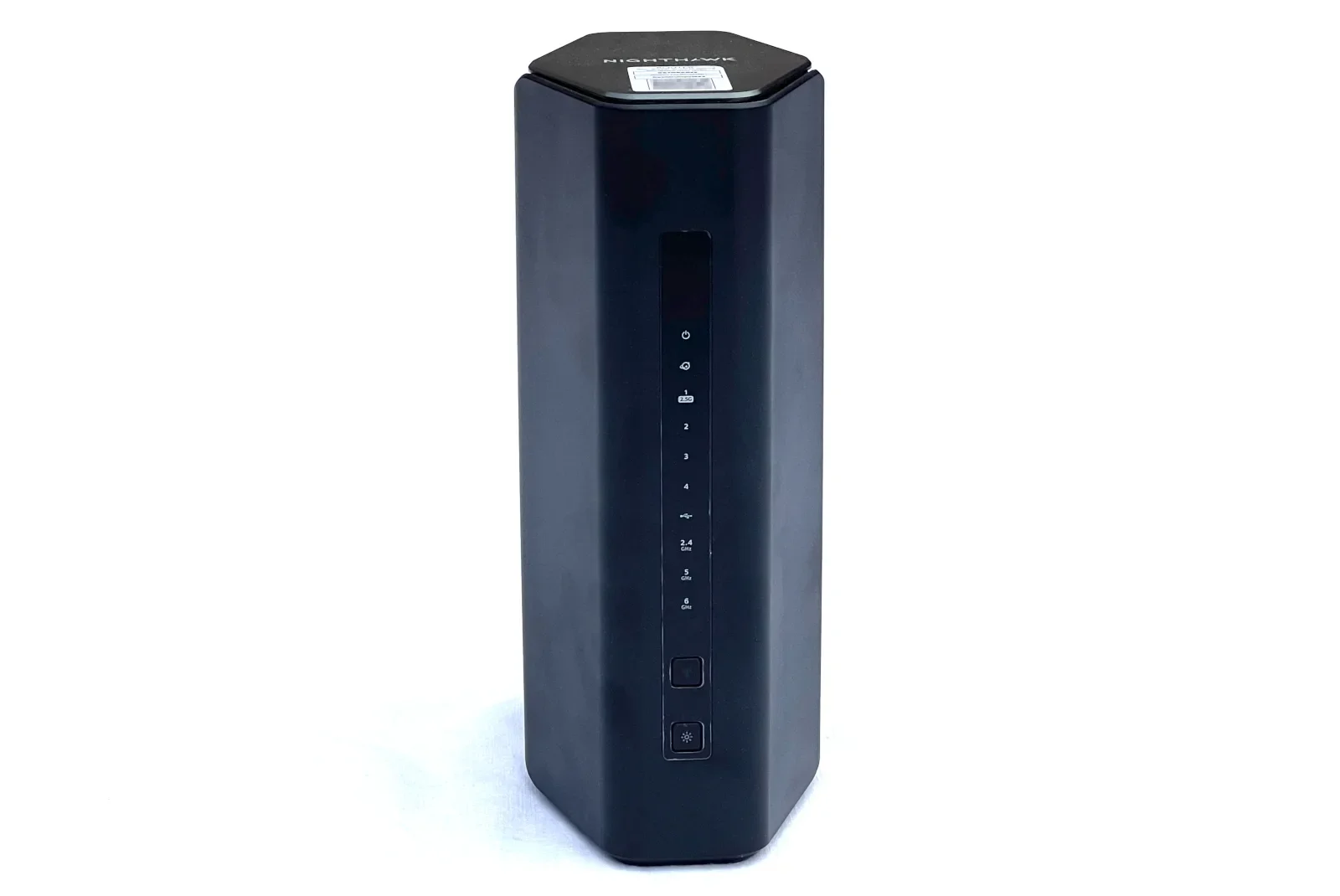
The RS500 is one of seven NETGEAR Nighthawk RS-series routers. Kevin Parrish | HighSpeedInternet.com
Our score
(3.9/5)Wi-Fi specs:
- Up to 700Mbps (2.4 GHz)
- Up to 5,800Mbps (5 GHz)
- Up to 5,800Mbps (6 GHz)
Max internet speed:
- 2,350Mbps
Retail price:
- $399.99
* See Amazon disclaimer.
The NETGEAR Nighthawk RS500 is one of seven Nighthawk RS-series W-Fi 7 routers you can get, so whether or not it’s right for you squarely depends on your internet needs, how many active devices usually connect at once, and your budget. It has more Wi-Fi bandwidth than the 2.5Gbps max internet speed it supports, which seems like a waste. Plus, expect to pay extra if you want all the parental control and security features it offers. I say the ASUS RT-BE96U is a better investment, but it’s $145 more.
Read on to see if the Nighthawk RS500 is right for you.
Pros
 Built-in VPN server
Built-in media server
File sharing
Cons
 No 10Gbps internet port
Subscription-locked features
Annoying setup
In this review:
Standout features | Competitor comparisons | Scoring breakdown | The verdict | FAQ | Methodology
In this review:
Nighthawk RS500 standout features
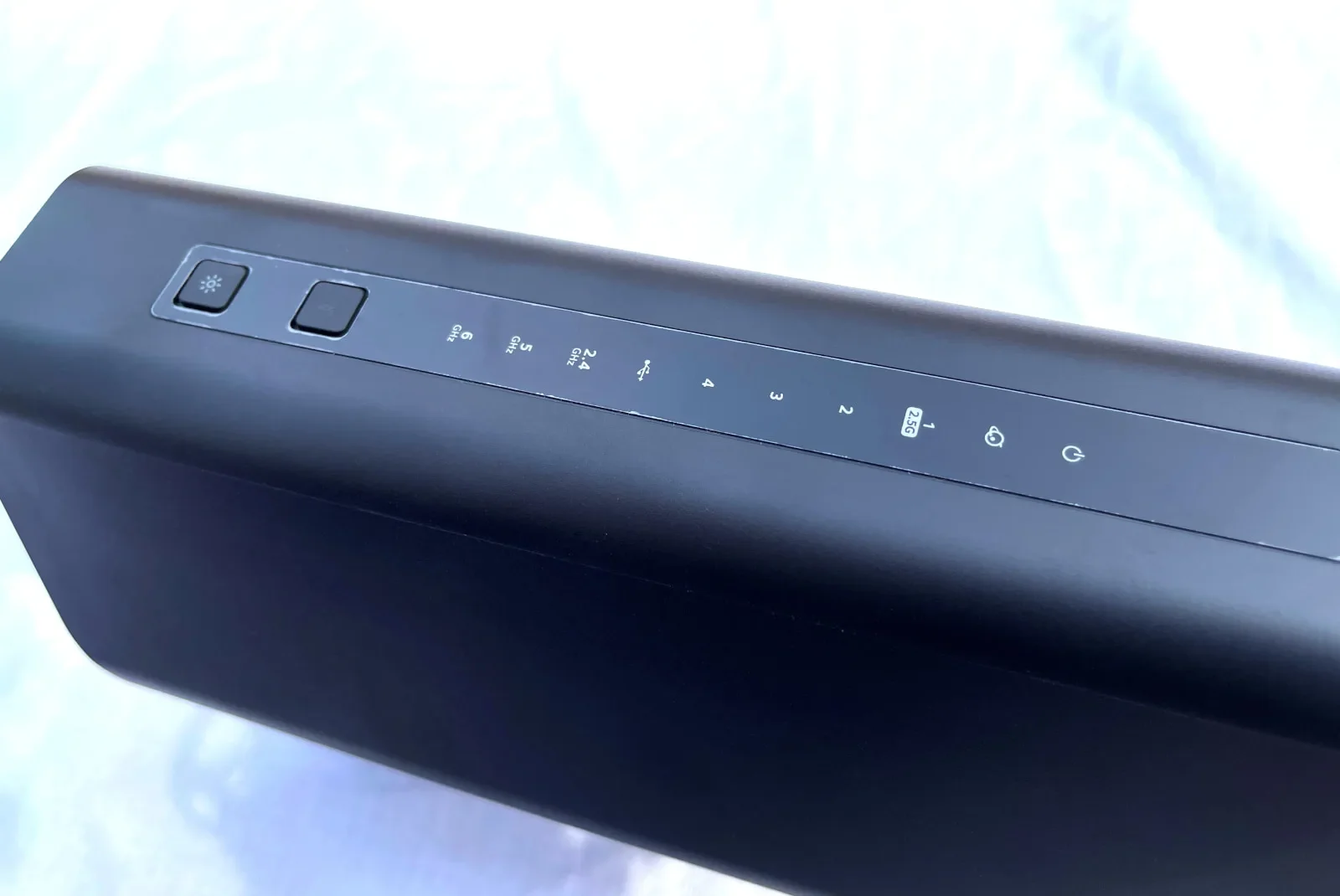
The Nighthawk RS500 includes free and subscription-based VPN features. Kevin Parrish | HighSpeedInternet.com
The Nighthawk RS500 doesn’t have a lot of callouts other than what’s listed below. All the Nighthawk RS routers are barebones like this, serving as a vehicle to sell premium features. I can understand this choice for the cheaper models. But once you break the $400 mark, you’d think NETGEAR would pack a little more free features under the hood, like a VPN client or a five-year warranty like what you get from the new ASUS Wi-Fi 7 routers, but nope.
The best features at a glance
Built-in VPN server
Built-in media server
File sharing
Compare the Nighthawk RS500 to the competition
| Product | Max throughput | Tested speed @ 40 ft.* | Where to buy† |
|---|---|---|---|
| NETGEAR Nighthawk RS500 | 12,000Mbps | 1,455Mbps | Get on Amazon |
| NETGEAR Nighthawk RS700S | 19,000Mbps | 2,126Mbps | Get on Amazon |
| ASUS RT-BE96U | 19,000Mbps | 2,179Mbps | Get on Amazon |
* Speed recorded using a Wi-Fi 7 client and a 320 MHz channel. See speed test disclaimer.
† Amazon.com prices (as of 1/11/23 11:32 MST). See disclaimer.
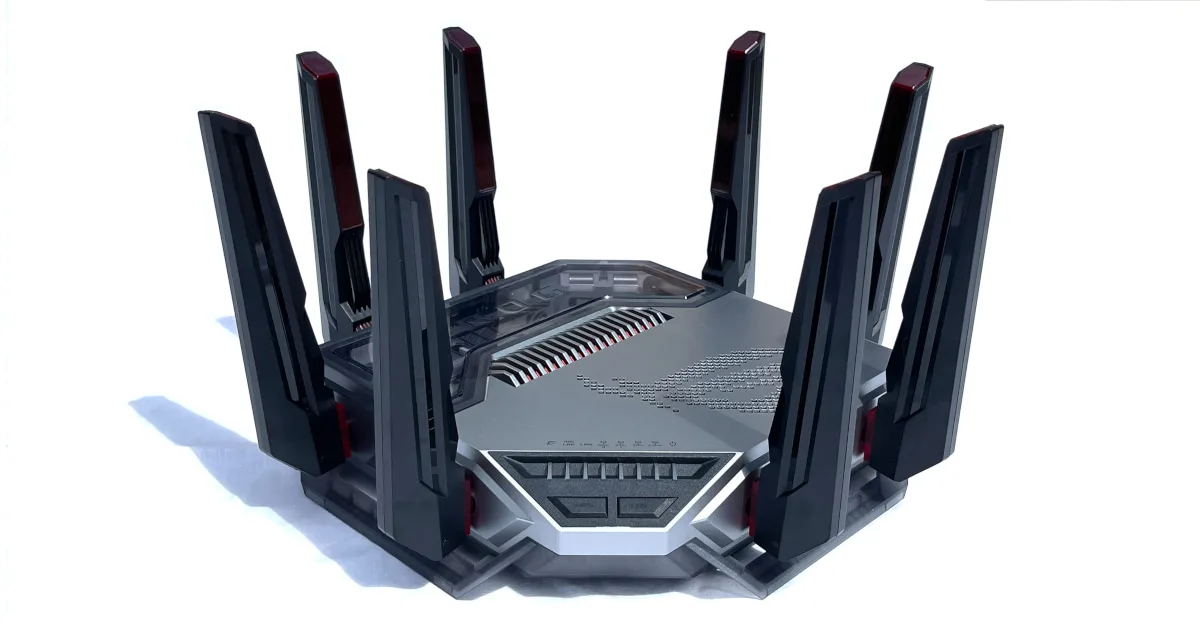
The Nighthawk RS500 and RS700S routers are nearly identical. What sets them apart is the total number of streams and the different internet ports they use: 2.5Gbps on the RS500 model and 10Gbps on the RS700S model. They even look mostly the same, so you really can’t tell the difference without looking at the port labels and product sheets. Pricing is only based on their wired and wireless bandwidth. Expect to pay more if you want every feature they offer.
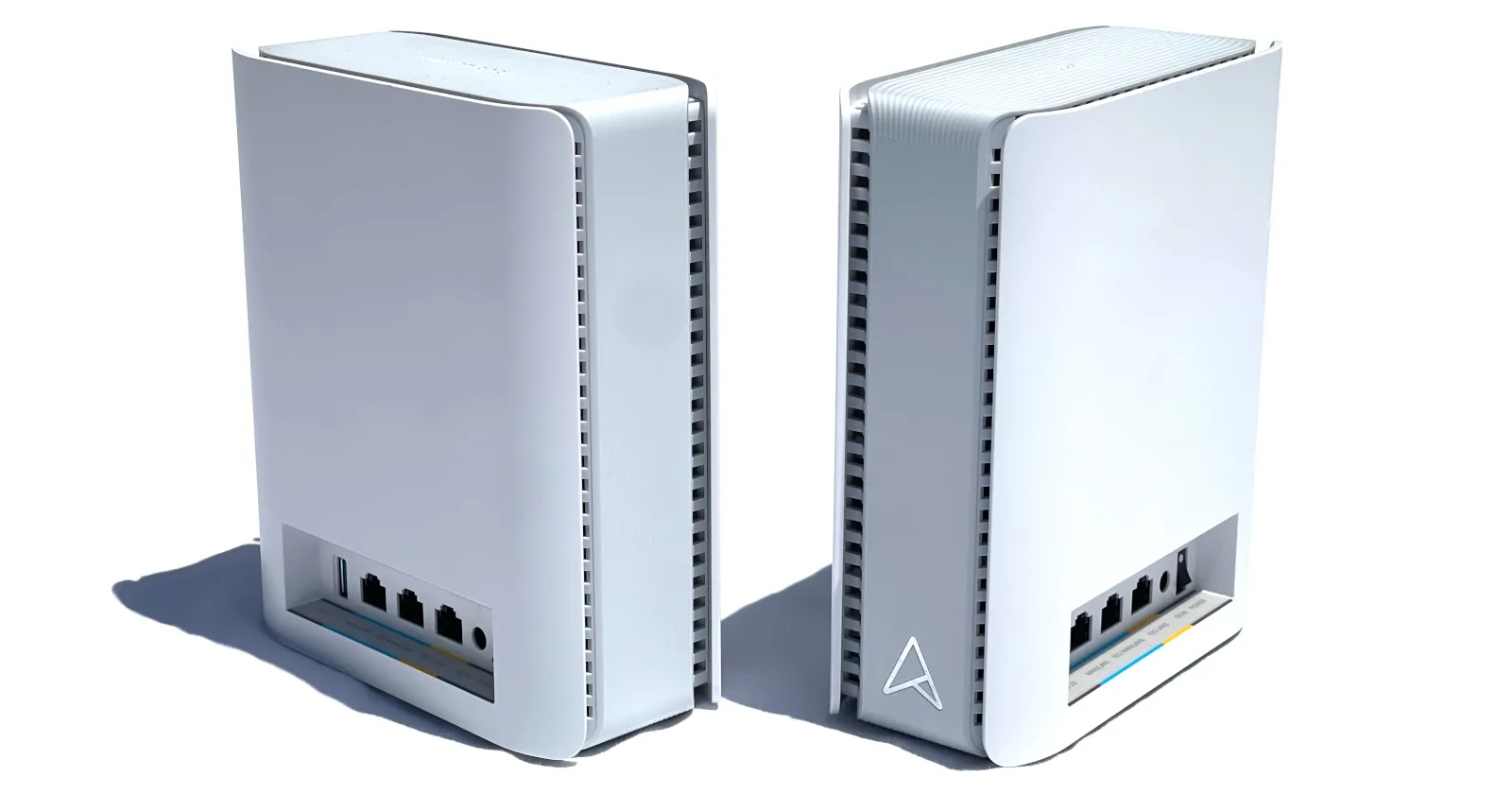
The ASUS RT-BE96U is my current top-pick router. Sure, the price is a little steep, but there’s a lot of bang for your buck—moreso than the slightly more expensive Nighthawk RS700S. There are no subscriptions required to get the most out of it, unlike the RS500 and RS700S routers. Plus, it supports mesh networking, which you don’t get with NETGEAR’s two routers.
Read more router coverage
Nighthawk RS500 scoring breakdown
| Category | Score* | Summary |
| Performance | 4 | Delivers good speeds given its 2.5Gbps bottleneck. |
| Features | 3 | Lacks a lot of features you can get for free elsewhere. |
| Design | 4 | Packs 2.5Gbps ports for 2Gbps internet. |
| Setup | 2 | Requires a NETGEAR account to use the app. |
| Ease of use | 4 | Presents a decent web and mobile experience. |
* out of 5 points
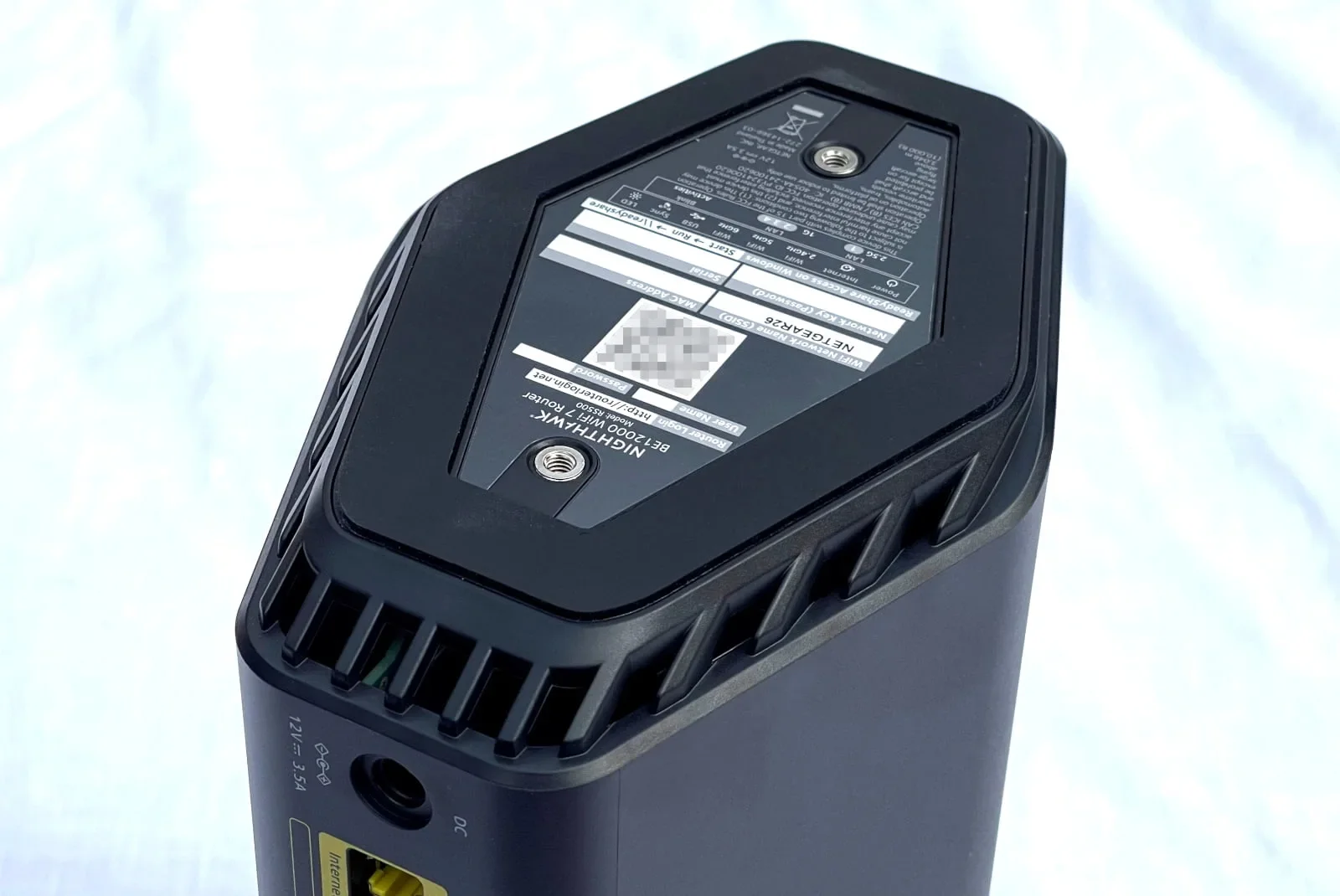
The 6 GHz band has more bandwidth than the Nighthawk RS500’s 2.5Gbps internet port. Kevin Parrish | HighSpeedInternet.com
Performance
4
Wi-Fi configuration
- 4 GHz band: 700Mbps (2 x 350Mbps)*
- 5 GHz band: 5,800Mbps (4 x 1,450Mbps)†
- 6 GHz band: 5,800Mbps (2 x 2,900Mbps)‡
* Using a 40 MHz channel width
† Using a 160 MHz channel width
‡ Using a 320 MHz channel width
I can’t say I was floored or disappointed by the Nighthawk RS500’s speeds. It performed as expected, although due to its design, it couldn’t keep up in top speed with the other Wi-Fi 7 routers I tested.
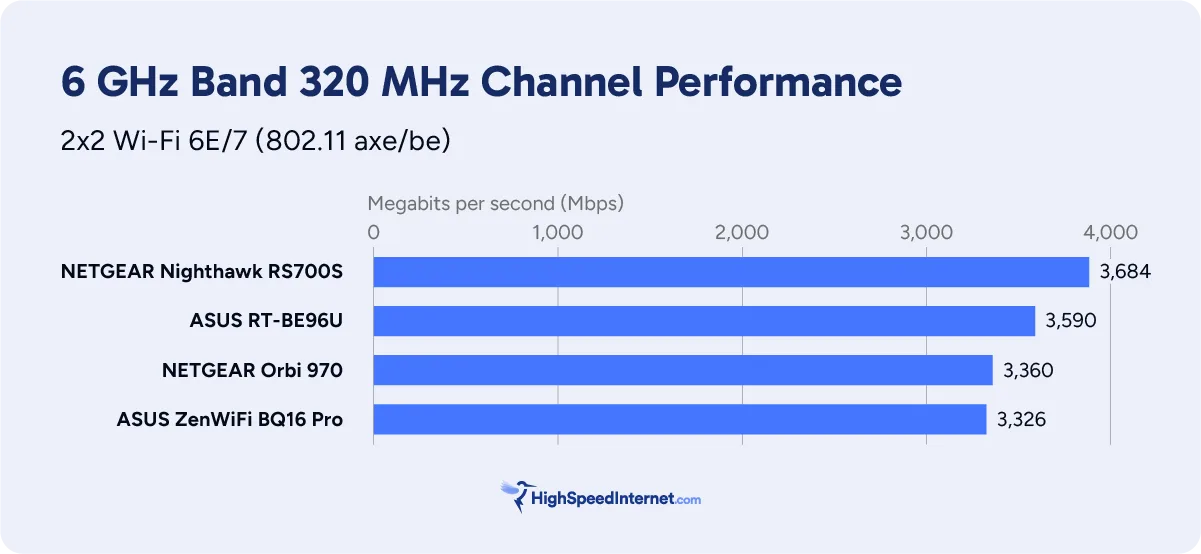
For starters, a single Wi-Fi 7 smartphone (client) usually sees real-world speeds of around 3,700Mbps at close range, even though it’s designed for 5,764Mbps maximum. Plus, I can go outside to my marker across the street and record speeds of around 900Mbps using the same device.
What’s interesting here is that the 2.5Gbps internet port clearly bottlenecks the starting speeds on the RS500. However, it levels out with all the other Wi-Fi 7 routers I’ve tested when I run my benchmarks from across the street (120 feet from the router).
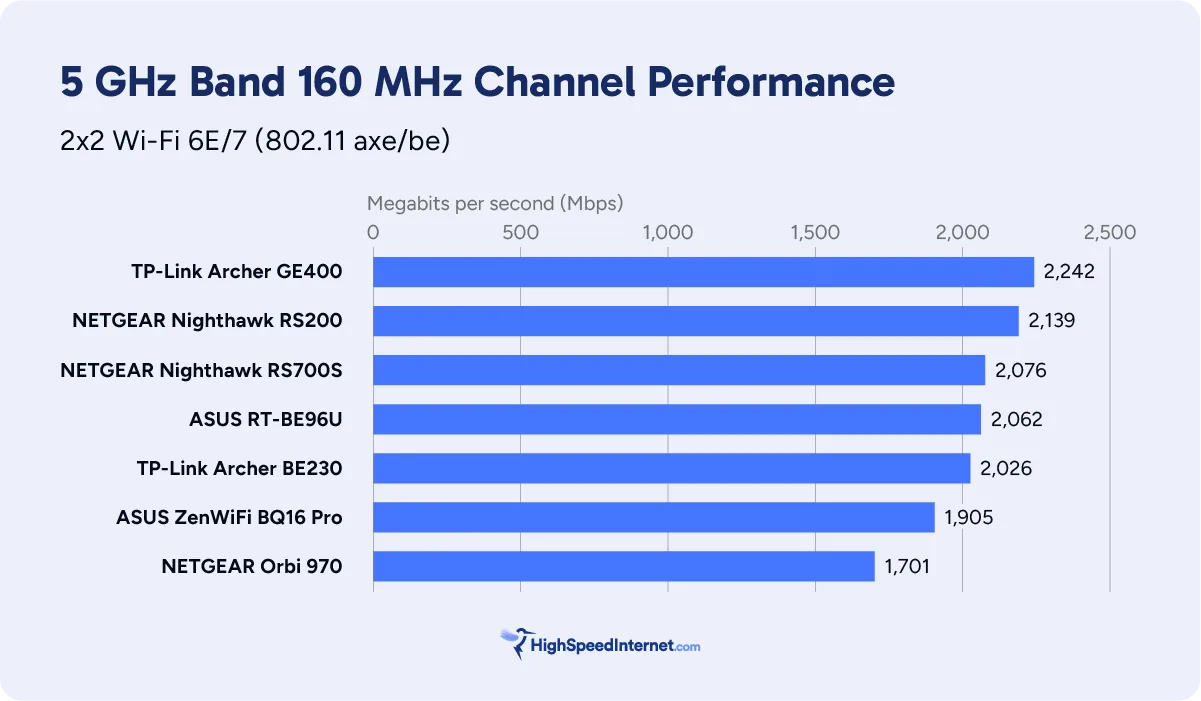
As the chart above shows, there’s nothing really notable to report about the 5 GHz testing, other than I switched to DFS channels to get the best speeds, given neighboring networks were hogging the lower and upper channel groups. Wi-Fi 7 routers have enabled me to use these channels to squeeze all the speed I can out of the 5 GHz band, something that wasn’t possible with Wi-Fi 6E and older routers.
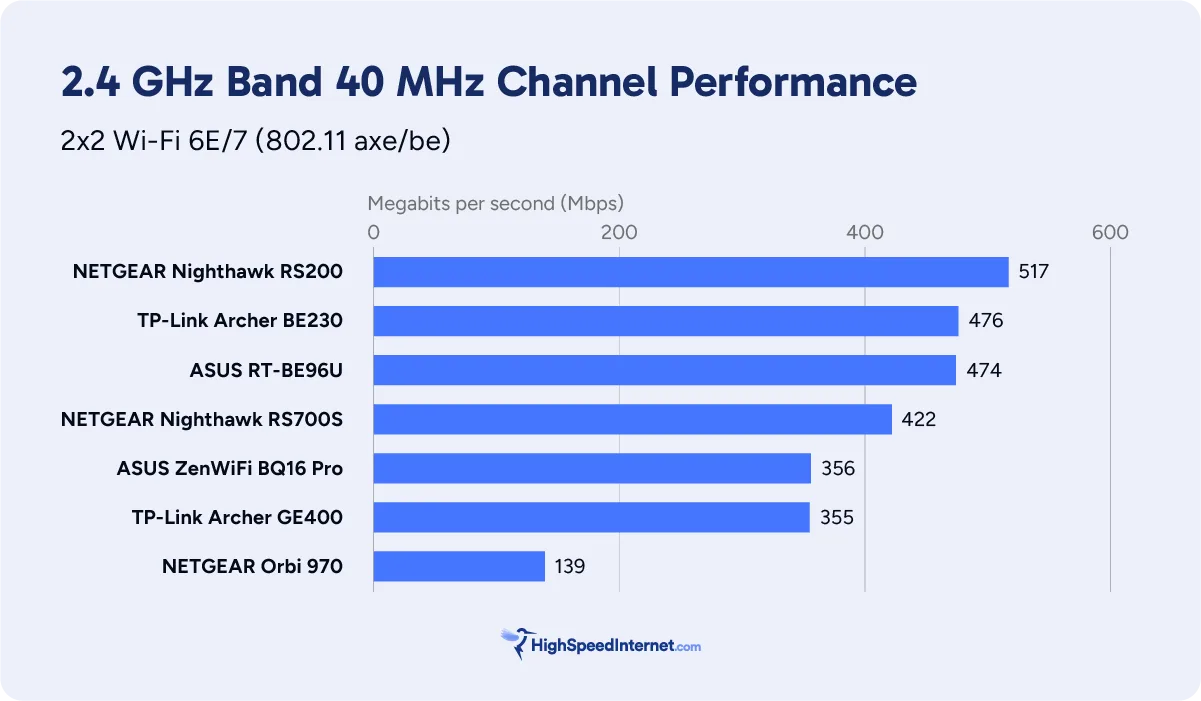
Again, there’s nothing notable to see here. The router used channel 8 with a forced 40 MHz channel width, allowing me to get great speeds at close range. The RS200 model clearly shows you can get superfast real-world speeds, but I’ve mostly seen Wi-Fi 7 routers top out in the 400Mbps range when I run benchmarks at close range, and the RS500 is no different.
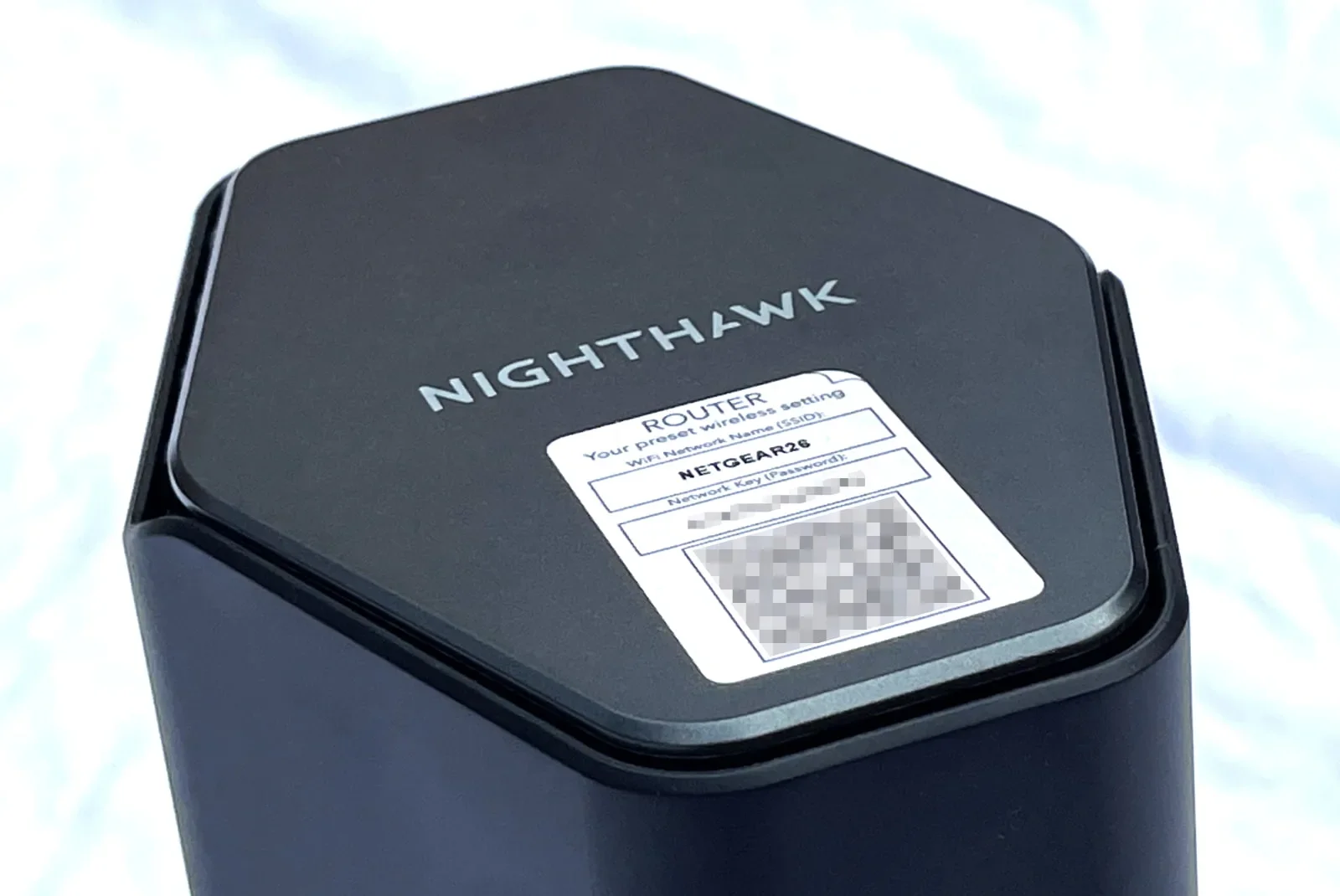
Most parental controls and security features on the Nighthawk RS500 require a subscription to use. Kevin Parrish | HighSpeedInternet.com
Features
3
Notable features
- Free OpenVPN server
- Built-in media server
- File sharing
Compared to the competition, the RS500 is about as bare-bones as you can get. It includes an OpenVPN server, a media server, and file sharing. That’s it. There’s no built-in VPN client, no gaming tools, no backup internet support, and no mesh connectivity.
What the RS500 could do better
- Parental controls
- More free security tools
On the parental controls front, you can create and block profiles for free—yet you can create those for any user, not just children. Real parental control features, like bedtimes and content filtering, require a subscription.
Meanwhile, the router includes what’s called the Protection Engine, which safeguards your home network against DDoS attacks, brute force attacks, and more. It’s a feature you can toggle off if it bottlenecks your speed. However, perks like device-level antivirus protection and ad-blocking require a subscription.
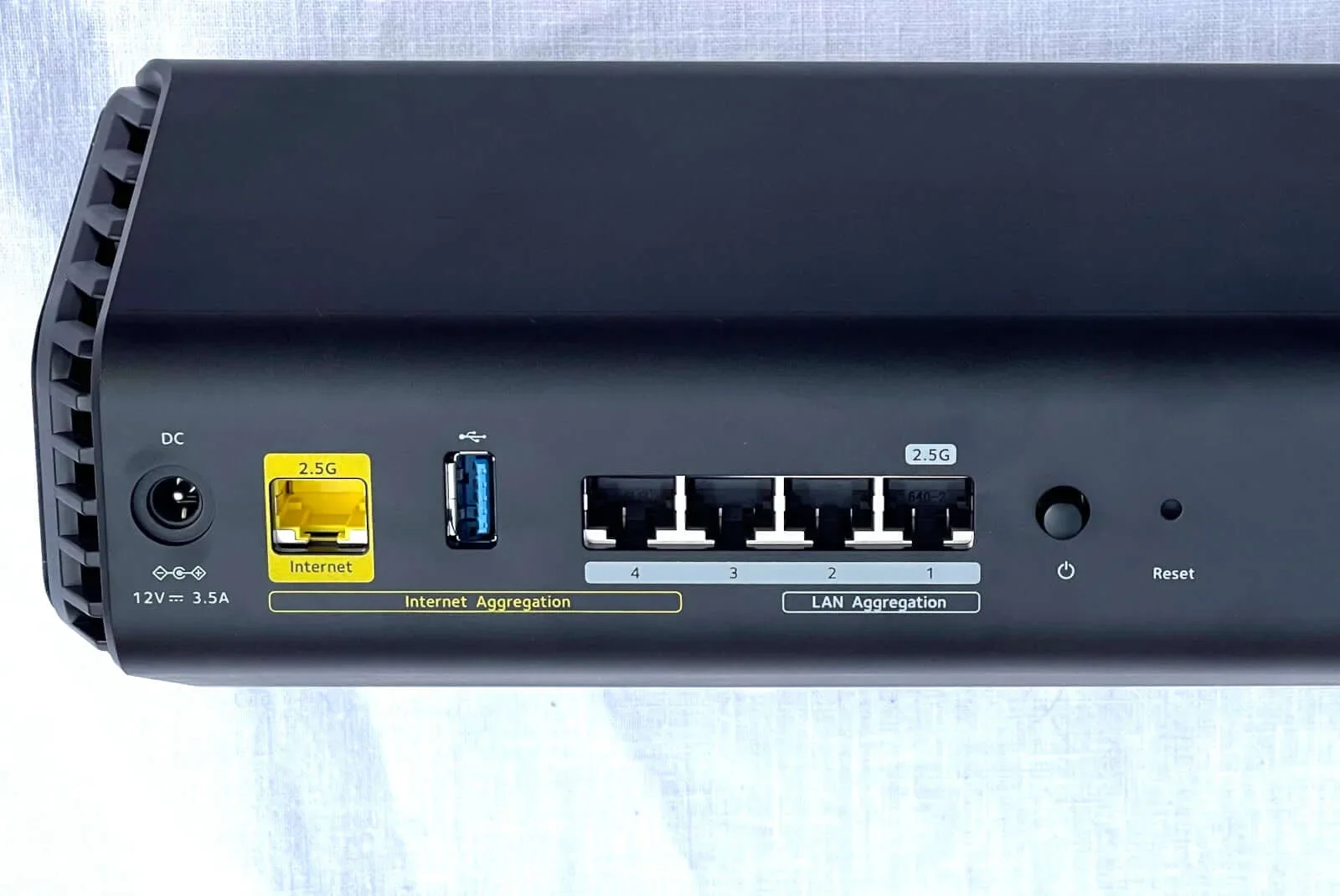
The Nighthawk RS500 features 2.5Gbps wired and 2Gbps link aggregated connectivity. Kevin Parrish | HighSpeedInternet.com
Design
4
Buttons
- 1x Power switch (back)
- 1x Reset button (back)
- 1x WPS button (front)
- 1x LED button (front)
Ports
- 1x 2.5 Gigabit Ethernet WAN port (back)
LAN ports
- 1x 2.5 Gigabit Ethernet port (back)
- 3x Gigabit Ethernet LAN ports (back)
Other ports
- 1x USB 3.2 port (back)
The RS500 provides lots of wireless bandwidth across all three connections, but the 2.5 Gigabit Ethernet port used for the internet is a bottleneck. Sure, installing this port versus a 10Gbps one cuts down the price, but all the extra Wi-Fi bandwidth the port doesn’t support is a waste unless you’re tossing files between two Wi-Fi devices.
Meanwhile, the design includes a 2.5Gbps LAN connection and link aggregation support, the latter of which can be useful if you have a modem or a wired device (like a NAS) that supports link aggregation and doesn’t have a 2.5Gbps (or faster) port. There’s no mention of Wi-Fi 7’s Multi-Link Operation in the firmware or product page.
Setup
2
Inside the box
- 1x router
- 1x power adapter
- 1x Ethernet cable
- 1x Setup guide
- 1x Regulatory and warranty booklet
So, tell me if this makes sense. NETGEAR wants you to use the Nighthawk app, and since you’re setting up the home network for the first time, you must download it using a cellular connection. Once you install and open the app, you connect to the router’s Wi-Fi, but you absolutely must have a NETGEAR account to proceed. You can’t create the account using Wi-Fi because the router isn’t set up and is blocking your internet access. That means you disconnect, set up the NETGEAR account using cellular, and then start over. We shouldn’t need a cloud account to set up and manage the router locally.
You can bypass the cloud account nonsense by using the web UI method. It’s an annoyingly long process of:
- Detecting and acknowledging the internet connection
- Setting up security Q&As
- Updating the firmware (which you need to do anyway, but it can wait)
- Hitting a NETGEAR account setup roadblock disguised as product registration.
You can bypass the latter simply by reentering the web UI address.
After the easy breezy setups I experienced with the ASUS and TP-Link routers, NETGEAR’s approach feels a little offensive. Forcing cloud accounts when they’re not needed for local management seems more like data collection than convenience. People just want to get their home network up and running quickly, and will gladly get into the finer details like product registration and better security once they’re online.
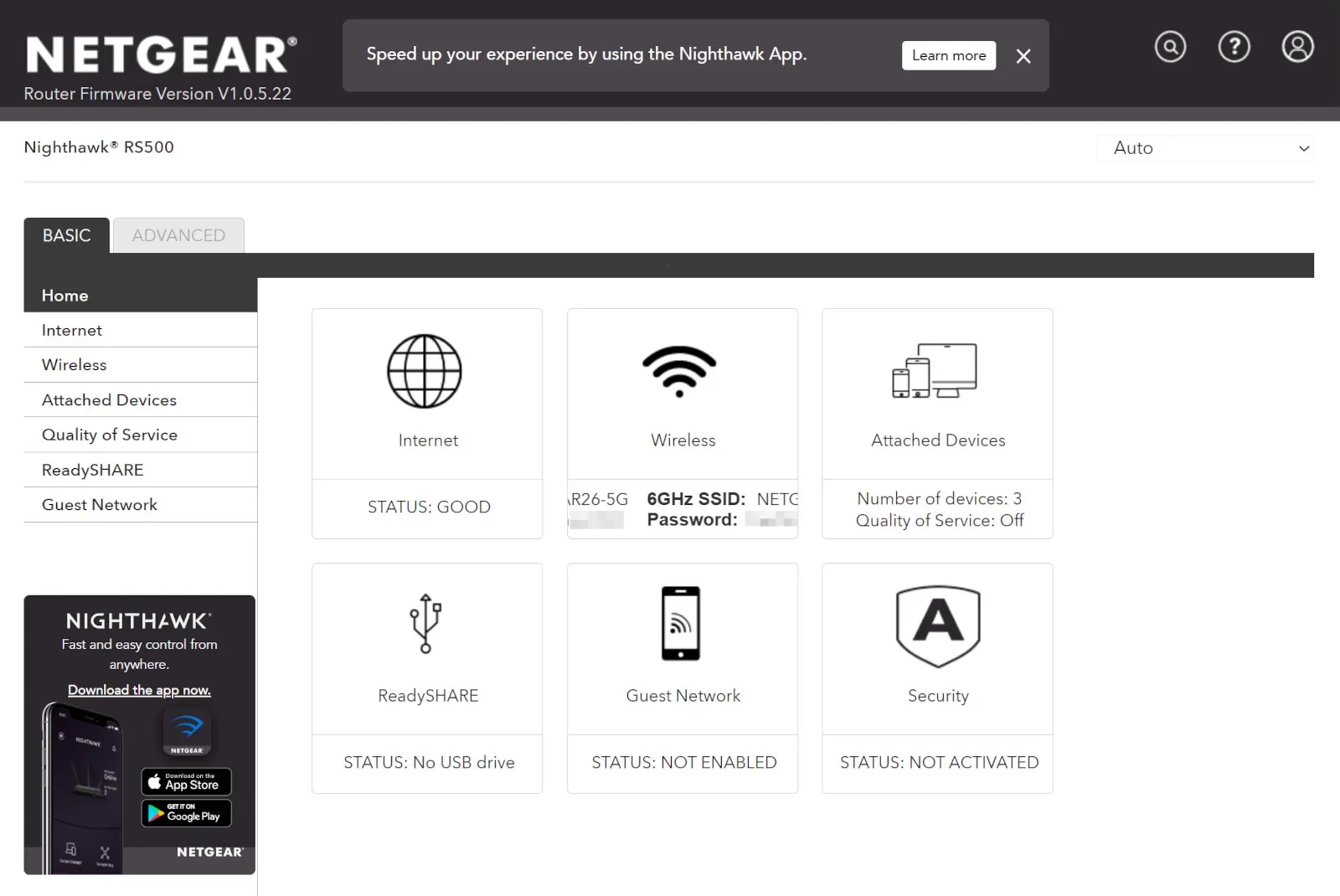
The web UI on the Nighthawk RS500 needs a spiffier visual upgrade. Kevin Parrish | HighSpeedInternet.com
Ease of use
4
Router interface
- Web interface: routerlogin.net (192.168.1.1)
- Mobile app: NETGEAR Nighthawk (App Store, Google Play)
NETGEAR uses the same web UI design on nearly every standalone router it produces. It’s divided into Basic and Advanced tabs and does a decent job in presenting every setting. I normally don’t have anything negative to say, but honestly, it uses a lot of white space, and that annoys me.
On a 4K desktop monitor with Chrome filling the screen and zoomed in at 125%, the Home screen doesn’t scale accordingly, so you have six little boxes in a sea of white—the design isn’t quite so drastic on a 1080p display. Reducing the Chrome window size tightens things up, depending on the size reduction.
I didn’t look at the web UI on mobile. Instead, I relied on the Nighthawk app, which has a better, more streamlined tile-based design. It serves your basic network management needs and plays home to some of the premium parental control and security features. However, hardcore things like changing Wi-Fi channels and setting up the OpenVPN server require a trip to the prehistoric web UI.
Additional costs and fees
The Nighthawk RS500 has three optional subscriptions: two for security and one for parental controls.
NETGEAR Armor provides a 30-day free trial. After that, the subscription costs $99.99 per year.
NETGEAR Armor Plus adds more security features for $149.99 per year.
Smart Parental Controls provides a 30-day free trial. After that, the subscription costs $7.99 per month, or $69.99 per year. It includes the My Time feature for managing internet usage outside the home network.
I list what each plan provides in the subscription section.
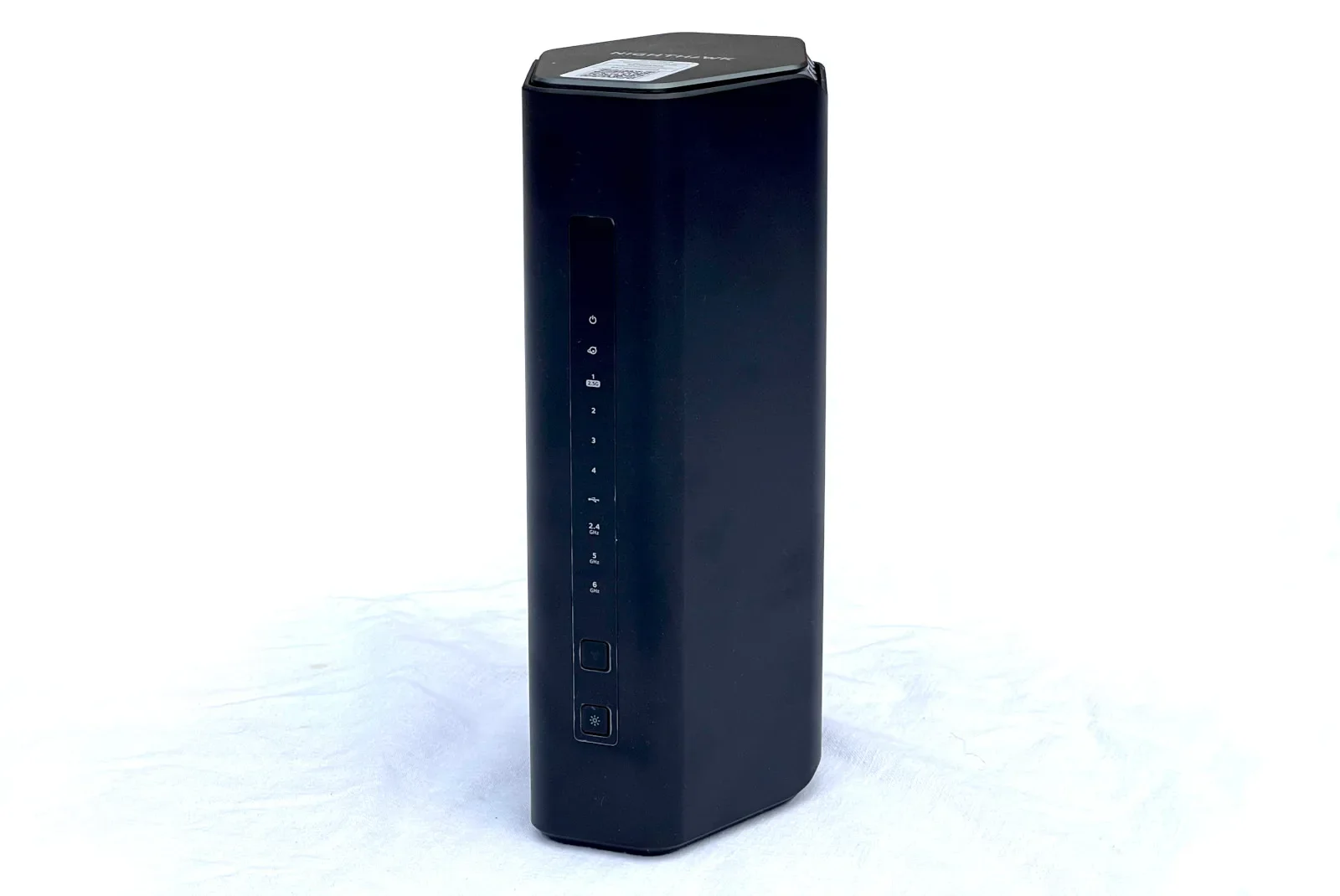
The Nighthawk RS500 is a decent pick if you’re not looking for a lot of free features. Kevin Parrish | HighSpeedInternet.com
My Nighthawk RS500 review: The verdict
The problem with recommending the Nighthawk RS500 is that NETGEAR provides seven different models in the Nighthawk RS family. This model may be the best choice for you based on price, or you could go with a different configuration sold at a different price.
Like I said in the beginning, your decision boils down to your internet connection’s top speed, how many active devices bombard your Wi-Fi at once, and the price you’re willing to pay. The RS500 resides at the upper end of the group, while the RS100 is the cheapest model.
If you’re not looking for a ton of free features, then perhaps one of the Nighthawk RS routers is right for you. However, expect to pay extra if you want all the parental control and security features.
FAQ about the Nighthawk RS500
Do you need a NETGEAR account to manage this router?
What are the major differences between the Nighthawk RS routers?
NETGEAR's Armor VPN service vs. the OpenVPN server: What's the difference?
My methodology
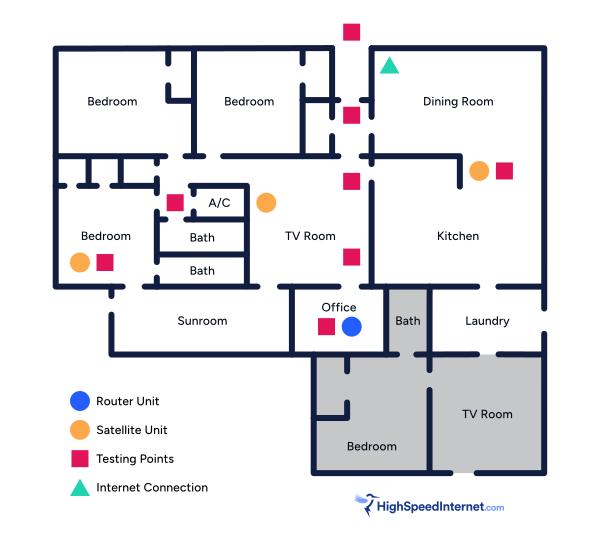
I benchmark a standalone router or mesh system by setting it up in my office and connecting it to a local server running speed test software. By using my own local server and software, I can control the input versus relying on fluctuating speeds caused by the connection between me and a remote test server. Routers aren’t internet equipment, so I exclude the internet from testing.
Once I connect the router or first mesh system unit to my local server, I transmit test data between my wireless devices and the server, taking numerous measurements to account for signal degradation, interference, and fluctuations. Here’s the testing path:
Wi-Fi client → router → local wired server → router → Wi-Fi client
The first tests occur close to the router or mesh system node wired to the test server, without obstructions, to get the strongest signal and record the fastest speed possible.
After that, I repeat the process straight out at 10, 20, and 30 feet, with only a glass door obstructing my view of the router.
Next, I go outside and run the speed test from the sidewalk (40 feet) and across the street (120 feet). The same glass door and an exterior door block my path when I run these tests.
Finally, I come back inside and run tests in a hallway to the left of the TV room and office—where a glass door, three walls, and an air handler unit block my view of the router. The dining room, another testing point, sits to the right of the kitchen, TV room, and office—two walls and a glass door block the path in this test.
Client devices used in testing
| OnePlus 11 5G* | Google Pixel 6* | |
|---|---|---|
| Wi-Fi version | Wi-Fi 7 | Wi-Fi 6E |
| Stream configuration | 2 x 2 | 2 x 2 |
| Max channel width | 320 MHz | 160 MHz |
| Max 6 GHz speed (BE) | 5,764Mbps | – |
| Max 6 GHz speed (AXE) | – | 2,402Mbps |
| Max 5 GHz speed (BE) | 2,882Mbps | – |
| Max 5 GHz speed (AX) | 2,402Mbps | 2,402Mbps |
| Max 5 GHz speed (AC) | 866Mbps | 866Mbps |
| Max 2.4 GHz speed (BE) | 688Mbps | – |
| Max 2.4 GHz speed (AX) | 574Mbps | 286Mbps |
| Max 2.4 GHz speed (N) | 144Mbps | 144Mbps |
* Speed in megabits per second (Mbps)
Nighthawk RS500 benchmarks
6 GHz tests
| OnePlus 11 5G* | Google Pixel 6† | |
|---|---|---|
| 2 feet | 2,418 | 1,945 |
| 10 feet | 2,405 | 1,887 |
| 20 feet | 2,383 | 1,801 |
| 30 feet | 2,325 | 1,698 |
| 40 feet (porch) | 1,455 | 1,392 |
| 120 feet (across street) | 943 | 825 |
| 20 feet (hallway) | 1,420 | 1,367 |
* Speeds in megabits per second (Mbps) using a 320 MHz channel width and a 5,764Mbps starting link rate.
† Speeds in megabits per second (Mbps) using a 160 MHz channel width and a 2,402Mbps starting link rate.
See speed test disclaimer.
5 GHz tests
| OnePlus 11 5G* | Google Pixel 6† | |
|---|---|---|
| 2 feet | 2,027 | 2,010 |
| 10 feet | 1,971 | 1,952 |
| 20 feet | 1,849 | 1,845 |
| 30 feet | 1,761 | 1,733 |
| 40 feet (porch) | 1,485 | 1,411 |
| 120 feet (across street) | 934 | 850 |
| 20 feet (hallway) | 1,477 | 1,432 |
* Speeds in megabits per second (Mbps) using a 160 MHz channel width and a 2,882Mbps starting link rate.
† Speeds in megabits per second (Mbps) using a 160 MHz channel width and a 2,402Mbps starting link rate.
See speed test disclaimer.
Subscription information
Like with the other Nighthawk routers I’ve reviewed, the Nighthawk RS500 locks all the notable security features behind a subscription. The same goes for parental controls.
Parental controls
| Free | Paid | |
|---|---|---|
| Profile creation | Yes | Yes |
| Profile pause/resume | Yes | Yes |
| Internet and app use tracking | No | Yes |
| Website history tracking | No | Yes |
| Age-based content filters | No | Yes |
| Automatic time limits | No | Yes |
| Daily bedtime schedules | No | Yes |
| Internet time rewards | No | Yes |
| Automatic internet break schedules | No | Yes |
| My Time companion access | No | Yes |
| $7.99 per month $69.99 per year |
You must install a separate app on mobile devices to use the My Time service. Here are the links:
Security
The router includes NETGEAR’s Protection Engine for free. However, here are all the premium security features provided through NETGEAR’s two subscriptions:
| NETGEAR Armor | NETGEAR Armor Plus | |
|---|---|---|
| Router-level protection | Yes | Yes |
| Device-level protection | Yes | Yes |
| Extended warranty | Yes | Yes |
| Priority tech support | Yes | Yes |
| Unlimited VPN | No | Yes |
| Unlimited ad-blocking | No | Yes |
| Unlimited anti-tracking | No | Yes |
| $99.99/yr. | $149.99/yr. |
You must use the NETGEAR Armor app to access some of the included features. Here are the links to the apps and software:
Disclaimers
Amazon
Amazon.com Availability as of 2/19/26 17:35 MST. Product availability is accurate as of the date/time indicated and is subject to change. Any price and availability information displayed on Amazon.com at the time of purchase will apply to the purchase of this product. Highspeedinternet.com utilizes paid Amazon links.
CERTAIN CONTENT THAT APPEARS ON THIS SITE COMES FROM AMAZON. THIS CONTENT IS PROVIDED ‘AS IS’ AND IS SUBJECT TO CHANGE OR REMOVAL AT ANY TIME.
Speed test results
Our router and mesh system benchmark results are based on several factors, including:
- Router or mesh system configurations
- Client device configurations
- Local interference (neighboring Wi-Fi, radar, etc.)
- Local obstructions (walls, doors, etc.)
Our stated speed test numbers reflect the router-to-client connection only and do not include the internet. Reported speeds are not guaranteed. Your speeds will vary based on the list provided above.
Author - Kevin Parrish
Kevin Parrish has more than a decade of experience working as a writer, editor, and product tester. He began writing about computer hardware and soon branched out to other devices and services such as networking equipment, phones and tablets, game consoles, and other internet-connected devices. His work has appeared in Tom’s Hardware, Tom's Guide, Maximum PC, Digital Trends, Android Authority, How-To Geek, Lifewire, and others. At HighSpeedInternet.com, he focuses on network equipment testing and review.
Editor - Jessica Brooksby
Jessica loves bringing her passion for the written word and her love of tech into one space at HighSpeedInternet.com. She works with the team’s writers to revise strong, user-focused content so every reader can find the tech that works for them. Jessica has a bachelor’s degree in English from Utah Valley University and seven years of creative and editorial experience. Outside of work, she spends her time gaming, reading, painting, and buying an excessive amount of Legend of Zelda merchandise.
Related Posts