Best Wi-Fi 7 Routers Tested and Reviewed 2026
Get the best and latest router for your home network

Feb 24, 2026 | Share 


Best Routers, Home Networking
Best for budgets
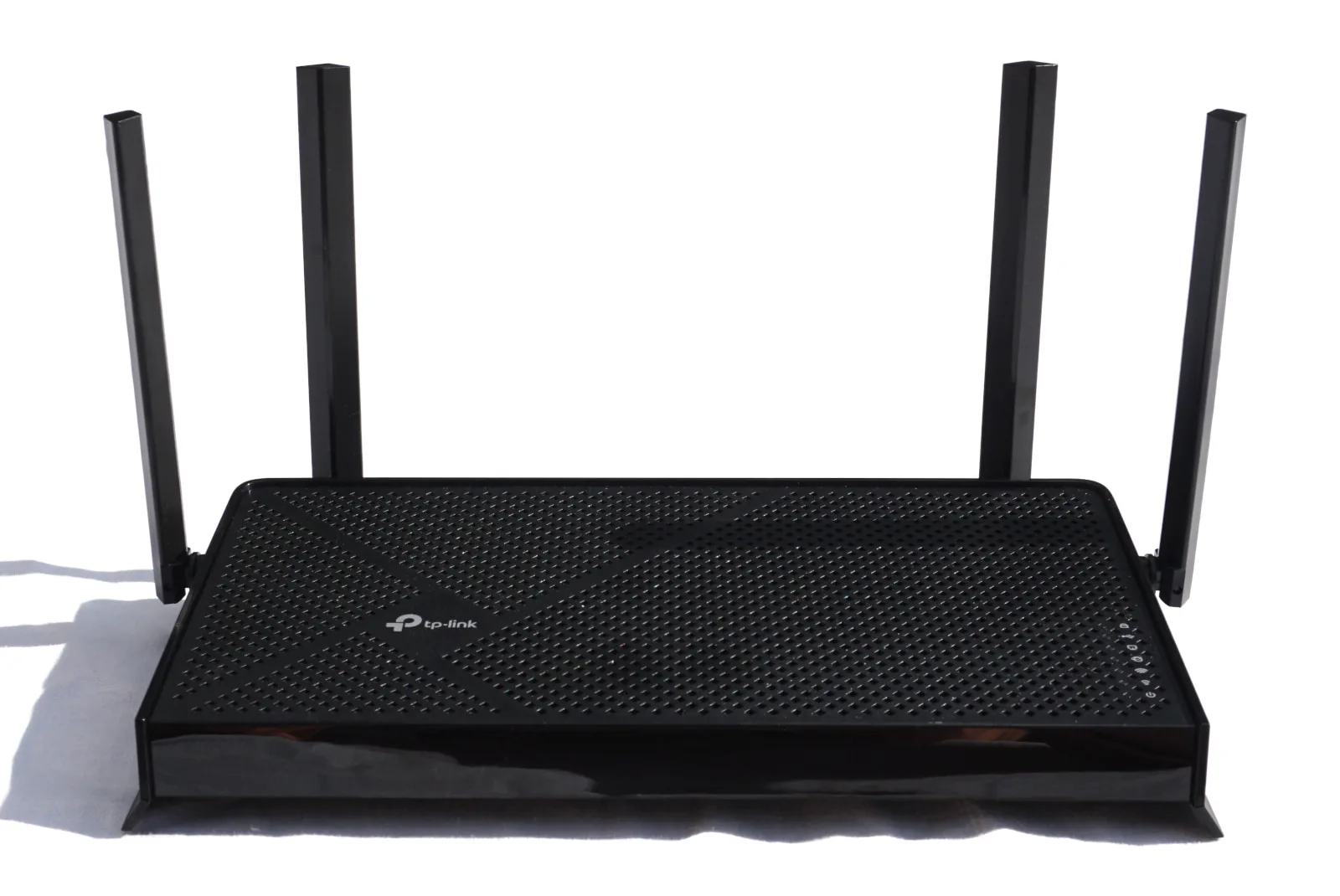
TP-Link Archer BE230
TP-Link Archer BE230
Max internet speed
2,350Mbps
Best for gaming
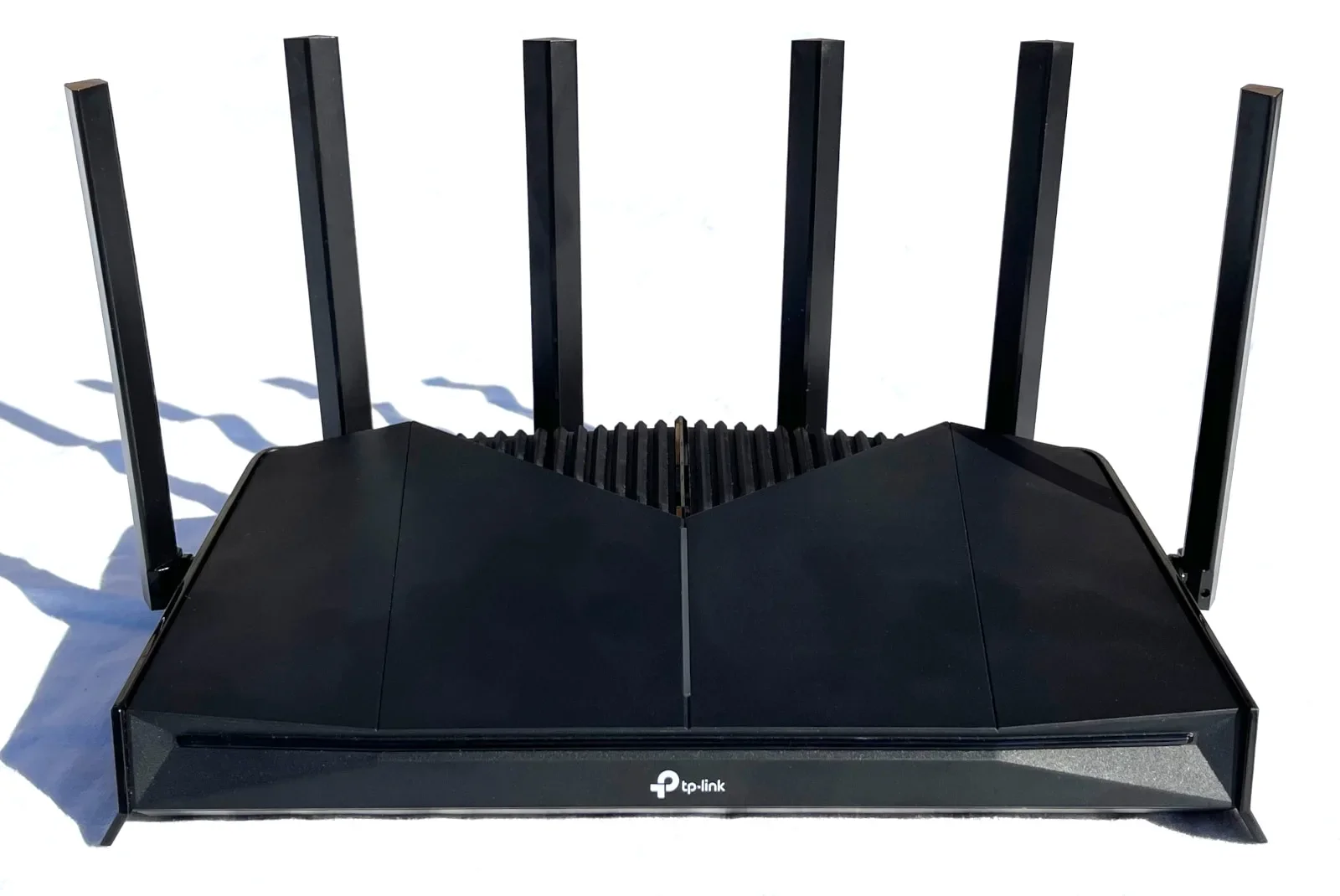
TP-Link Archer GE400
TP-Link Archer GE400
Max internet speed
2,350Mbps
Best for speed
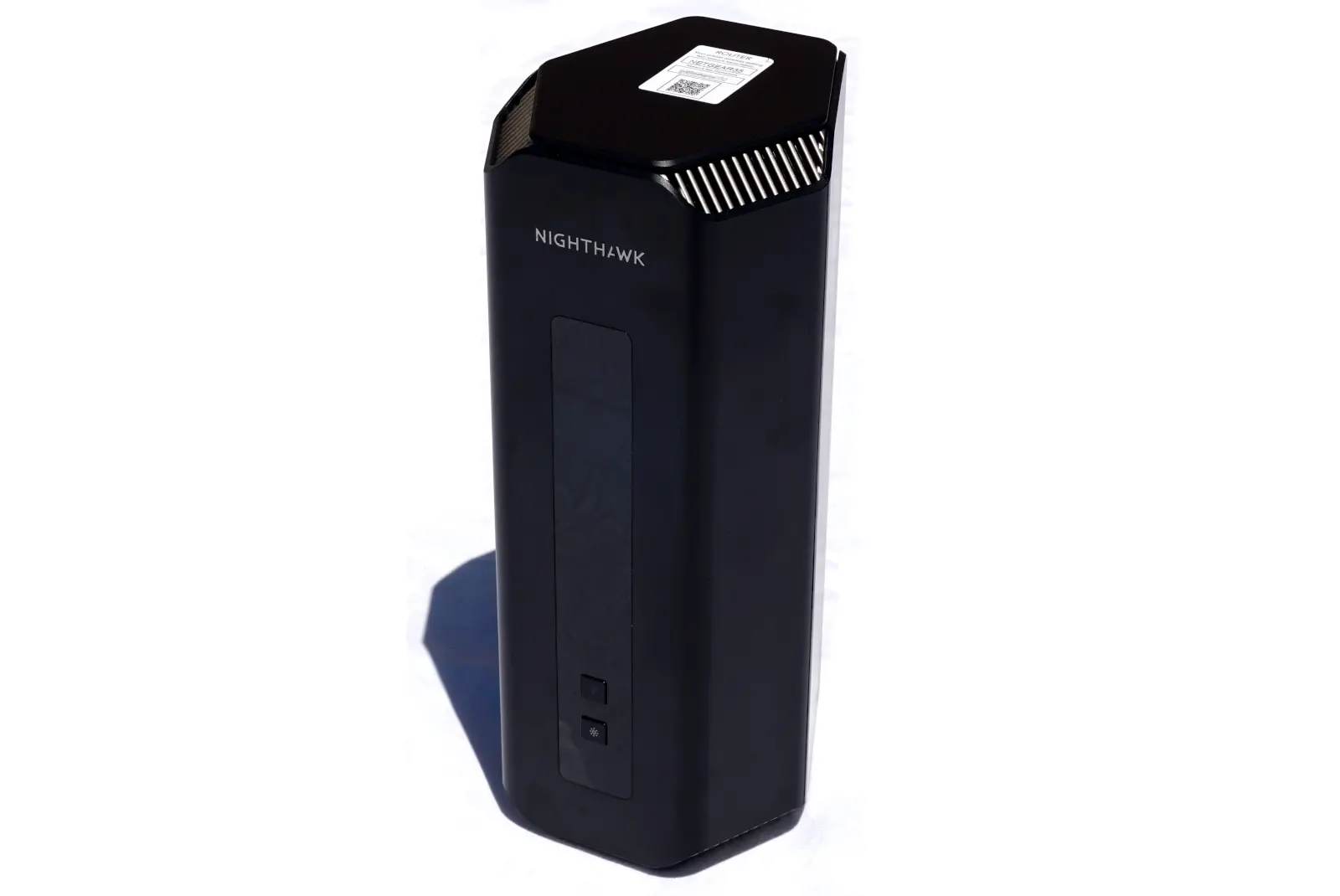
NETGEAR Nighthawk RS700S
NETGEAR Nighthawk RS700S
Max internet speed
9,400Mbps
Best mesh system
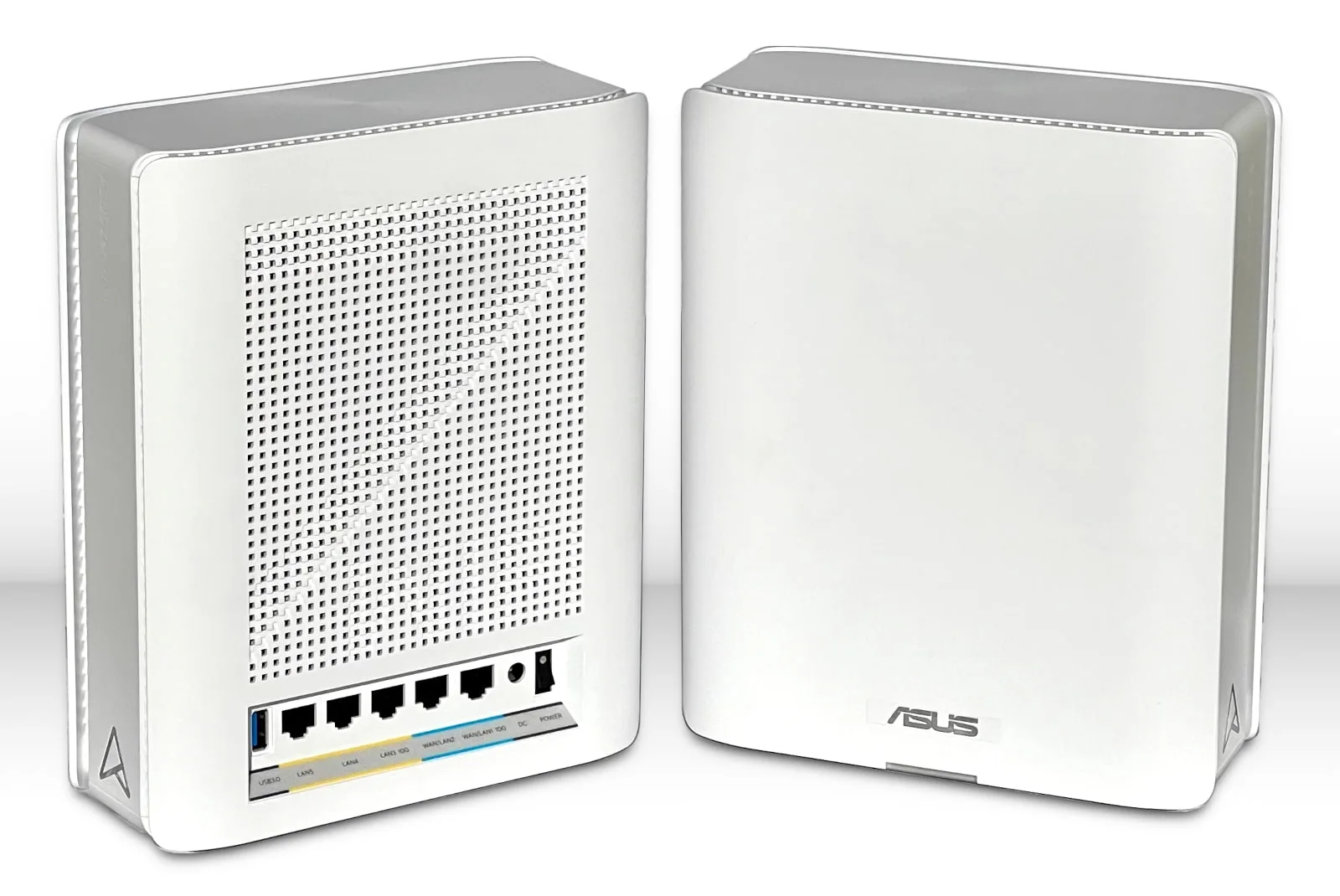
ASUS ZenWiFi BQ16 Pro
ASUS ZenWiFi BQ16 Pro
Max internet speed
9,400Mbps
* Read Amazon disclaimer.
Best Wi-Fi 7 routers in a nutshell
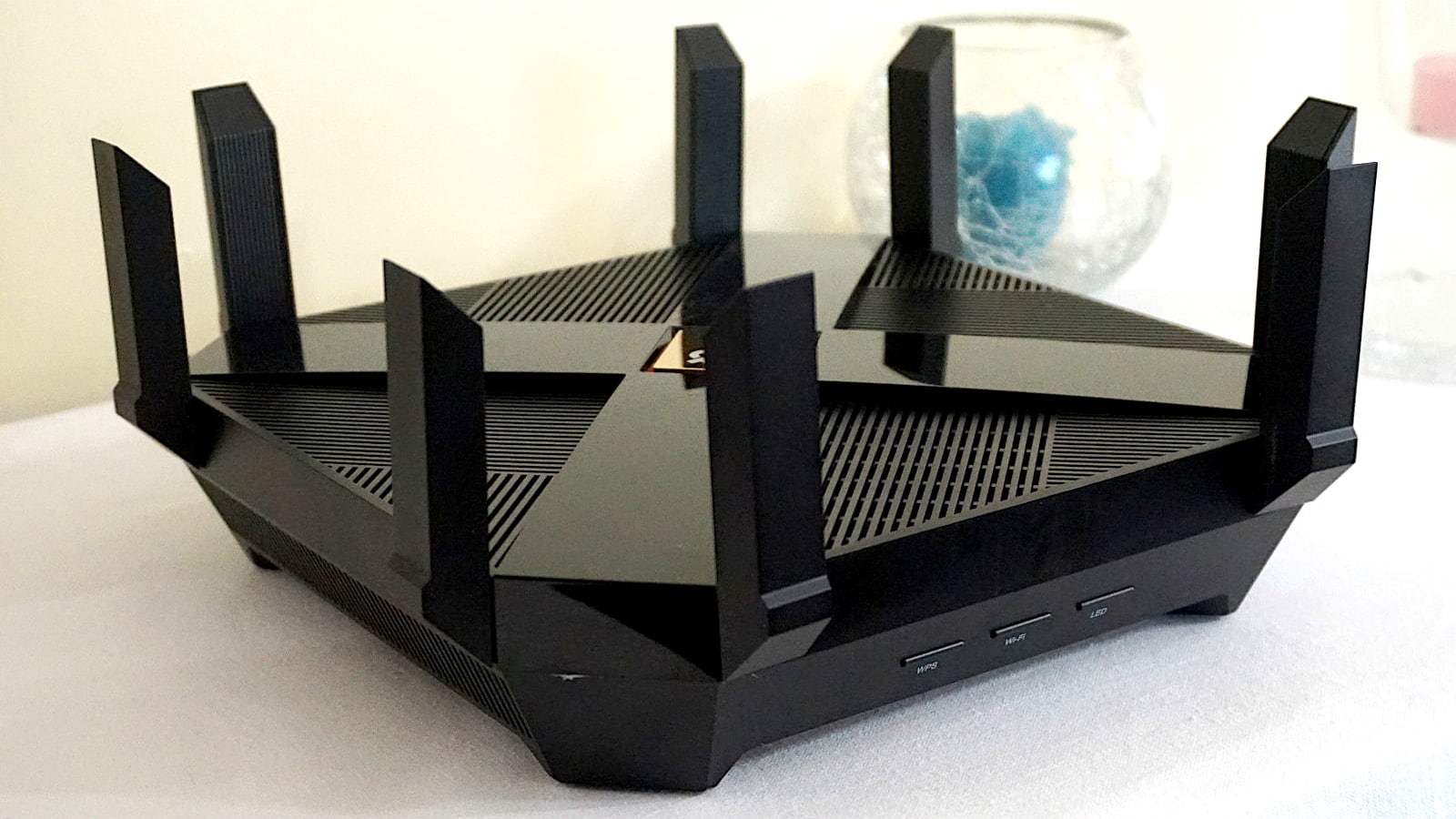
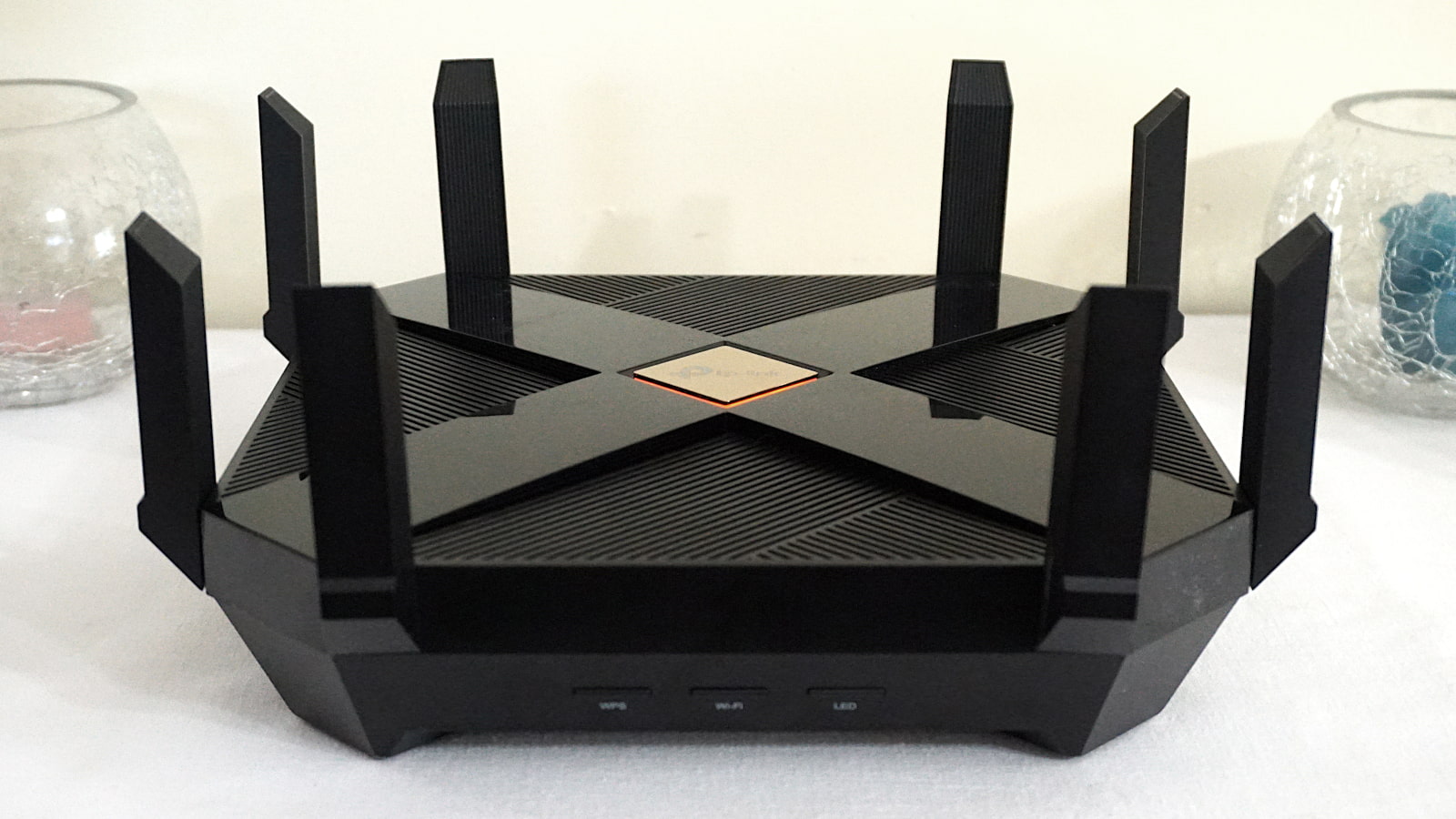
If you want lots of features in a Wi-Fi 7 router or mesh system, you generally pay top dollar. Our current top pick, the ASUS RT-BE96U, isn’t cheap, but you get a lot of bang for the buck. It doesn’t require subscriptions to get the most out of it (like with NETGEAR and TP-Link), plus it has a three-year warranty. It’s a good investment if you’re willing to pay the price, but if you’re shopping for more speed or a whole mesh system, we list our picks for those too.
In this roundup:
Best overall | Best for budgets | Best for gaming | Best for speed | Best mesh system | Compare benchmarks | Compare specifications | Providers with compatible plans | Other Wi-Fi 7 routers
In this roundup:
Best overall
Pros
 Free security tools
Free parental controls
Cons
 Proprietary mesh tech
High price tag
What we like about it
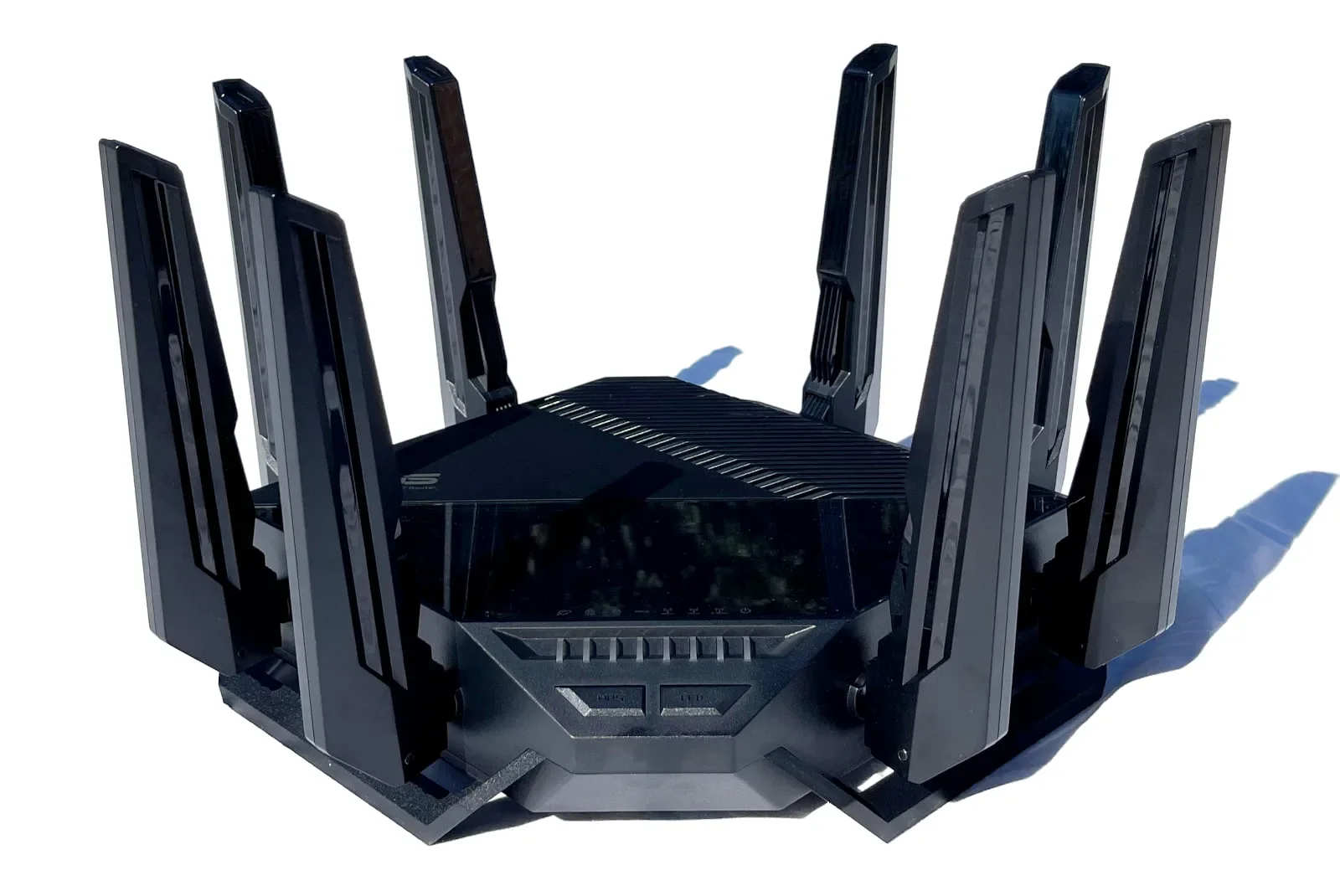
The RT-BE96U has some of the fastest speeds we’ve tested to date. Plus, it has more features than we can count, like free security, free parental controls, and built-in VPN tools.
What we wish it did better
Now that EasyMesh is used in a lot of networking products, it’s disappointing to see that ASUS took the proprietary AiMesh route instead.
Why we recommend it
The RT-BE96U is expensive, but it’s worth every penny thanks to the awesome speeds and treasure trove of features you get. It’s our new favorite router.
Specifications
Wi-Fi specs
- Standard: Wi-Fi 7
- Max throughput: 18,000Mbps
- Antennas: 8
- Streams: 12
- Bands: 3
Wired specs
- WAN ports (1Gbps): 1
- WAN ports (10Gbps): 1
- LAN ports (1Gbps): 3
- LAN ports (10Gbps): 1
- USB 3.2 ports: 1
- USB 2.0 ports: 1
* Read Amazon disclaimer.

Time to upgrade your internet speed?
Enter your zip code to see if a faster plan is available where you live.
Best for budgets
Pros
Built-in VPN tools
EasyMesh support
Cons
Subscription-locked features
No 6 GHz band
What we like about it
The Archer BE230 has good speeds for the money, based on our tests. It’s loaded with features, too, like VPN tools and multiple Wi-Fi networks.
What we wish it did better
We’re not big fans of subscriptions, like paying for premium parental controls, especially when we know other manufacturers offer similar services for free.
Why we recommend it
Get the Archer BE230 if you’re on a tight budget and not ready to use the 6 GHz band. The improved speeds and awesome callouts make this affordable router a great pick.
Specifications
Wi-Fi specs
- Standard: Wi-Fi 7
- Max throughput: 3,600Mbps
- Antennas: 4
- Streams: 4
- Bands: 2
Wired specs
- WAN ports (2.5Gbps): 1
- LAN Ports (2.5Gbps): 1
- LAN ports (1Gbps): 3
- USB 3.2 ports: 1
* Read Amazon disclaimer.
Best for gaming

Pros
Great 5 GHz speeds and range
Built-in VPN tools
Cons
No 6 GHz band
No 10Gbps port
What we like about it
You get a lot of speed for your buck, based on our testing. Plus, it includes a lot of features, a few of which target gamers.
What we wish it did better
Placing premium security and parental control features behind a paywall keeps your up-front costs low, but we’d like to have more free ones.
Why we recommend it
The Archer GE400 is a great router for gamers on a budget. There’s plenty of speed here for gaming, even without the 6 GHz band. The customizable RGB strip is cool to have too.
Specifications
Wi-Fi specs
- Standard: Wi-Fi 7
- Max throughput: 6,500Mbps
- Antennas: 6
- Streams: 6
- Bands: 2
Wired specs
- WAN ports (2.5Gbps): 1
- LAN ports (2.5Gbps): 1
- LAN ports (1Gbps): 3
- USB 3.2 ports: 1
* Read Amazon disclaimer.
Best for speed
Pros
10Gbps Ethernet ports
Built-in VPN server
Cons
Subscription-locked features
High price
What we like about it
The Nighthawk RS700S is superfast, hands down, hitting 3,600Mbps+ speeds at close range using a single Wi-Fi 7 device. Other notable callouts include the 10Gbps ports, OpenVPN server, and media streaming.
What we wish it did better
We’re not big fans of paying for extra services after shelling out a lot of money for a router. We like to see routers sold at this price packed with free security and parental controls, which you don’t get here.
Why we recommend it
Get the Nighthawk RS700S if you have a Wi-Fi 6E or Wi-Fi 7 device. You’ll see improved speeds from better interference management, not to mention the superfast wireless speeds you get from Wi-Fi 7.
Specifications
Wi-Fi specs
- Standard: Wi-Fi 7
- Max throughput: 19,000Mbps
- Antennas: 8
- Streams: 12
- Bands: 3
Wired specs
- WAN ports (10Gbps): 1
- LAN ports (10Gbps): 1
- LAN ports (1Gbps): 4
- USB 3.2 ports: 1
* Read Amazon disclaimer.
Best mesh system
Pros
Multi-internet compatibility
4G LTE/5G internet support
Cons
High price
Proprietary mesh tech
What we like about it
This system has the fastest speeds for a mesh system we’ve tested to date, even in our backhaul tests. It also includes free security, free parental controls, VPN tools, and loads more.
What we wish it did better
While you can load the web UI in a mobile web browser, we wish the app also included every setting for a one-interface-to-control-it-all experience.
Why we recommend it
Most mesh systems struggle to hit the same powerful speeds as a standard router, but the ZenWiFi BQ16 Pro packs the biggest punch we’ve seen to date. Plus, every feature is included in the price, unlike competing systems.
Specifications
Wi-Fi specs
- Standard: Wi-Fi 7
- Max throughput: 30,000Mbps
- Antennas: 12 each
- Streams: 16 each
- Bands: 4
Wired specs
- WAN/LAN ports (10Gbps): 1
- WAN/LAN ports (1Gbps): 1
- LAN ports (1Gbps): 3
- USB 3.2 ports: 1
* Read Amazon disclaimer.
Compare Wi-Fi 7 router benchmarks
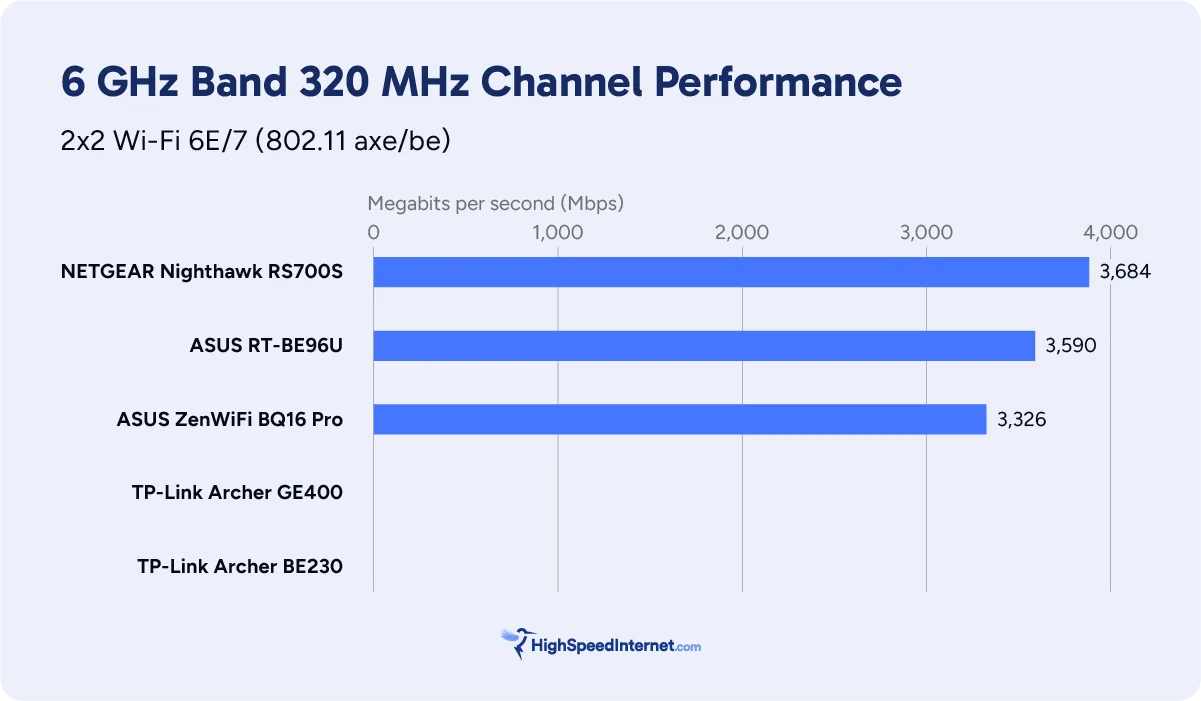
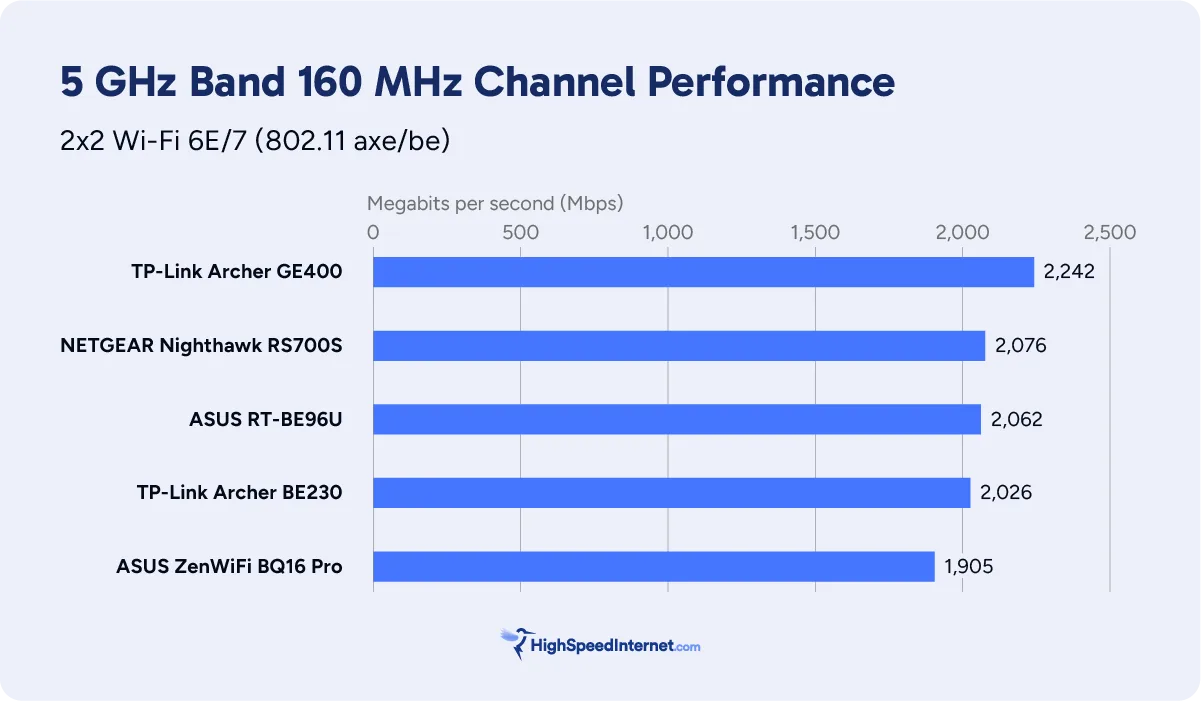
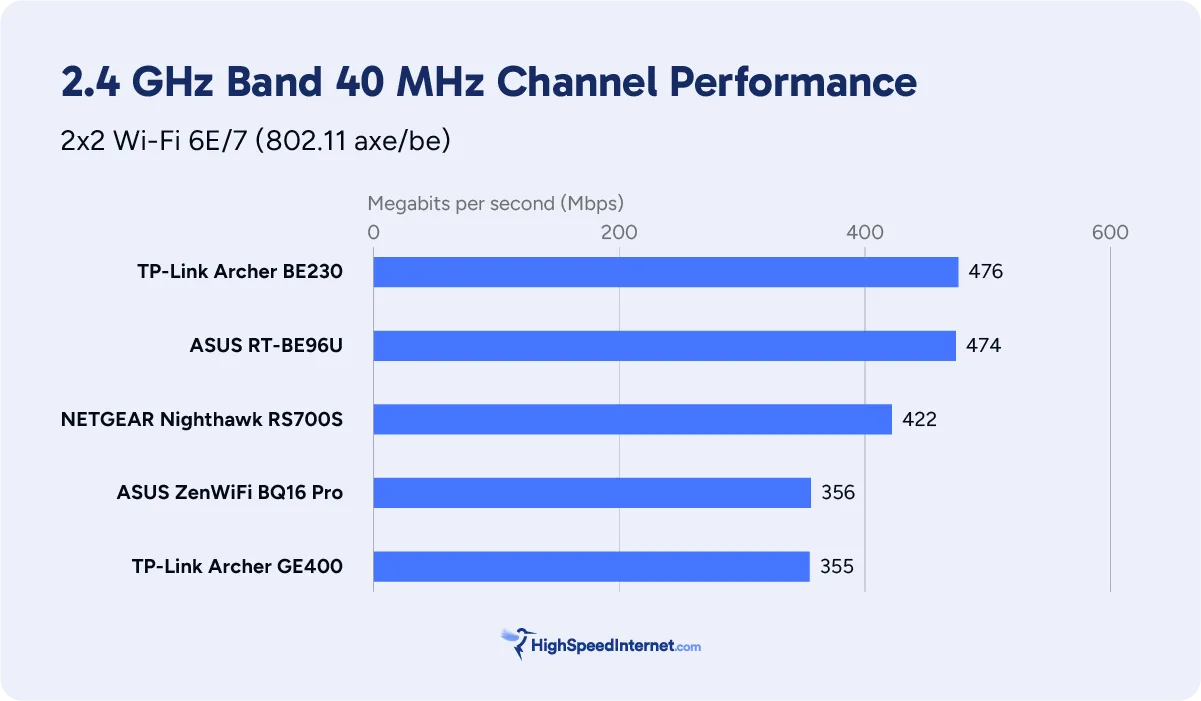
Overall, the ASUS RT-BE96U is your best bet if you’re looking for lots of features and speed without having to shell out extra cash for subscription-locked features.
The TP-Link routers in our roundup don’t have 6 GHz radios, so their entries are blank in the 6 GHz chart below.
6 GHz
5 GHz
2.4 GHz
Compare Wi-Fi 7 router specifications
Four out of the five tested routers listed below support mesh networking. TP-Link moved to the open-source EasyMesh specification, meaning you can add any EasyMesh-compatible router or mesh node to your home network. Meanwhile, ASUS insists on using its proprietary mesh tech for the best whole-home Wi-Fi experience out of ASUS products.
Also, you don’t need subscriptions to get everything an ASUS Wi-Fi 7 router or mesh system offers, whereas you need subscriptions for the TP-Link and NETGEAR models to get all the security and parental control features.
| ASUS RT-BE96U | TP-Link Archer BE230 | TP-Link Archer GE400 | NETGEAR Nighthawk RS700S | ASUS ZenWiFi BQ16 Pro |
|---|---|---|---|---|
| Max throughput: 18,000Mbps | Max throughput: 3,600Mbps | Max throughput: 6,500Mbps | Max throughput: 19,000Mbps | Max throughput: 19,000Mbps |
| Radios: 3 | Radios: 2 | Radios: 2 | Radios: 3 | Radios: 4 |
| Streams: 12 | Streams: 4 | Streams: 6 | Streams: 12 | Streams: 16 |
| Internet port: 10GbE | Internet port: 2.5GbE | Internet port: 2.5GbE | Internet port: 10GbE | Internet port: 10GbE |
| LAN ports: 4 | LAN ports: 4 | LAN ports: 4 | LAN ports: 5 | LAN ports: 4 |
| USB ports: 2 | USB ports: 1 | USB ports: 1 | USB ports: 1 | USB ports: 1 |
| VPN server: Included | VPN server: Included | VPN server: Included | VPN server: Included | VPN server: Included |
| VPN client: Included | VPN client: Included | VPN client: Included | VPN client: No | VPN client: Included |
| Media server: Included | Media server: No | Media server: No | Media server: Included | Media server: Included |
| Parental controls: Included | Parental controls: Free, Premium | Parental controls: Free, Premium | Parental controls: Premium only | Parental controls: Included |
| Security: Included | Security: Free, Premium | Security: Free, Premium | Security: Premium | Security: Included |
| Mesh type: AiMesh | Mesh type: EasyMesh | Mesh type: EasyMesh | Mesh type: No Mesh | Mesh type: AiMesh |
| Get on Amazon | Get on Amazon | Get on Amazon | Get on Amazon | Get on Amazon |
Compatible internet providers
We selected the providers below based on their fastest plans. Note that any provider with an internet plan of 9,400Mbps (9.4Gbps) and slower work with routers with a 10 Gigabit Ethernet port for internet. Routers with a 2.5 Gigabit Ethernet port for internet are not recommended for internet plans faster than 2,300Mbps (2.3Gbps).
| 2.3Gbps and slower * | 9.4Gbps and slower † |
|---|---|
* Around 2.35Gbps is your max wired speed after networking overhead when using a 2.5GbE port.
† Around 9.4Gbps is your max wired speed after networking overhead when using a 10GbE port.
Other Wi-Fi 7 routers tested and reviewed
Disclaimers
Amazon
Amazon.com Availability as of 1/23/26 17:35 MST. Product availability is accurate as of the date/time indicated and is subject to change. Any price and availability information displayed on Amazon.com at the time of purchase will apply to the purchase of this product. Highspeedinternet.com utilizes paid Amazon links.
CERTAIN CONTENT THAT APPEARS ON THIS SITE COMES FROM AMAZON. THIS CONTENT IS PROVIDED ‘AS IS’ AND IS SUBJECT TO CHANGE OR REMOVAL AT ANY TIME.
Speed test results
Our router and mesh system benchmark results are based on several factors, including:
- Router or mesh system configurations
- Client device configurations
- Local interference (neighboring Wi-Fi, radar, etc.)
- Local obstructions (walls, doors, etc.)
Our stated speed test numbers reflect the router-to-client connection only and do not include the internet. Reported speeds are not guaranteed. Your speeds will vary based on the list provided above.
Author - Kevin Parrish
Kevin Parrish has more than a decade of experience working as a writer, editor, and product tester. He began writing about computer hardware and soon branched out to other devices and services such as networking equipment, phones and tablets, game consoles, and other internet-connected devices. His work has appeared in Tom’s Hardware, Tom's Guide, Maximum PC, Digital Trends, Android Authority, How-To Geek, Lifewire, and others. At HighSpeedInternet.com, he focuses on network equipment testing and review.
Editor - Jessica Brooksby
Jessica loves bringing her passion for the written word and her love of tech into one space at HighSpeedInternet.com. She works with the team’s writers to revise strong, user-focused content so every reader can find the tech that works for them. Jessica has a bachelor’s degree in English from Utah Valley University and seven years of creative and editorial experience. Outside of work, she spends her time gaming, reading, painting, and buying an excessive amount of Legend of Zelda merchandise.
Related Posts