How To Get Backup Internet for Your Cable or Fiber Connection
Check our provider list below, or get the new Eero Signal for your Eero mesh system

Feb 18, 2026 | Share 


How-To, Internet Buying Guides
Every facet of our lives has gone digital, from health care to finance and work to entertainment. Just name it: romance, cooking, hiking, childcare, meditation—it’s all happening on screens these days.
We’re obsessed with constant connection to the internet, and we’re not quitting anytime soon. Sometimes, though, our primary connections fail. It can happen if wiring is damaged outside your home, if the power goes out, or even if technicians fail to follow protocol and cause widespread outages that last hours.
Luckily, our friendly local internet providers want us to stay connected as much as we want to stay connected! All the major cable and fiber internet providers now offer backup internet services to premium residential customers. Even if you don’t qualify, you can get 4G backup internet on Eero routers.
It works on your local cell networks, it doesn’t cost much, and it’s super easy to set up.
What is 5G backup internet?
5G is advertised with snazzy names like Invincible WiFi and Storm Ready Wifi, but it’s really just fixed wireless home internet. It works by creating a wireless connection between your router or gateway and your nearest cell tower. In geek speak, it’s called 4G or 5G failover.
This connection kicks on automatically anytime your primary cable or fiber internet connection fails. And it doesn’t have to be a widespread outage! Your home network can also go down when there’s a:
- Power outage
- Problem with cables in your neighborhood
- Problem with cables or equipment in your home
With the new backup internet options on offer from major internet providers, you don’t have to make any changes to your home network in case of an outage. That means no new passwords, logins, or Ethernet cables for your devices. Instead, the connection itself switches over to a mobile signal when the primary network goes down.
Which internet providers offer backup internet?
Xfinity kicked off the backup internet trend in 2024 by offering Storm Ready Wi-Fi. The service costs a little more now, and it’s been renamed Xfinity Pro. Frontier was hot on its heels, offering Frontier Unbreakable Internet a few months later.
Other major internet providers piled on within the next 18 months, and now most of the biggest providers have some kind of 4G or 5G internet backup offering. Here’s a quick list:
| Provider | Backup internet service | Price | Perks |
|---|---|---|---|
| Spectrum | INVINCIBLE WiFi™ | ||
| Xfinity | Xfinity Pro WiFi Backup | $15/mo. | |
| Frontier | Unbreakable Wi-Fi | $25/mo. | |
| Verizon | Wi-Fi Backup | $20/mo. | |
| Cox | StayConnect | $7/mo. | |
| AT&T | Internet Backup | Included with bundle pricing | |
| Astound | Eero internet backup | $9.99/mo. |
How to get backup internet from your own router
Your fiber or cable internet provider may not be your only option for backup internet. Instead, you might be able to get it through your router.
Look no further than Amazon’s Eero routers. For $99, its Signal accessory connects to your existing Eero mesh system via USB to deliver a 4G LTE signal when your internet goes out. It’s an optional purchase and requires an Eero Plus subscription to use.
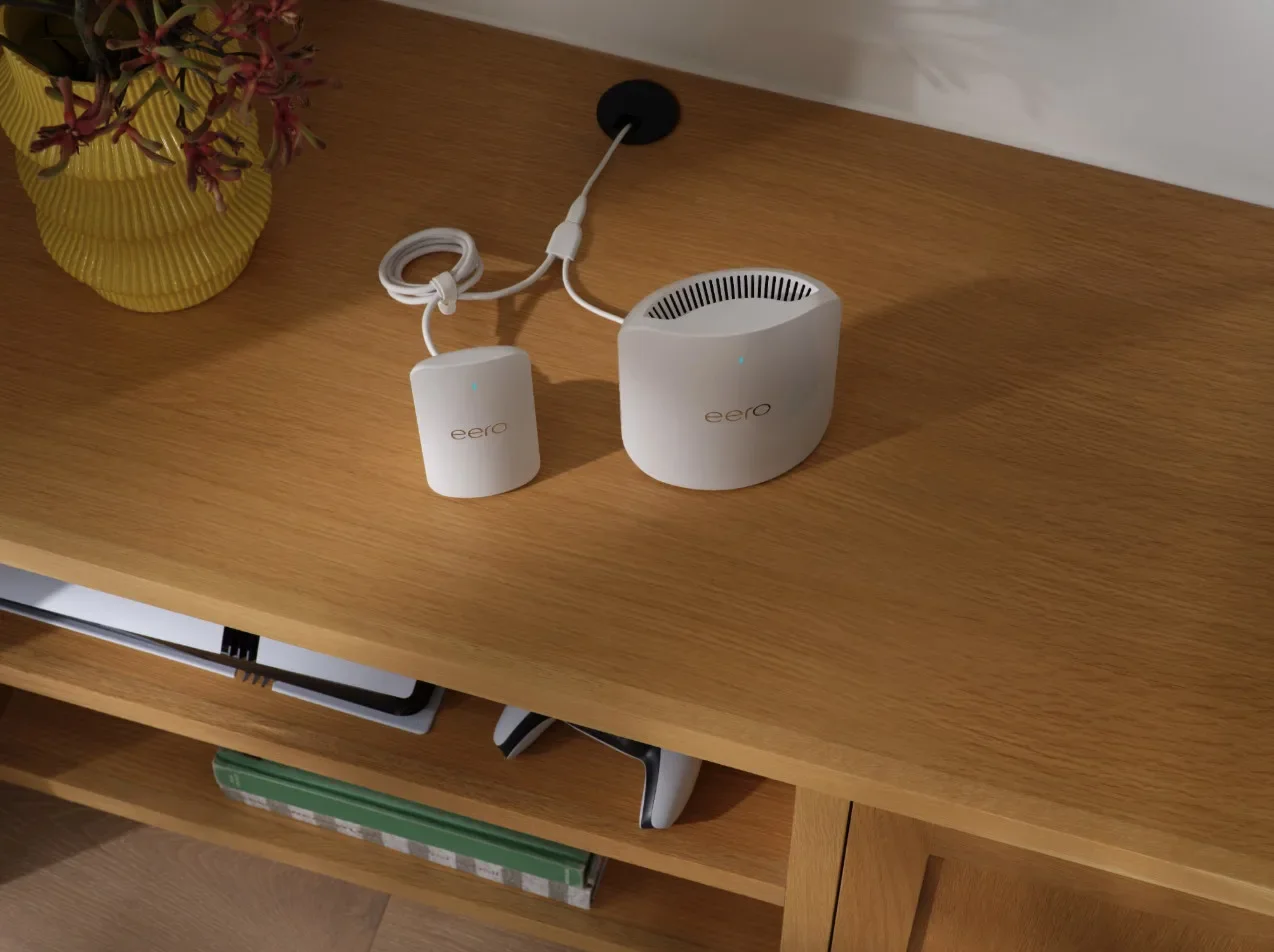
The following mesh systems are compatible with the Eero Signal backup accessory:
- Eero 6
- Eero Pro 6
- Eero 6+
- Eero Pro 6E
- Eero PoE 6 (when powered via USB-C)
- Eero 7
- Eero Pro 7
- Eero Max 7
- Eero PoE 7 (when powered via USB-C)
If you need only 10GB of data per year, you get your first six months free, but then you’ll be charged for $99.99 for the next 12 months. That’s not much data, but it will keep you online for a few hours if there’s an outage.
If you have bigger data needs or expect frequent outages, choose the Eero Plus 100 tier. You get 100GB of data per month, and you get 50% off for the first year. After that, the annual price is $199.99 per year.
Later this year, Eero says it will release a 5G model for $199. If you’re not in a 5G area, you’ll still get 4G LTE data. It’s unclear if subscription prices will differ.
Other routers with 4G LTE/5G backup support
Many other retail routers and mesh systems now support 4G LTE and 5G backup connectivity through their USB ports. Simply tether a smartphone or USB-based cellular modem to the port and the router or mesh system automatically switches to the backup service when your main internet connection fails.
Here are a few recent Wi-Fi 7 routers we’ve tested that include cellular backup support:
Business and enterprise access points generally offer cellular backup connections as well, but we don’t recommend those for home use.

Pro tip: Get backup internet the old-fashioned way
If 4G or 5G failover isn’t your cup of tea, check out our resources for the best backup internet of 2026, including satellite, mobile hotspots, and public hotspots.
These alternatives may be more expensive or more difficult to set up, but they can keep you connected in emergency situations, even when your primary or secondary connections fail.
My take
Internet service is faster and more reliable than it’s ever been. Uptime in the range of 99% or higher is a very good thing, but there’s a reason for it. In 2026, we need always-on connectivity more than ever.
Backup internet makes a lot of sense for any household that requires connectivity for income, health, or safety, especially if you have several devices that must stay online. It can also make sense if you live in a wildfire or hurricane zone, or if you have frequent power outages.
That said, every $20 counts these days. If you don’t expect a lot of outages or simply use your internet for entertainment, remember that the smartphone in your pocket already connects to 4G and 5G internet. Most mobile phone plans have plenty of hotspot data, so learn how to use your phone as a hotspot, and you’re good to go.
Author - Chili Palmer
Chili Palmer covers home tech services, with a special focus on understanding what families need and how they can stay connected on a budget. She handles internet access and affordability, breaking news, mobile services, and consumer trends. Chili’s work as a writer, reporter, and editor has appeared in publications including Telecompetitor, Utah Business, Idaho Business Review, Benton Institute for Broadband & Society, and Switchful.com.
Editor - Jessica Brooksby
Jessica loves bringing her passion for the written word and her love of tech into one space at HighSpeedInternet.com. She works with the team’s writers to revise strong, user-focused content so every reader can find the tech that works for them. Jessica has a bachelor’s degree in English from Utah Valley University and seven years of creative and editorial experience. Outside of work, she spends her time gaming, reading, painting, and buying an excessive amount of Legend of Zelda merchandise.
Related Posts