ExpressVPN Review: Is It Worth the Premium Price Tag?
ExpressVPN is stacked with customization options and extra features, making it a solid choice for advanced VPN users
Availability and speed may vary by location, and prices are subject to change. Expand for disclaimers.
ExpressVPN plans
ExpressVPN Basic — By clicking “Subscribe with Card” below, I agree to the Terms of Service — including the dispute resolution clause which requires binding arbitration for U.S. residents; the Privacy Policy; the Cancellation Policy; and the Automatic Renewal Terms set forth below. Automatic Renewal Terms: Your minimum initial purchase is $74.91 for 2 Years of VPN + 4 Months. Your subscription plan will automatically renew on an annual basis starting on 11/15/2028 at the rate of $99.95/year (plus vat/tax where applicable, and price subject to change with advance notice) to your selected payment method until you cancel, which you may do at any time before midnight on the autorenewal date by going to the “Subscription” tab and following the “Cancel” prompts.
ExpressVPN Advanced — By clicking “Subscribe with Card” below, I agree to the Terms of Service — including the dispute resolution clause which requires binding arbitration for U.S. residents; the Privacy Policy; the Cancellation Policy; and the Automatic Renewal Terms set forth below. Automatic Renewal Terms: Your minimum initial purchase is $89.96 for 2 Years of VPN + 4 Months. Your subscription plan will automatically renew on an annual basis starting on 11/15/2028 at the rate of $119.95/year (plus vat/tax where applicable, and price subject to change with advance notice) to your selected payment method until you cancel, which you may do at any time before midnight on the autorenewal date by going to the “Subscription” tab and following the “Cancel” prompts.
ExpressVPN Pro — By clicking “Subscribe with Card” below, I agree to the Terms of Service — including the dispute resolution clause which requires binding arbitration for U.S. residents; the Privacy Policy; the Cancellation Policy; and the Automatic Renewal Terms set forth below. Automatic Renewal Terms: Your minimum initial purchase is $165.18 for 2 Years of VPN + 4 Months. Your subscription plan will automatically renew on an annual basis starting on 11/15/2028 at the rate of $199.95/year (plus vat/tax where applicable, and price subject to change with advance notice) to your selected payment method until you cancel, which you may do at any time before midnight on the autorenewal date by going to the “Subscription” tab and following the “Cancel” prompts.
Why use ExpressVPN
ExpressVPN has servers in plenty of countries, so you won’t have to worry about a lack of options. It doesn’t offer cloud storage or free plans, but you can get prices as low as $2.49 per month (with two-year subscriptions).
Pros
 Parental controls
Dedicated router firmware available
Easy to use
Cons
 No cloud storage
No free plan
Higher premiums
ExpressVPN is a premium VPN service that includes plenty of perks and features to warrant the price. ExpressVPN has three plan options with monthly, yearly, and two-year subscription options. ExpressVPN also has a browser extension, so you can isolate encryption to your online activity or bypass downloading the app and using storage space.
I tested ExpressVPN’s Express Pro plan for two weeks and didn’t have any issues with the service. I worked from home, streamed, did some online shopping, as well as everyday casual browsing while using ExpressVPN. ExpressVPN offers discounts for first-time customers and, like most VPN services, you’ll get a cheaper monthly rate if you sign up for a longer subscription.
How much does ExpressVPN cost?
Price score: (2.4/4) ★ ★ ½
| Plan | Price* | Features |
|---|---|---|
| Basic | $2.49–$14.99/mo. | |
| Advanced | $2.99–$16.99/mo. | |
| Express Pro | $5.49–$22.99/mo. |
* Availability and speed may vary by location, and prices are subject to change. See disclaimers.
ExpressVPN offers three plan options, so you can pick the plan that best fits your needs and budget. Most VPN services cap at 10 devices, but you can cover up to 14 with the Express Pro plan. The Pro plan is also one of the few VPN plans that comes with a dedicated IP address at no extra cost.
You’ll get a private email relay with all plans, although the monthly cap varies depending on the plan. ExpressVPN’s most premium option also includes unique features not offered by most typical VPN services, like ID alerts, data removal, and identity theft insurance. While these features can be very handy for those who need them, ExpressVPN’s prices are higher than average, and opting for the Express Pro plan may not make sense for beginners who only need a basic VPN.
I paid an introductory price of $225.34 for a two-year Express Pro plan, and my invoice states that my subscription will renew annually at the current rate of $199.95—almost double the price. But one thing to note is that the renewal rate doesn’t appear on my account as it has with other VPN services I’ve tested.
Which Express VPN plan should you get?
The Express Pro plan will check all the boxes when it comes to a reliable VPN service and will include unique perks like ExpressAI, a password manager, and private email relay. You’ll also be able to extend protection to up to 14 devices and get a dedicated IP address included with your plan.
ExpressVPN plans hit all the VPN basics and, on top of that, have features and perks that aren’t typically offered with VPN plans, like eSIM and ExpressAI chat credits. All ExpressVPN plans include the following features:
- Post-quantum protection
- Built-in speed test
- Ad, malicious site, and adult site blocker
- ExpressMailGuard
If you want to get all of ExpressVPN’s features included with your VPN plan, you’ll need to sign up for the Express Pro plan. If you sign up for the middle-tier Advanced plan, you’ll get two more devices compared to the Basic plan, more private email relay data, and an unlimited password manager. But you’ll only get access to ExpressAI chat credits with the Pro plan.
How fast is ExpressVPN?
Speed and performance score: (3.6/4) ★ ★ ★ ½
I used ExpressVPN for everyday online activities and working from home. I frequently took Zoom calls and meetings and never experienced any lagging or freezing with my video or audio calls. ExpressVPN auto-connected anytime I turned my laptop on, and it ran so smoothly that constantly running it in the background was completely unnoticeable to me.
ExpressVPN speeds, latency, and jitter testing results
| Local server | Distant server | No VPN | |
|---|---|---|---|
| Download speed | 847Mbps (- 9.9%) | 528Mbps (- 43.8%) | 940Mbps |
| Upload speed | 864Mbps (- 8.9%) | 215Mbps (- 77.3%) | 948Mbps |
| Latency | 65.79 ms (+ 156%) | 291.90 ms (+ 1,038%) | 25.66 ms |
| Jitter | 14.96 ms (+ 345%) | 46.58 ms (+ 1,286%) | 3.36 ms |
ExpressVPN speeds
Based on our controlled testing over a fiber connection with symmetrical upload and download speeds, ExpressVPN’s impact on download speed when connected to a local server is pretty minimal. Average download speeds when using ExpressVPN decreased by almost 100Mbps compared to download speeds with the VPN turned off. Upload speeds only dropped by about 84Mbps when connected to a local server.
When connected to a distant server in Hong Kong, download speeds dropped by about 412Mbps, but this is to be expected when connecting to servers that are very far away.
Upload speeds when connected to the distant server took a bigger hit compared to the local server, which is expected. Upload speeds dropped substantially by about 733Mbps on the distant server.
ExpressVPN latency and jitter
When connected to an ExpressVPN local server, latency increased by around 40 milliseconds and a whopping 266m milliseconds when connected to the distant Hong Kong server. You’ll want to avoid connecting to distant servers if you’re gaming or making video calls while using a VPN. You’ll want to connect to faster servers for these activities, and ExpressVPN makes this simple by recommending the top three fastest servers for you. In the profile tab, you can toggle the option to allow background latency checks on and off, which is a very unique feature I haven’t seen from other VPN services.
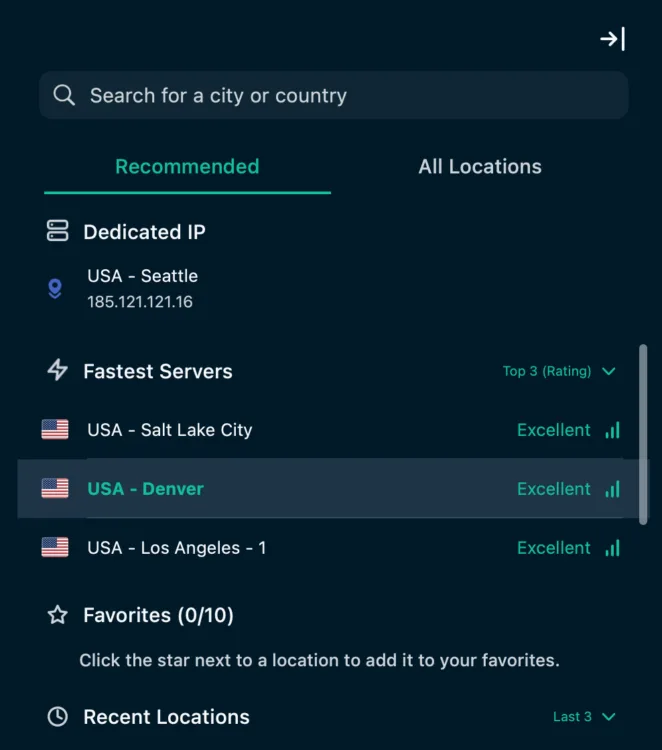
The top three recommended fastest servers from ExpressVPN. Andrea GutierrezPrieto | HighSpeedInternet.com
Are the ExpressVPN apps good?
Apps and UX score: (4/4) ★ ★ ★ ★
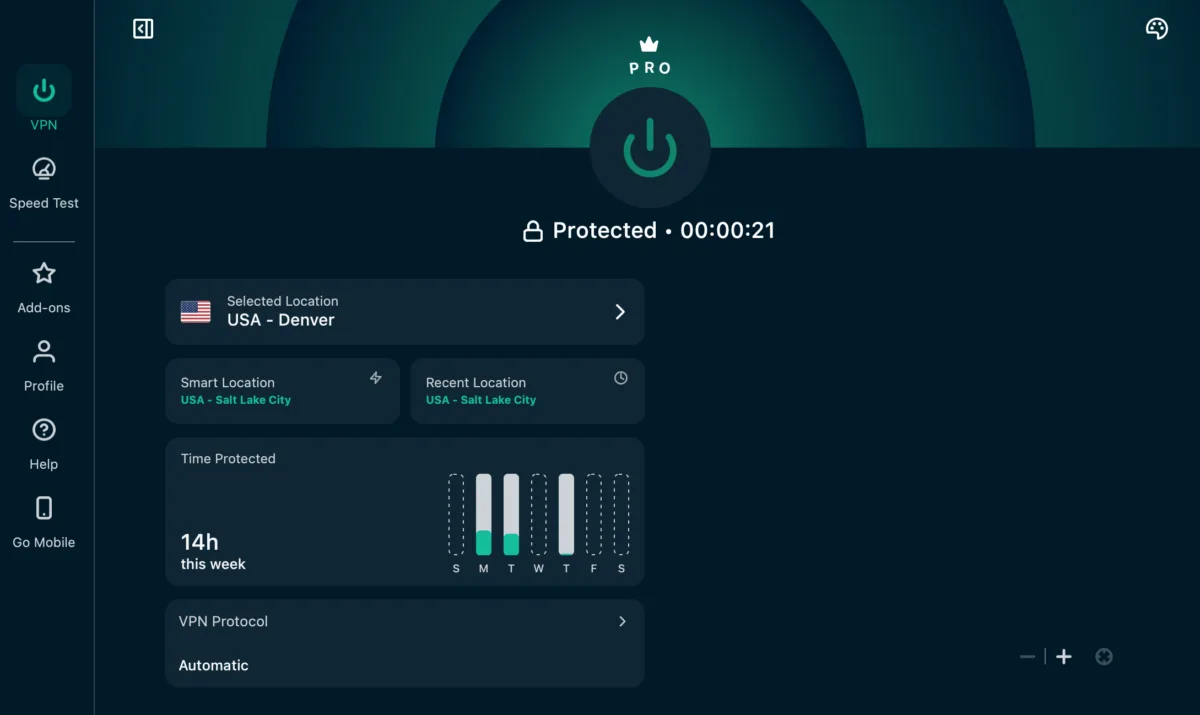
macOS home screen on ExpressVPN app. Andrea GutierrezPrieto | HighSpeedInternet.com
ExpressVPN’s website and apps are fairly intuitive and clear-cut. All you need to do to get connected is click the power button, and you can easily choose your server or a specific location. ExpressVPN’s interface strikes the perfect balance of being straightforward and giving you a lot of useful information and customization options. You can have the VPN or speed test open on the left side, while being able to open add-ons, your profile, the help tab, or the go mobile tab on the right side.
ExpressVPN shows customers what the latency (ping) is when looking through servers. This can be very useful for those wanting to connect to the best server for low latency. ExpressVPN has two tabs for servers, one with recommended servers and one for all locations.
The recommended tab lists your dedicated IP (if your plan includes it), the top three to five fastest servers, your saved favorites, recent locations, and the most popular servers in your country. I would typically connect to the fastest server or the dedicated IP that was included in my plan. You can filter and search the All Locations tab by region, name, and endpoints.
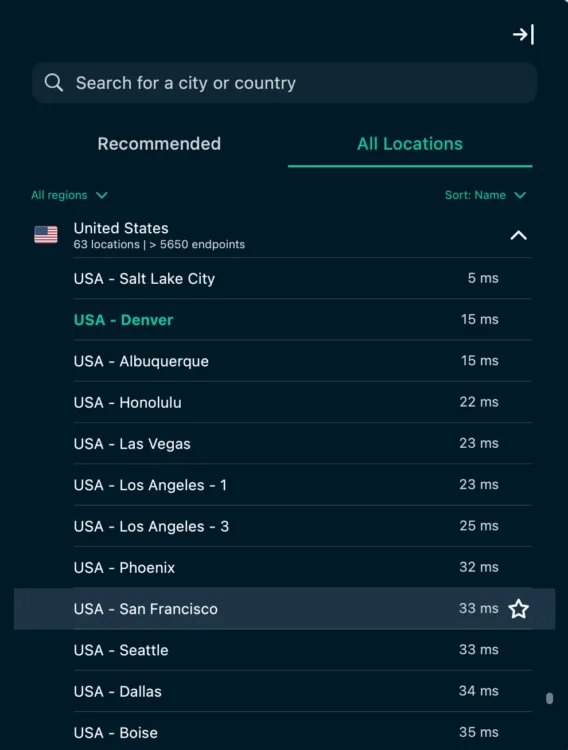
I can filter ExpressVPN servers by regions, name, and endpoints. Andrea GutierrezPrieto | HighSpeedInternet.com
The macOS app makes it easy to tell if you’re connected or not by adding a green checkmark to the app in the toolbar. If you aren’t connected, you won’t see the green checkmark. You can customize the color and appearance of the app in your profile tab. You can also toggle on the internet kill switch and split tunneling. One feature I found very interesting was that you have three different options to toggle on and customize that will create rules for when your VPN connects:
- Auto-connect: Creates rules to automatically connect or disconnect your VPN when joining a network.
- Connect on launch: Connects to your last location when you launch the app.
- Launch ExpressVPN on startup: Launches the ExpressVPN app when you turn on your device.
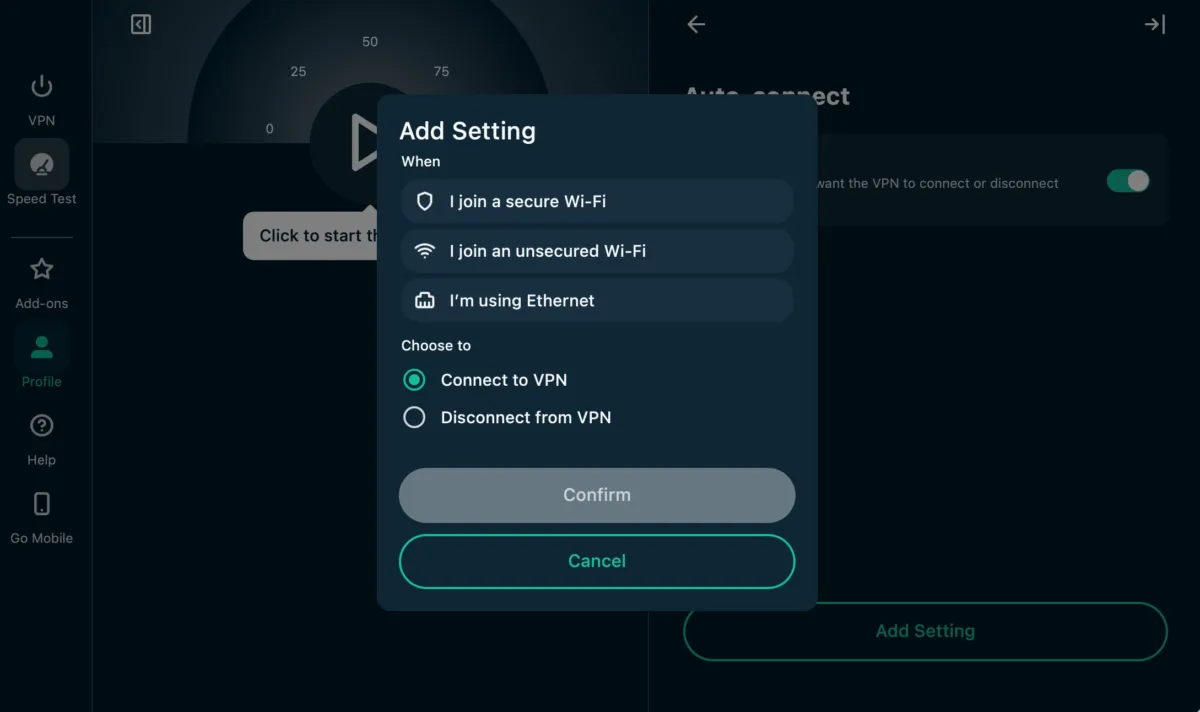
I can add a setting for when I want my ExpressVPN to connect and disconnect. Andrea GutierrezPrieto | HighSpeedInternet.com
You can also easily switch your VPN protocol in the profile tab. You can leave the automatic recommended setting where Express selects the best protocol for your network or choose from the following options:
- Automatic (recommended)
- Lightway – UDP
- Lightway – TCP
- WireGuard
- OpenVPN – UDP
- OpenVPN – TCP
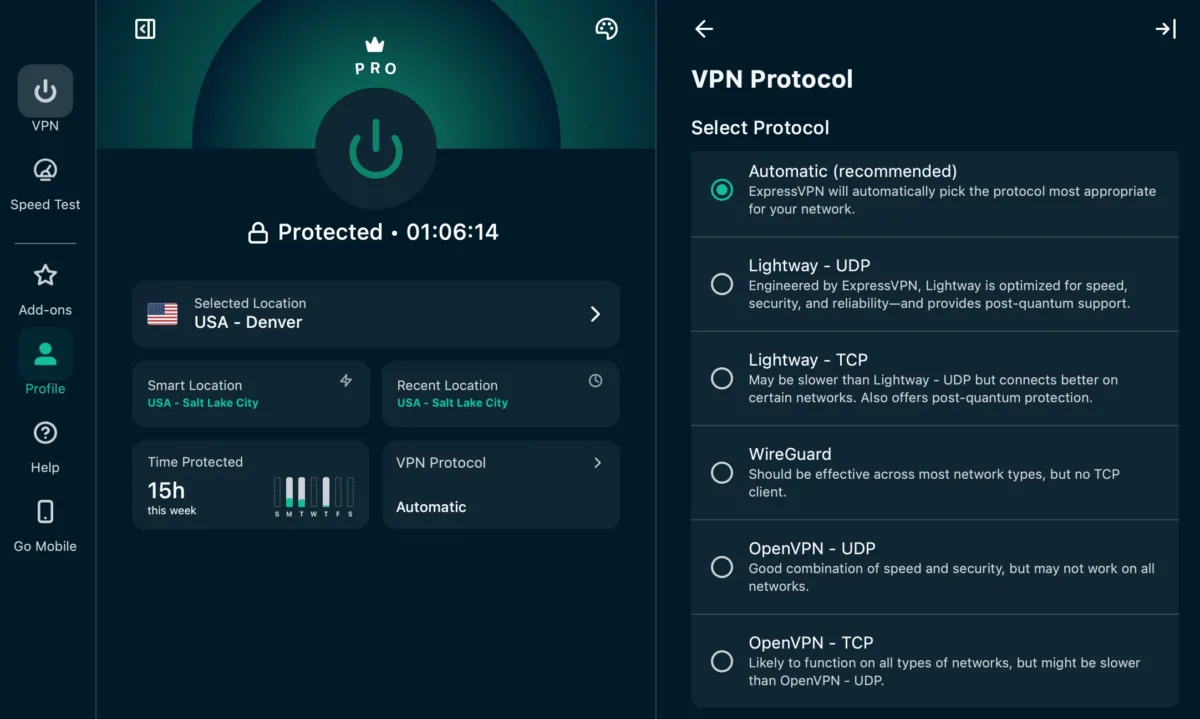
I can select between five VPN protocols with ExpressVPN. Andrea GutierrezPrieto | HighSpeedInternet.com
Express VPN servers
Server score: (1.5/4) ★ ½
ExpressVPN is estimated to have over 3,000 servers in 113 countries. You can search through each country and all locations in the ExpressVPN app. You can see how many locations and endpoints each country has.
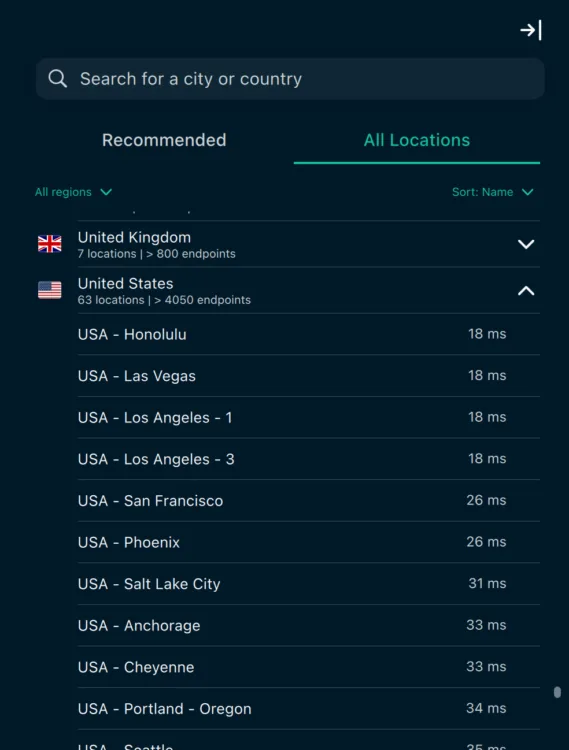
ExpressVPN shows me how many locations and endpoints are available in each country. Andrea GutierrezPrieto | HighSpeedInternet.com
ExpressVPN shows you the latency of each server, which is a really cool feature for gamers and streamers who need to make sure they have a low-latency connection. If you want to change the VPN protocol, you won’t be able to do so when selecting a server, and you’ll need to toggle to your profile tab.
Does ExpressVPN work for age-restricted content?
Yes, ExpressVPN can help users get around age-restricted content without having to create an account or login on blocked websites. ExpressVPN can also be used to bypass regionally blocked websites if you live in a state with harsh restrictions.
All you need to do is connect to a server in a state in the U.S. that doesn’t have these restrictions. Once you’re connected, refresh the page or restart your browser.
How secure is ExpressVPN?
Security, confidence, and features score: (4/4) ★ ★ ★ ★
ExpressVPN is an established and reliable VPN service that will give you all the privacy and protection features you need from a VPN service.
AES-256 and ChaCha20 encryption
AES-256 is the industry standard and is considered to be the most secure encryption a VPN service can use to date. ChaCha20 is just as secure and may even be slightly faster in some cases. ExpressVPN supports AES-256 and ChaCha20 encryptions, depending on the protocol you select.
No-logs policy
ExpressVPN’s no-logs policy has been audited by third-party security firms. ExpressVPN is headquartered in the British Virgin Islands, and it benefits from the strong privacy laws of the region. All of ExpressVPN’s data is stored only on RAM, so customers don’t have to worry about their data being stored on hard drives.
The ExpressVPN name
ExpressVPN launched in 2009 in the British Virgin Islands. However, in 2021, ExpressVPN was purchased by Kape Technologies, making it the fourth VPN service that was acquired by Kape. Kape Technologies currently owns CyberGhost, Private Internet Access, and ZenMate.
ExpressVPN itself has not had any privacy or security breaches, although there were initially some concerns with the Kape Technologies acquisition since Kape had prior issues with ad and malware distribution.
What additional features come with ExpressVPN?
| Plan | Features |
|---|---|
| Basic | |
| Advanced | |
| Express Pro |
ExpressVPN checks all the boxes for a VPN service, plus it includes extra perks like DNS blockers, a built-in speed test, a password manager, and private email relay. If you want to get all the features ExpressVPN has to offer, opt for the Express Pro plan to get 500 AI credits daily, unlimited private email relay, a dedicated IP, address, and eleven ID alerts.
ExpressVPN multiple encryption protocols
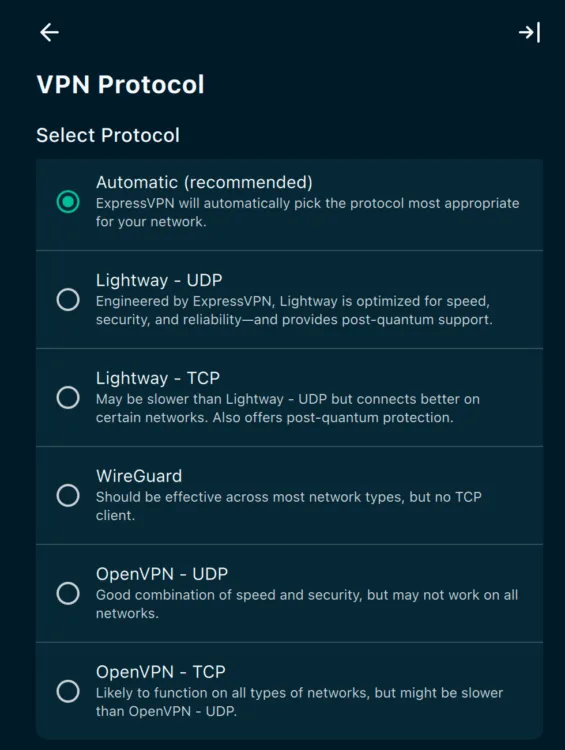
I can choose between five VPN protocols with ExpressVPN. Andrea GutierrezPrieto | HighSpeedInternet.com
ExpressVPN offers five different protocols you can choose from. The VPN protocol options are available under the profile tab. Luckily, ExpressVPN adds a short explanation to differentiate between the protocols. You won’t have to worry about doing your own research, and Express makes it easy by recommending the best protocol for your network with the automatic selection. You can choose from the following VPN protocols with ExpressVPN:
- Automatic: Selects the best protocol for your network.
- Lightway UDP: Used for post-quantum support and is optimized for speed, security, and reliability.
- Lightway TCP: Used for post-quantum protection and provides a better connection for certain networks.
- WireGuard: Works with most network types, but doesn’t offer a TCP client.
- OpenVPN UDP: Combines speed and security, but isn’t guaranteed to work on all networks.
- OpenVPN TCP: Likely works on all network types, but could be slower than OpenVPN UDP.
Advanced Protection
ExpressVPN offers Advanced Protection in the add-ons tab, although it is included in all plans and isn’t a paid add-on. You can toggle the ad blocker, malicious site blocker, tracker blocker, and adult site blocker on and off to customize your protection.
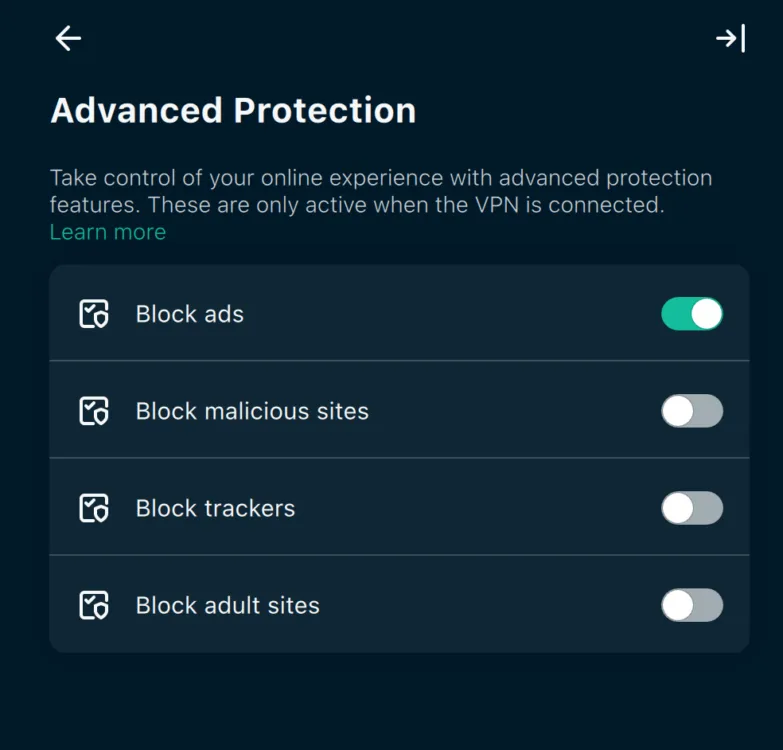
I can toggle on ad, malicious site, tracker, and adult site blockers with ExpressVPN. Andrea GutierrezPrieto | HighSpeedInternet.com
ExpressAI
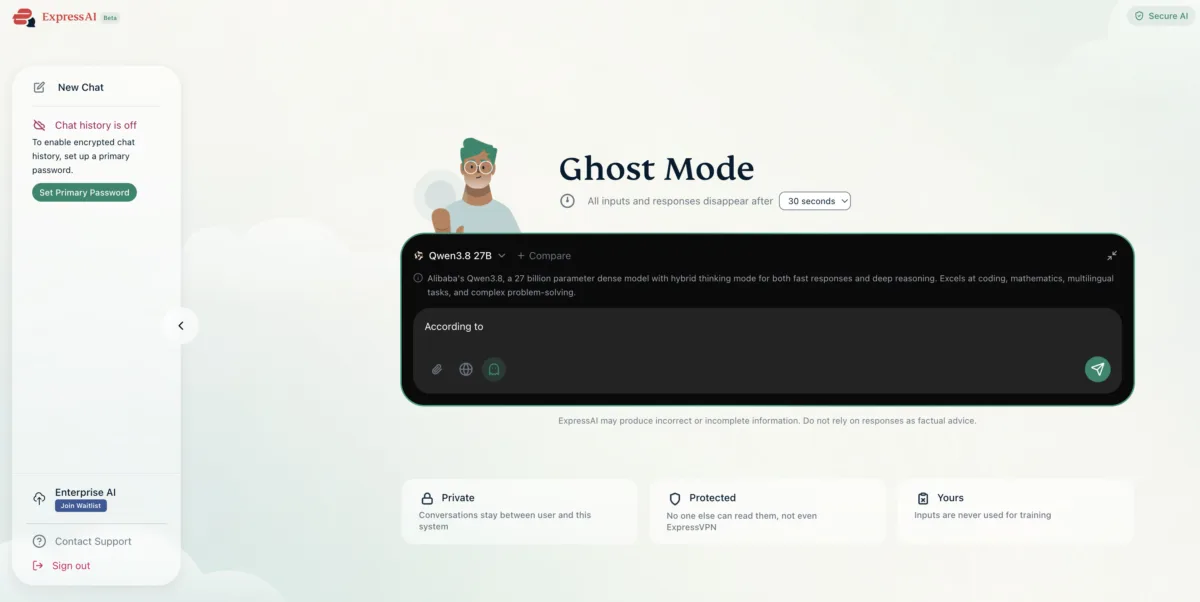
I can encrypt my chat and enable disappearing inputs and responses with ExpressAI. Andrea GutierrezPrieto | HighSpeedInternet.com
If you sign up for the Express Pro plan, you’ll get 500 daily AI chat credits to use with ExpressAI. The Express Pro plan is currently the only way to access ExpressAI, and additional credits can’t be purchased or added to other plans.
If you’re an avid AI user worried about your chat history privacy, ExpressAI offers a Ghost Mode where all inputs and responses can be set to disappear anywhere between every 30 seconds or up to every 10 minutes. You can also enable encrypted chat history and securely attach files to ensure your data and information stay private.
You can switch between seven different AI models with ExpressAI, depending on what you want to use it for and the type of files you want to upload. Here’s a quick rundown of the different AI models you can use with ExpressAI:
- GPT OSS
- Nemotron
- DeepSeek R1 Distill
- 5-VL
- 8
- Gemma 4
- Email Screener
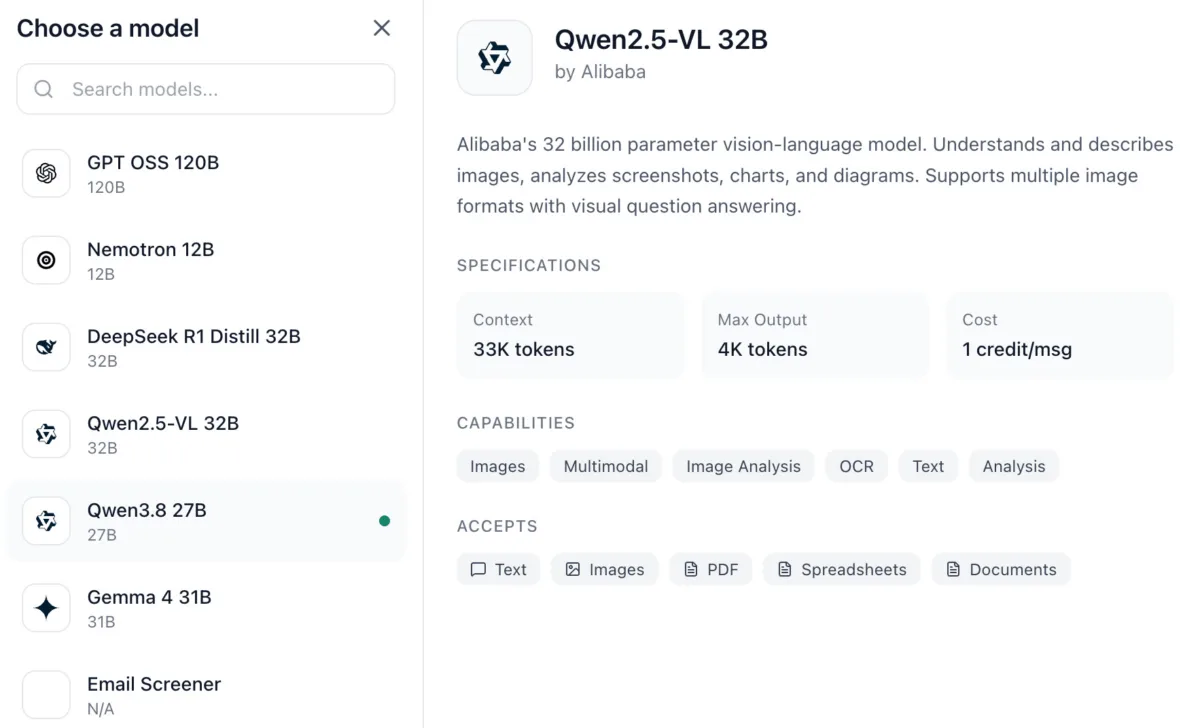
I can select between seven AI models with ExpressAI. Andrea GutierrezPrieto | HighSpeedInternet.com
Dedicated IP
You can purchase a dedicated IP as an add-on with Express VPN Basic and Advanced plans or get it included at no extra cost with the Express Pro plan. Once you set up your dedicated IP selection, you won’t be able to make any changes, so be sure to pick the right location for your needs.
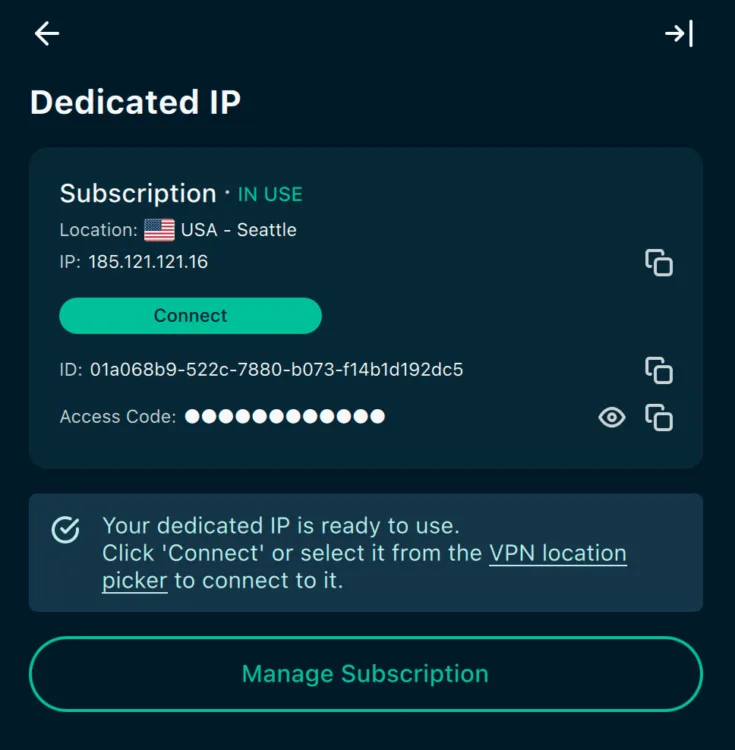
I set up my dedicated IP address to Seattle with ExpressVPN. Andrea GutierrezPrieto | HighSpeedInternet.com
ExpressMailGuard, ExpressKeys, and eSIM
You’ll get access to ExpressMailGuard’s private email relay with all ExpressVPN plans, though the amount of data you get per month will vary based on the plan you pick. If you sign up for the Advanced and Express Pro plans, you’ll also get access to ExpressKeys password manager and a 3GB holiday.com eSIM that can be used in 150+ countries. You can access these extra perks in the add-ons tab.
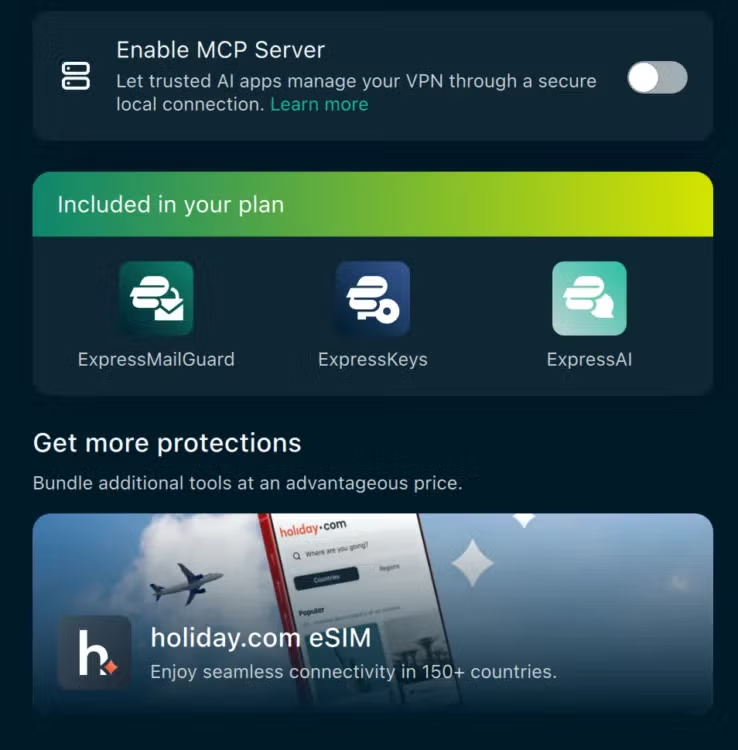
I can access ExpressMailGuard, ExpressKeys, and ExpressAI on my add-ons tab. Andrea GutierrezPrieto | HighSpeedInternet.com
How does ExpressVPN do on major platforms and devices?
Device count and compatibility score: (3.2/4) ★ ★ ★
ExpressVPN covers up to 14 devices, which is slightly higher than the typical 10-count limit most VPN services offer. Depending on your household size, 14 devices may or may not provide enough protection for all your devices. If you need more coverage, you’ll need to sign up for another ExpressVPN account and manage that account separately.
Supported operating systems
ExpressVPN supports most major operating systems:
| Desktop client | Mobile | Browser | Other |
|---|---|---|---|
There are a few operating systems, like Volla OS, Ubuntu Touch, LineageOS, or GrapheneOS, that aren’t covered by ExpressVPN.
How easy is ExpressVPN’s billing and cancellation?
Billing score: (4/4) ★ ★ ★ ★
You can easily access your ExpressVPN account and billing online. You can navigate to the Manage Subscription section in the app, but it will redirect you to ExpressVPN’s website.
ExpressVPN offers a 30-day money-back guarantee for first-time customers who aren’t satisfied with the service. Getting a refund from ExpressVPN couldn’t have been easier or faster. All I had to do was follow the instructions on ExpressVPN’s website, and I was able to process the refund directly on my online account without having to contact customer support.
How do I cancel my ExpressVPN subscription?
These are ExpressVPN’s official instructions for getting a refund and are the exact steps I took to get my refund. But keep in mind that refunds for App Store and Google Play purchases do not qualify for the 30-day money-back guarantee.
Step 1: Login to your account on the ExpressVPN+ Portal.
Step 2: In the upper-right corner, click on the profile icon.
Step 3: Select the account and billing tab.
Step 4: Click on Payment history and then view payments.
Step 5: Find the invoice you want refunded and select Request refund.
Step 6: Select the reason for requesting a refund and then click Proceed with refund and submit your selection.
Final call
ExpressVPN overall score: 79/100 ★ ★ ★
ExpressVPN is a reliable VPN service that is packed with extra features to compensate for the price tag. ExpressVPN’s app and website are easy to use and strike the perfect balance between an intuitive UX and plenty of customization options for advanced users. While ExpressVPN’s two-year price is slightly higher than other VPN services, you’ll get access to exclusive features like ExpressMailGuard, ExpressKeys password manager, and ExpressAI.
ExpressVPN’s Express Pro plan is a solid choice for advanced users who are looking to protect and enhance their online privacy while getting access to the full security suite Express has to offer.
ExpressVPN score breakdown
| Category | Points |
|---|---|
| Price | 12 / 20 (★ ★ ½ ) |
| Billing and cancellation | 10 / 10 (★ ★ ★ ★) |
| Servers | 5.7 / 15 (★ ½ ) |
| Speed and performance | 17.8 / 20 (★ ★ ★ ½ ) |
| Security and features | 20 / 20 (★ ★ ★ ★ ) |
| Devices and compatibility | 8 / 10 (★ ★ ¼ ) |
| Apps and user experience | 5 / 5 (★ ★ ★ ★ ) |
| Final score | 79 |
Disclaimers
ExpressVPN plans
ExpressVPN Basic — By clicking “Subscribe with Card” below, I agree to the Terms of Service — including the dispute resolution clause which requires binding arbitration for U.S. residents; the Privacy Policy; the Cancellation Policy; and the Automatic Renewal Terms set forth below. Automatic Renewal Terms: Your minimum initial purchase is $74.91 for 2 Years of VPN + 4 Months. Your subscription plan will automatically renew on an annual basis starting on 11/15/2028 at the rate of $99.95/year (plus vat/tax where applicable, and price subject to change with advance notice) to your selected payment method until you cancel, which you may do at any time before midnight on the autorenewal date by going to the “Subscription” tab and following the “Cancel” prompts.
ExpressVPN Advanced — By clicking “Subscribe with Card” below, I agree to the Terms of Service — including the dispute resolution clause which requires binding arbitration for U.S. residents; the Privacy Policy; the Cancellation Policy; and the Automatic Renewal Terms set forth below. Automatic Renewal Terms: Your minimum initial purchase is $89.96 for 2 Years of VPN + 4 Months. Your subscription plan will automatically renew on an annual basis starting on 11/15/2028 at the rate of $119.95/year (plus vat/tax where applicable, and price subject to change with advance notice) to your selected payment method until you cancel, which you may do at any time before midnight on the autorenewal date by going to the “Subscription” tab and following the “Cancel” prompts.
ExpressVPN Pro — By clicking “Subscribe with Card” below, I agree to the Terms of Service — including the dispute resolution clause which requires binding arbitration for U.S. residents; the Privacy Policy; the Cancellation Policy; and the Automatic Renewal Terms set forth below. Automatic Renewal Terms: Your minimum initial purchase is $165.18 for 2 Years of VPN + 4 Months. Your subscription plan will automatically renew on an annual basis starting on 11/15/2028 at the rate of $199.95/year (plus vat/tax where applicable, and price subject to change with advance notice) to your selected payment method until you cancel, which you may do at any time before midnight on the autorenewal date by going to the “Subscription” tab and following the “Cancel” prompts.