Jake is part of HighSpeedInternet.com‘s business editorial team. All reviews are created using provider-sourced data and verified by industry-trained researchers to ensure accuracy.
Professionals with hybrid schedules or who work from home depend on their personal internet connection to manage their daily work tasks. A residential internet plan is often sufficient for those who simply want to use basic tools, such as video conferencing, document editors, and other cloud-based applications. However, for those who operate a business from their home office or manage a commercial space such as a retail location or café, residential internet often cannot meet the higher demands needed to support daily operations.
In these cases, business internet delivers considerable advantages, such as uptime and performance guarantees, enhanced technical support, and access to additional features that are built specifically to reliably support business operations.
This guide examines the key differences between residential and business internet to help you evaluate your options and make well-informed decisions about the internet plan that best supports your business needs.
Looking for internet service in your area?
Enter your zip code below to see available internet plans.
In this guide:
Key differences | Benefits of business internet | Benefits of residential internet | Work-from-home internet needs | Key business features | Why choose fiber | FAQ
In this guide:
Key differences between business and residential internet
While business and residential internet may seem similar, they offer very different features designed for specific use cases.
Business internet supports greater technical needs, offers more features and stronger customer care, including service-level agreements (SLAs) that guarantee uptime and service quality. Business internet also delivers more reliable, consistent network performance. Because of these extra features, business plans tend to be priced higher than basic home internet.
Residential internet offers lower prices with fewer advanced features and performance guarantees, so you’d be trading in a few vital perks, including heightened security and faster technical support. However, if your goal is to maintain basic connectivity for a home office, a quality residential internet plan will likely meet your everyday needs.
Here are the main differences between the two types of service.
| Residential internet | Business internet | |
|---|---|---|
| Pricing | ~$40–$120/mo. (higher for multi-gig fiber) | ~$60–$500+/mo. (higher for DIA) |
| Speeds | ~100–5,000Mbps (5Gbps) | ~300–10,000Mbps+ (10Gbps) |
| Performance consistency | Varies with network congestion (shared bandwidth) | More consistent performance with higher-priority bandwidth |
| Upload speeds | Slower on cable; symmetrical on fiber (not guaranteed and may fluctuate) | Symmetrical with more consistent, prioritized performance |
| Features | ||
| Limitations |
Business internet: The added value of premium features
Business internet is built to meet higher operating demands. It offers greater stability and features that go beyond basic connectivity. Although these advantages typically come at a higher monthly cost, they help reduce the risk of outages and performance issues that can end up costing a business much more than a few extra dollars per month.
Benefits of business internet
- Service-level agreements (SLAs): Define guaranteed uptime, repair timelines, and service credits
- 24/7 priority support: Provides faster troubleshooting and resolution
- Static IP addresses: Allow consistent access for servers and remote systems
- Automatic failover: Automatically switches to a backup connection during outages
- Network prioritization: Provides consistent performance during peak hours
Drawbacks of business internet:
- Higher monthly investment: Includes additional features and enhanced capabilities
- Installation complexity: Could require professional setup and possible infrastructure upgrades
- Location-based availability: Limited fiber and dedicated internet options outside service areas
Best business internet providers
| Plan | Speed | Price* | Details |
|---|---|---|---|
| Verizon Business | Up to 5Gbps | $69–179+/mo. Disclaimers | |
| AT&T Business | Up to 5Gbps | $60–285+/mo. Disclaimers | |
| Comcast Business | Up to 1.25Gbps | $60–$180+/mo. Disclaimers | |
| Spectrum Business | Up to 1Gbps | $65–$115+/mo. Disclaimers |
* Prices and availability may vary.
Built to handle higher demand, business plans offer reliable connectivity for things like frequent video calls, file sharing, and cloud backups, with fewer slowdowns than typical residential plans and perks like faster troubleshooting and enhanced security.
For guidance on choosing the right business internet plan, speak to a consultant at +1-833-923-6262.
Residential internet: A practical option for lighter needs
If your business has basic connectivity needs, such as simple browsing and email, occasional video calls, and light file sharing on cloud-based apps, a residential plan should be enough to cover your daily workload.
While most residential plans don’t offer SLA guarantees or networking features, they can still meet your business needs if uptime and multi-user demands aren’t essential.
Benefits of residential internet:
- Lower monthly cost: Usually less expensive for equivalent speeds
- Self-installation: Quick, easy setup without the need for a technician visit
- No unnecessary features: Excludes business features you won’t use
Drawbacks of residential internet:
- No service-level agreements (SLAs): No guaranteed uptime or repair timelines.
- Lower support priority: Standard support and response times.
- Performance slowdowns during peak hours: Reduced speeds during high local usage.
- Limited advanced features: No access to static IPs, traffic prioritization, or higher-grade security.
Best internet plans for working from home
| Plan | Speed | Price* | Details |
|---|---|---|---|
| AT&T Fiber | 300–5,000Mbps (5Gbps) | $45–$155/mo. Disclaimers | |
| Verizon | 300–2,300Mbps (2.3Gpbs) | $35–$109.99/mo. Disclaimers | |
| Xfinity | 300–2,000Mbps (2Gpbs) | $40–$115/mo. Disclaimers | |
| Spectrum | 100–7,000Mbps (7Gpbs) | $30–$140/mo. Disclaimers | |
| T-Mobile Fiber | 300–2,000Mbps (2Gpbs) | $35–$70/mo. Disclaimers |
* Offers and availability may vary by location and are subject to change.
Residential internet offers a simple, cost-effective solution for lighter workloads. For many home-based setups, it delivers everything you need to stay connected and productive.
Internet requirements for working from home
A residential internet plan providing 300–500Mbps is reliable and powerful enough to handle basic tasks without the added cost of business-grade services.
If your internet activity involves multiple users, customer-facing systems, or requires guaranteed uptime and faster support, a business internet plan of 500Mbps+ is generally the better fit.
Match your daily internet needs to the recommended speed and plan type:
| Use case | Recommended speed | Typical activities | Plan type |
|---|---|---|---|
| Light work from home | 100–300Mbps | Email, web browsing, messaging tools, light cloud apps | Residential |
| Daily remote work | 300–500Mbps | Video calls, cloud collaboration, file sharing, multiple apps | Residential or business |
| Multi-user home office | 500–1,000Mbps (1Gbps) | Multiple users, frequent video meetings, large file transfers | Residential or business |
| Small business operations | 500–1,000Mbps (1Gbps) | POS systems, cloud platforms, customer interactions, VoIP | Business |
| Customer-facing or high-demand | 1,000Mbps+ (1Gbps+) | E-commerce, high uptime needs, real-time systems, backups | Business |
Want to know how much speed you need?
Take our internet speed test or download our free speed test app to see how much bandwidth you are currently getting.

Key business internet features to consider
If you’re still unsure if a business plan fits your needs, consider which features will best support your day and deliver strong performance and growth.
Even small companies often require a business internet plan with reliable speeds, priority support, and SLAs to support daily operations and critical systems. While residential internet works well for some home-based businesses, others may need business-grade services to provide consistent performance, security, and payment processing reliability.
Most business internet packages offer the following features, either as an add-on or already included within the plan:
- Service-level agreements (SLAs): Guarantee uptime and faster repair timelines
- 24/7 priority support: Speeds up troubleshooting
- Static IP addresses: Supports secure remote access and hosting
- Automatic failover: Keeps your connection active during outages
- Network prioritization (QoS): Prioritizes work traffic for consistent performance
- Symmetrical speeds: Deliver upload speeds equal to downloads
- Advanced security features: Protects sensitive data or online transactions
- Dedicated bandwidth options (DIA): Prevents slowdowns during peak hours
Choosing the right combination of features can make a big difference in performance and reliability, minimizing daily disruptions.
For help finding the services that best fit your needs, speak with one of our business internet experts at +1-833-923-6262.
Why fiber is often the preferred internet option
Fiber internet is typically the best option for both residential and business internet plans because it combines speed, reliability, and scalability. It offers equal upload and download speeds, preventing lag during video meetings, and supporting smooth uploads and file sharing.
Compared to cable or DSL, fiber delivers a faster, more dependable connection, making it well-suited for companies of every size, from home businesses to multi-location corporations.
Fiber connections help reduce common connectivity challenges by providing:
- Multi-gigabit speeds: Support higher capacity for data-intensive operations and growing teams.
- Symmetrical upload and download speeds: Enable reliable video conferencing, cloud collaboration, and file backups
- Greater bandwidth capabilities: Uses high-capacity infrastructure less affected by peak-hour slowdowns
- Consistent reliability: Delivers stable performance with fewer interruptions or fluctuations
- Scalability: Supports expanding user base, tools, and bandwidth with minimal upgrades
The availability of fiber networks is continuing to grow and expand, making service accessible in more locations.
Ideal use cases for fiber internet
Fiber is especially well-suited for businesses that depend on:
- Running frequent video meetings or webinars with clients or teams
- Uploading large files (e.g., design assets, video content, backups)
- Using cloud-based platforms for collaboration, storage, or project management
- Hosting websites, servers, or development environments from home
- Managing e-commerce stores with real-time transactions and inventory systems
- Supporting multiple users or devices working simultaneously
- Streaming high-quality content (e.g., content creators, educators, live sellers)
- Using VoIP or internet-based phone systems for client communication
- Accessing remote desktops, VPNs, or secure business networks
- Backing up data regularly to the cloud without long upload times
Fiber uses high-capacity infrastructure that reduces congestion and performance degradation, delivering more predictable performance and improved reliability.
Organizations evaluating their internet options should seek a fiber connection whenever possible. In addition to having the most reliable performance, it provides the strongest foundation for productivity and scalability.
Ready for the speeds of a fiber connection?
See if fiber is available in your area by searching with your zip code below.
FAQ about business vs. residential internet
What is the difference between business and residential internet?
Do I need business internet to work from home?
Is business internet better than residential internet?
Does business internet come with symmetrical upload and download speeds?
Key terms and definitions
Dedicated IP addresses: A type of static IP address that is exclusively assigned to a single business or network, providing access for hosting, security, and remote connectivity.
Dynamic IP addresses: An IP address that is routinely and constantly changing, often included in residential internet service.
Service-level agreements (SLAs): Contractual commitments from internet providers that define expected performance standards. These standards include uptime guarantees and response times, as well as repair timelines.
Static IP addresses: A fixed IP that does not change over time, allowing reliable access to systems, servers, and network resources.
Symmetrical speed: Upload and download speeds are equal, supporting even performance for activities like file sharing and cloud-based applications.
Voice over Internet Protocol (VoIP): A communication technology that allows businesses to make and receive phone calls over the internet instead of traditional phone lines.
Virtual private network (VPN): Creates an encrypted and private connection between your device and the internet.
Plans disclaimers
Business internet
AT&T Business plans
All plans — Plus taxes & fees. Speeds based on wired connection. Actual speeds may vary.
Comcast Business plans
All plans — Restrictions apply. Not available in all areas. Pricing subject to change and includes $10/mo discount when enrolled in Paperless Billing and Auto Pay with bank account. Actual speeds vary and are not guaranteed. Taxes and other fees extra.
Spectrum Business plans
All plans — A monthly $10 Payment Processing Charge will be applied to customer accounts not enrolled in Auto Pay and a monthly $5 fee will be applied to all customer accounts not enrolled in paperless billing. Taxes and fees extra in select states. Speed based on download speed on wired connection. Actual speeds (including wireless) vary and are not guaranteed. Internet taxes are extra in Texas. Price for Gig speed additional. Capable modem required for all Gig speeds.
Verizon Business plans
All plans — Plus taxes, fees, Economic Adjustment Charge and equipment charges (as applicable). Early termination fees for a 2 year contract: 35% of base monthly charges for unexpired term. 2 year term automatically renews at then-current term rates unless canceled within 30 days prior to or 60 days after the term is renewed.
Residential internet
AT&T internet disclaimers
AT&T Internet Disclaimers
| Plan | Disclaimer |
|---|---|
AT&T Fiber Internet 300 | Price + taxes and fees for new customers in select markets after discounts w/elig Autopay & paperless bill. Discounts start w/in 3 bills. |
AT&T Fiber Internet 500 | Price + taxes and fees for new customers in select markets after discounts w/elig Autopay & paperless bill. Discounts start w/in 3 bills. |
AT&T Fiber Internet 1000 | Price + taxes and fees for new customers in select markets after discounts w/elig Autopay & paperless bill. Discounts start w/in 3 bills. |
AT&T Fiber Internet 5000 | Price + taxes and fees for new customers in select markets after discounts w/elig Autopay & paperless bill. Discounts start w/in 3 bills. Limited availability in select areas. Speeds based on wired connection. Actual speeds may vary. For 5 GIG, single device wired speed maximum 4.7Gbps. |
AT&T Internet Air | Includes $10 off with AutoPay and Paperless Bill |
Spectrum internet disclaimers
Spectrum Internet Disclaimers
| Plan | Disclaimer |
|---|---|
Limited-time offer; subject to change; new residential customers only (no Spectrum service in past 30 days). Standard rates apply after promo period or service change. Actual speeds (including wireless) vary and are not guaranteed. Activation fee additional; taxes may apply. Gig speeds require a compatible modem; see spectrum.net/modem for list. Terms and conditions apply, subject to change. Not available in all areas. Restrictions apply. Spectrum Internet® is powered by fiber and connected to the premises by coaxial lines. | |
Limited-time offer; subject to change; new residential customers only (no Spectrum service in past 30 days). Standard rates apply after promo period or service change. Actual speeds (including wireless) vary and are not guaranteed. Activation fee additional; taxes may apply. Gig speeds require a compatible modem; see spectrum.net/modem for list. Terms and conditions apply, subject to change. Not available in all areas. Restrictions apply. Spectrum Internet® is powered by fiber and connected to the premises by coaxial lines. | |
Limited-time offer; subject to change; new residential customers only (no Spectrum service in past 30 days). Standard rates apply after promo period or service change. Actual speeds (including wireless) vary and are not guaranteed. Activation fee additional; taxes may apply. Gig speeds require a compatible modem; see spectrum.net/modem for list. Terms and conditions apply, subject to change. Not available in all areas. Restrictions apply. Spectrum Internet® is powered by fiber and connected to the premises by coaxial lines. | |
Limited-time offer; subject to change; new residential customers only (no Spectrum service in past 30 days). Standard rates apply after promo period or service change. Actual speeds (including wireless) vary and are not guaranteed. Activation fee additional; taxes may apply. Gig speeds require a compatible modem; see spectrum.net/modem for list. Terms and conditions apply, subject to change. Not available in all areas. Restrictions apply. Spectrum Internet® is powered by fiber and connected to the premises by coaxial lines. | |
Limited-time offer; subject to change; new residential customers only (no Spectrum service in past 30 days). Standard rates apply after promo period or service change. Actual speeds (including wireless) vary and are not guaranteed. Activation fee additional; taxes may apply. Gig speeds require a compatible modem; see spectrum.net/modem for list. Terms and conditions apply, subject to change. Not available in all areas. Restrictions apply. Spectrum Internet® is powered by fiber and connected to the premises by coaxial lines. |
T-Mobile internet disclaimers
T-Mobile Fiber Internet Disclaimers
| Plan | Disclaimer |
|---|---|
w/AutoPay taxes and fees apply. | |
w/AutoPay taxes and fees apply. | |
w/AutoPay taxes and fees apply. |
Verizon internet disclaimers
Verizon Internet Disclaimers
| Plan | Disclaimer |
|---|---|
5G Home | Price per month with Auto Pay & without select 5G mobile plans. Consumer data usage is subject to the usage restrictions set forth in Verizon's terms of service; visit: https://www.verizon.com/support/customer-agreement/ for more information about 5G Home and LTE Home Internet or https://www.verizon.com/about/terms-conditions/verizon-customer-agreement for Fios internet. |
5G Home Plus | Price per month with Auto Pay & without select 5G mobile plans. Consumer data usage is subject to the usage restrictions set forth in Verizon's terms of service; visit: https://www.verizon.com/support/customer-agreement/ for more information about 5G Home and LTE Home Internet or https://www.verizon.com/about/terms-conditions/verizon-customer-agreement for Fios internet. |
5G Home Ultimate | |
Fios 300 Mbps | Price per month with Auto Pay & without select 5G mobile plans. Consumer data usage is subject to the usage restrictions set forth in Verizon's terms of service; visit: https://www.verizon.com/support/customer-agreement/ for more information about 5G Home and LTE Home Internet or https://www.verizon.com/about/terms-conditions/verizon-customer-agreement for Fios internet. |
Fios 500 Mbps | Price per month with Auto Pay & without select 5G mobile plans. Consumer data usage is subject to the usage restrictions set forth in Verizon's terms of service; visit: https://www.verizon.com/support/customer-agreement/ for more information about 5G Home and LTE Home Internet or https://www.verizon.com/about/terms-conditions/verizon-customer-agreement for Fios internet. |
Fios 1 Gig | Price per month with Auto Pay & without select 5G mobile plans. Consumer data usage is subject to the usage restrictions set forth in Verizon's terms of service; visit: https://www.verizon.com/support/customer-agreement/ for more information about 5G Home and LTE Home Internet or https://www.verizon.com/about/terms-conditions/verizon-customer-agreement for Fios internet. |
Fios 2 Gig | Price per month with Auto Pay & without select 5G mobile plans. Consumer data usage is subject to the usage restrictions set forth in Verizon's terms of service; visit: https://www.verizon.com/support/customer-agreement/ for more information about 5G Home and LTE Home Internet or https://www.verizon.com/about/terms-conditions/verizon-customer-agreement for Fios internet. |
Fios 5 Gig | Price per month with Auto Pay & without select 5G mobile plans. 5 year price lock. Consumer data usage is subject to the usage restrictions set forth in Verizon's terms of service; visit: https://www.verizon.com/support/customer-agreement/ for more information about 5G Home and LTE Home Internet or https://www.verizon.com/about/terms-conditions/verizon-customer-agreement for Fios internet. |
Verizon Home Internet Lite Extra | 3 year price lock guarantee. Verizon Home Internet Lite: Verizon Home Internet Lite Extra plan at $55/mo. when combined with postpaid Verizon mobile phone plan (excludes business and data-only plans). Auto Pay & paper-free billing req’d. Availability varies. Subject to credit approval. |
Xfinity internet disclaimers
Xfinity Internet Disclaimers
| Plan | Disclaimer |
|---|---|
300 Mbps | New Xfinity Internet customers. Limited to 300 Mbps internet. Requires both paperless billing and automatic payments with stored bank account (or additional $10/mo charge applies). Installation, taxes and fees, and other applicable charges extra, and subj. to change. Service limited to a single outlet. Internet: Actual speeds vary and are not guaranteed. For factors affecting speed visit www.xfinity.com/networkmanagement. |
500 Mbps | Internet price guaranteed for 5 years. Price includes $10/mo autopay and paperless discount. |
1 Gig | Internet price guaranteed for 5 years. Price includes $10/mo autopay and paperless discount. |
1.2 Gig | Internet price guaranteed for 5 years. Price includes $10/mo autopay and paperless discount. |
2 Gig | Internet price guaranteed for 5 years. Price includes $10/mo autopay and paperless discount. |
Sarah is part of HighSpeedInternet.com‘s business editorial team. All reviews are created using provider-sourced data and verified by industry-trained researchers to ensure accuracy.
-
Best for entertainment

- Starting price: $45/mo.*
- Speed: Up to 2Gbps
- Free streaming services
- Speeds up to 2Gbps
- Streaming perks included on select plans
-
Best value

- Starting price: $30/mo.*
- Speed: Up to 7Gbps
- Fast speeds at low prices
- Simple plan structure
- Free equipment and installation on select plans
-
Best for high performance

- Starting price: $55/mo.*
- Speed: Up to 5Gbps
- Some of the fastest internet speeds available
- Symmetrical speeds on all fiber plans
- Wi-Fi gateway/router equipment included
* Prices and availability vary by location and are subject to change. Read Xfinity disclaimer | Spectrum disclaimer | AT&T Fiber disclaimer.
Our pick: The best Wi-Fi for Airbnb
Whether for guest connectivity, security systems, smart home devices, or streaming TV, high-performance internet is a must for Airbnb, Vrbo, and other vacation rentals. No matter the size, every property needs a reliable and consistent connection.
HighSpeedInternet.com has chosen the top three internet service providers (ISPs) for rentals in various categories to compare features, plans, and pricing: Xfinity, Spectrum, and AT&T. All three offer fast speeds that can support multiple devices at once and come with features that add value for different types of rentals.
This guide explores everything you need to know to get the best Wi-Fi for your Airbnb, including the right speeds and features to improve your guests’ experience.
In this guide:
Choosing the right provider | Comparing top providers | Xfinity | Spectrum | AT&T | Our final take
In this guide:
Choosing the right Airbnb Wi-Fi
For vacation rentals like Airbnb or Vrbo, Wi-Fi is a core part of the guest experience and one of the most-searched amenities.
Internet connections for your rental properties need to be reliable and provide enough Wi-Fi coverage for your location, whether that’s a small apartment in the city or a multi-acre ranch.
Check out the recommended internet speed based on your rental size:
| Minimum speed | Internet activities | |
|---|---|---|
| Small to medium rental (Under 10 guests) | 100–300Mbps | Supports simultaneous internet browsing, security systems, smart home devices, and up to 10 guest video streams at once. |
| Large rental (10+ guests) | 500–1,000Mbps | Supports 10+ simultaneous guest video streams, plus gaming, and advanced security systems |
For rentals that need to accommodate fewer than 10 guests, look for internet plans with download speeds between 100 and 300Mbps. That’s enough bandwidth to handle typical guest activities like streaming video, browsing the web, and occasional video calls, plus support any security and smart home systems.
For larger rentals or multi-unit properties, look for plans with at least 500Mbps and add a Wi-Fi extender for better coverage. Premium properties with multiple 4K TVs, gaming consoles, and many guest devices will benefit from a 1Gbps plan.
Learn more about what speeds your Airbnb needs with this guide or call to speak to an internet advisor to help you choose the best plan for your vacation rental at +1-833-923-6262.
Airbnb Wi-Fi add-ons
Beyond fast speeds, vacation rental owners should consider additional plan features to ensure a reliable connection. Some add-ons may cost extra, while others are included with select plans. Either way, they’re often worth the investment to improve performance and guest experience.
Extended Wi-Fi services
Getting a strong Wi-Fi signal throughout your larger rental can be challenging.
Wi-Fi signals only reach so far, but you can improve coverage with a mesh Wi-Fi system, which spreads connectivity evenly across rooms and floors. This helps eliminate dead zones so guests can stream, work, or browse from anywhere on the property.
Internet management
Managing your Airbnb Wi-Fi network remotely is crucial for rental owners.
Look for providers or equipment that allow you to monitor, reboot, and update your network from anywhere. Remote management tools can help you quickly resolve issues and avoid negative guest experiences.
Guest Wi-Fi networks
Setting up a separate Wi-Fi network just for guests improves both security and performance.
A guest network keeps renters off your personal network, protecting devices like smart locks or security systems while improving overall network performance.
Easy guest access (QR codes and pre-configured login)
Make sure your vacation rental offers quick and simple Wi-Fi access.
Providing a QR code or pre-configured login (credentials already filled in) allows guests to join instantly without typing long passwords. Often included at no extra cost, this simple feature can greatly improve the guest experience and reduce questions at check-in.
Bandwidth management and device control
Vacation rental guests often connect multiple devices at once, which can slow speeds.
Features like Quality of Service (QoS) or device prioritization help prevent any one device from using too much bandwidth, which is especially helpful for streaming or video calls.
Backup internet options
Even a short outage can lead to guest frustration or negative reviews.
You can find plans that include a backup connection, like a 4G or 5G hotspot, that automatically kicks in if your main internet service goes down. This is especially useful in rural or high-outage areas.
Advanced Wi-Fi tools for hosts
For hosts managing multiple properties, more advanced tools can add value.
Features like cloud-based dashboards, captive portals, or automatic password rotation allow you to monitor performance, collect guest insights, and maintain security across multiple rentals.
Business internet plans offer advanced features, faster speeds, and more reliable performance for premium connectivity.
Call +1-833-923-6262 to compare ISPs for multi-location or larger properties.
Compare leading Airbnb Wi-Fi providers
Xfinity, Spectrum, and AT&T can all deliver fast, stable internet. We compared their plans to find the best options for Airbnb and other vacation rentals, including residential plans that work well for most hosts.
Residential plans can cover internet needs for most small to medium rentals and often have a lower starting price. Business plans are great for owners with larger rentals or multiple properties with more premium needs. Learn more about the differences between residential and business internet plans.
Compare top features for Xfinity, Spectrum, and AT&T:
| Feature | Xfinity | Spectrum | AT&T Fiber |
|---|---|---|---|
| Best for | Entertainment-focused rentals with streaming and smart devices | Budget-friendly rentals where Wi-Fi isn’t the main focus | Large or high-occupancy rentals with many devices |
| Max speeds | Up to 2Gbps | Up to 7Gbps | Up to 5Gbps |
| Starting price | $40/mo. (for 1 year) | $30/mo. | $55/mo. |
| Data caps | 1.2TB–Unlimited (plan-dependent) | Unlimited | Unlimited (plan-dependent) |
| Wi-Fi management | Xfinity app, guest network, optional add-ons | Basic setup; advanced control with your own router | Smart Home Manager app, strong built-in tools |
| Plan types | Residential and business options | Residential and business options | Residential and business fiber options |
Prices shown reflect standard rates and do not include limited-time promotional discounts.
Data as of 09/15/2026. Prices and availability vary by location and are subject to change. Read full disclaimer.
When to consider upgrading to a business plan
While residential plans are enough for most Airbnb hosts, business internet can be a better fit in certain situations.
Consider a business plan if you:
- Manage multiple rental properties
- Have a large or multi-unit property
- Need backup internet or uptime guarantees
- Want advanced network controls or static IPs
Providers like Comcast Business, Spectrum Business, and AT&T Business Fiber offer business internet plans with enhanced reliability and support.
Xfinity
Starting price: $45/mo.*
Speeds: Up to 2Gbps
Contract: Not required
 Free streaming services
Speeds up to 2Gbps
Streaming perks included on select plans
Guests expect reliable access to streaming content. Xfinity’s gigabit internet plans offer a premium entertainment experience for guests, both with fast speeds and extra features.
Xfinity’s 1Gbps and 2Gbps internet plans often include free Disney+, Hulu, and Peacock premium (with ads). Some promotions also include a free 4K streaming content box that displays a streaming dashboard as the home screen on your TV.
* Data current as of 07/22/26. Prices and availability may vary. Read full disclaimer.
Spectrum
Starting price: $30/mo.*
Speeds: Up to 7Gbps
Contract: Not required
Fast speeds at low prices
Simple plan structure
Free equipment and installation on select plans
Spectrum offers dependable and fast internet at competitive prices, and includes free or low-cost equipment and installation.
With speeds up to 7Gbps and symmetrical fiber plans for as low as $30, Spectrum is an excellent deal for rental owners.
If you’re looking for dependable coverage with simple, straightforward pricing and low setup fees, Spectrum’s plans deliver the right performance at low prices.
* Data current as of 09/15/26. Prices and availability may vary. Read full disclaimer.
AT&T
Starting price: $55/mo.*
Speeds: Up to 5Gbps
Contract: Not required
Some of the fastest internet speeds available
Symmetrical speeds on all fiber plans
Wi-Fi gateway/router equipment included
AT&T has some of the fastest residential internet speeds, up to 5Gbps. Fiber plans with 2Gbps or 5Gbps speeds can help maintain fast and stable connections for dozens of guests at once.
While many small to mid-sized properties don’t need this much bandwidth, it can be valuable for large properties or multi-story buildings.
AT&T’s speeds are also symmetrical, which supports lag-free video calls and HD streaming content.
* Data current as of 03/20/26. Prices and availability may vary. Read full disclaimer.
Our final take: The best Airbnb Wi-Fi providers
The best internet provider for your Airbnb, Vrbo, or other vacation rental ultimately depends on your property size, guest needs, and how Wi-Fi is used during each stay.
All three of the ISPs we’ve highlighted offer unlimited data to avoid guest-related overage fees and no-contract options that let you adjust your plan as your rental needs change. The best fit depends on your guests’ needs.
Xfinity or Comcast Business is a strong choice for entertainment-focused rentals where guests expect a connected, at-home experience. Its fast speeds support streaming, gaming, and smart home devices, making it a good fit for properties with home theaters or multiple TVs.
Spectrum is a great fit for small to medium-sized rentals where Wi-Fi is useful but not the main attraction. Spectrum offers straightforward pricing, fast connectivity, and some of the lowest prices around (including low up-front costs with free equipment and installation on most plans).
AT&T Fiber is ideal for large or high-demand rentals with many connected devices. With speeds up to 5Gbps, it can support multi-story homes or properties with multiple units. All fiber plans include symmetrical speeds, helping maintain strong performance during video calls, file uploads, and the use of smart home devices.
For more guidance on Airbnb Wi-Fi, HighSpeedInternet.com has partnered with Clearlink Consulting to offer free expert internet advice.
Clearlink Consulting is an independent technology consulting firm, not a service provider. Its live agents help rental owners determine which plans and speeds are best for their needs.
Call +1-833-923-6262 to get connected with a live, local agent for free.
FAQ about Airbnb Wi-Fi
What internet speed do I need for an Airbnb?
Do I need business internet for an Airbnb?
Should I get unlimited data for a vacation rental?
Can I change my internet plan seasonally?
Methodology
The HighSpeedInternet.com Business-to-Business (B2B) team bases its analyses on proprietary internet provider data on speeds and pricing.
To strengthen its research, the B2B team looks closely at provider contracts to obtain hard-to-find information on price hikes, data caps, and extra fees. The team also monitors the latest news reports and online reviews, and when applicable, relies on personal experiences testing these services.
Plans disclaimers
Xfinity internet disclaimers
Xfinity Internet Disclaimers
| Plan | Disclaimer |
|---|---|
300 Mbps | New Xfinity Internet customers. Limited to 300 Mbps internet. Requires both paperless billing and automatic payments with stored bank account (or additional $10/mo charge applies). Installation, taxes and fees, and other applicable charges extra, and subj. to change. Service limited to a single outlet. Internet: Actual speeds vary and are not guaranteed. For factors affecting speed visit www.xfinity.com/networkmanagement. |
500 Mbps | Internet price guaranteed for 5 years. Price includes $10/mo autopay and paperless discount. |
1 Gig | Internet price guaranteed for 5 years. Price includes $10/mo autopay and paperless discount. |
1.2 Gig | Internet price guaranteed for 5 years. Price includes $10/mo autopay and paperless discount. |
2 Gig | Internet price guaranteed for 5 years. Price includes $10/mo autopay and paperless discount. |
Spectrum internet disclaimers
Spectrum Internet Disclaimers
| Plan | Disclaimer |
|---|---|
Limited-time offer; subject to change; new residential customers only (no Spectrum service in past 30 days). Standard rates apply after promo period or service change. Actual speeds (including wireless) vary and are not guaranteed. Activation fee additional; taxes may apply. Gig speeds require a compatible modem; see spectrum.net/modem for list. Terms and conditions apply, subject to change. Not available in all areas. Restrictions apply. Spectrum Internet® is powered by fiber and connected to the premises by coaxial lines. | |
Limited-time offer; subject to change; new residential customers only (no Spectrum service in past 30 days). Standard rates apply after promo period or service change. Actual speeds (including wireless) vary and are not guaranteed. Activation fee additional; taxes may apply. Gig speeds require a compatible modem; see spectrum.net/modem for list. Terms and conditions apply, subject to change. Not available in all areas. Restrictions apply. Spectrum Internet® is powered by fiber and connected to the premises by coaxial lines. | |
Limited-time offer; subject to change; new residential customers only (no Spectrum service in past 30 days). Standard rates apply after promo period or service change. Actual speeds (including wireless) vary and are not guaranteed. Activation fee additional; taxes may apply. Gig speeds require a compatible modem; see spectrum.net/modem for list. Terms and conditions apply, subject to change. Not available in all areas. Restrictions apply. Spectrum Internet® is powered by fiber and connected to the premises by coaxial lines. | |
Limited-time offer; subject to change; new residential customers only (no Spectrum service in past 30 days). Standard rates apply after promo period or service change. Actual speeds (including wireless) vary and are not guaranteed. Activation fee additional; taxes may apply. Gig speeds require a compatible modem; see spectrum.net/modem for list. Terms and conditions apply, subject to change. Not available in all areas. Restrictions apply. Spectrum Internet® is powered by fiber and connected to the premises by coaxial lines. | |
Limited-time offer; subject to change; new residential customers only (no Spectrum service in past 30 days). Standard rates apply after promo period or service change. Actual speeds (including wireless) vary and are not guaranteed. Activation fee additional; taxes may apply. Gig speeds require a compatible modem; see spectrum.net/modem for list. Terms and conditions apply, subject to change. Not available in all areas. Restrictions apply. Spectrum Internet® is powered by fiber and connected to the premises by coaxial lines. |
AT&T internet disclaimers
AT&T Internet Disclaimers
| Plan | Disclaimer |
|---|---|
AT&T Fiber Internet 300 | Price + taxes and fees for new customers in select markets after discounts w/elig Autopay & paperless bill. Discounts start w/in 3 bills. |
AT&T Fiber Internet 500 | Price + taxes and fees for new customers in select markets after discounts w/elig Autopay & paperless bill. Discounts start w/in 3 bills. |
AT&T Fiber Internet 1000 | Price + taxes and fees for new customers in select markets after discounts w/elig Autopay & paperless bill. Discounts start w/in 3 bills. |
AT&T Fiber Internet 5000 | Price + taxes and fees for new customers in select markets after discounts w/elig Autopay & paperless bill. Discounts start w/in 3 bills. Limited availability in select areas. Speeds based on wired connection. Actual speeds may vary. For 5 GIG, single device wired speed maximum 4.7Gbps. |
AT&T Internet Air | Includes $10 off with AutoPay and Paperless Bill |
-
Best for speed and low latency
 Starlink Business
- Up to 400Mbps download speed
- Up to 2,000GB data cap
- Low latency
- Month-to-month contracts
- Starting price: $55/mo. (both primary and backup)
-
Best for heavy daily use
 Viasat Business
- Up to 150Mbps download speed
- Up to 1,000GB data cap
- Higher latency
- Month-to-month option available
- Starting price: $49.99/mo. (backup); $99.99/mo. (primary)
-
Not recommended at this time
 Hughesnet Business
- Up to 100Mbps download speed
- Up to 200GB data cap
- Higher latency
- 24 mo. contracts
- Starting price: $39.99/mo. (backup); $59.99/mo. (primary)
Offers and availability may vary by location and are subject to change. See disclaimers.
Find the best business satellite internet service providers in your area
Enter your zip for a list of local options.
Our pick: The best satellite business internet providers
Starlink Business, Viasat Business, and Hughesnet for Business are the three main satellite internet providers for business in 2026, with Amazon Leo expected to launch later this year or in early 2027. Current satellite plan pricing ranges from $39 monthly to more than $2,000 per month depending on your speed and data needs.
Starlink offers the fastest speeds and lowest latency, with Local Priority plans starting at $55 per month for 50GB. Viasat‘s primary business plans start at $99.99 per month for 100Mbps and 300GB, with a $49.99 monthly backup-only option available. Hughesnet’s business plans run from $59.99 to $104.99 each month, though we no longer recommend Hughesnet given the company’s financial difficulties.
This guide covers each provider’s plans and pricing, as well as important details like reliability, data allotment, and speed, helping you choose the right business satellite internet no matter your priorities, or whether you’re looking for a primary connection or a backup.
Read more about each plan below, or call +1-833-923-6262 for personalized guidance on which provider best fits your business needs.
In this roundup:
Choosing the right provider | Compare top providers | Starlink Business internet | Viasat Business internet | Hughesnet for Business | Our take: Best providers | FAQ
In this roundup:
Choosing the right business satellite internet provider
Satellite internet makes sense for a few clear types of businesses: those without access to cable or fiber, those needing a backup connection to fill in during outages, and those with mobile or temporary operations, like pop up job sites, field teams, or vessels.
The priorities will vary for each of these types of businesses.
For example:
- Primary connection, no other options: Prioritize speed and low latency.
- Backup or failover connection: Prioritize low cost and quick activation.
- Mobile, temporary, or maritime use: Prioritize portability and coverage.
From there, compare providers using the priority that matters most to your business, whether that’s speed, cost, or coverage area, since no single plan optimizes for all three at once.
Compare Starlink vs. Viasat vs. Hughesnet
Starlink Business internet leads on speed and latency, with download speeds of 400Mbps, though speeds drop significantly once your plan’s data has been exhausted. Viasat Business offers slower top speeds than Starlink, but its use of data deprioritization instead of data throttling means speeds stay usable even after you hit your data limit. Hughesnet offers the lowest starting price but the most restrictive data caps of the three.
| Starlink Business | Viasat Business | Hughesnet | |
|---|---|---|---|
| Low-Earth-orbit satellite (LEO) | ✔️ | ❌ | ❌ |
| Download speed | Up to 400Mbps | Up to 150Mbps | Up to 100Mbps |
| Latency | 25–50 ms | ~600 ms | Not published |
| Data allotment | Up to 2,000GB | Up to 1,000GB | Up to 200GB |
| No Hard Throttling | ❌ (Hard throttles to 1Mbps after data cap) | ✔️ (Deprioritizes; never hard throttles) | ❌ (Hard throttles to 1–3Mbps after data cap) |
| Month-to-month contract option | ✔️ | ✔️ | ❌ |
| Self-installation | ✔️ | ❌ | ❌ |
| Dedicated backup plan | ❌ | ✔️ | ✔️ |
| Automatic failover | ❌ | ❌ | ✔️ |
| Unlimited office hours data | ❌ | ✔️ | ❌ |
| Equipment rental option | ❌ | ✔️ | ✔️ |
Offers and availability may vary by location and are subject to change. See disclaimers
* Viasat offers automatic failover through Complete Connect, a managed enterprise service, not an SMB plan, specifically for large-scale energy, maritime, and industrial operations.
No single provider wins on every metric, so the right choice comes down to whether speed, data flexibility, or price matters most for your business. The sections below break down Starlink’s, Viasat’s, and Hughesnet’s plans, pricing, and pros and cons in more detail.
Find satellite business internet providers near you
Enter your zip code to check the current availability of each provider at your business address.
Starlink Business
$55/mo.*
Hardware cost: $349 (Standard Kit); $1,999 (Performance Kit)
Speed: 400+Mbps
Data cap: 50–2,000GB
Contract: Month-to-month; annual terms available
- Fastest speeds and lowest latency
- No contract and no early termination fee
- Simple self-installation in minutes
- Flexible data add-ons
* Offers and availability may vary by location and are subject to change. See disclaimers
Starlink Business uses low Earth orbit satellites that are positioned closer to Earth than traditional satellites, which makes it the fastest and lowest-latency business satellite provider currently operating.
With Performance Kit speeds reaching 400Mbps and latency as low as 25 ms, it’s built for businesses that rely on real-time tools, like video calls, cloud apps, or point-of-sale systems, and can’t afford a laggy connection.
The tradeoff is data: Once a plan’s priority data runs out, speeds throttle sharply to about 1Mbps, so Starlink works best for businesses that can accurately predict their monthly usage or are willing to pay for data add-ons when they don’t.
Starlink also stands apart on flexibility. Month-to-month billing and self-installation mean a business can get online fast and scale down or cancel without a penalty, which makes it a strong fit for temporary job sites, growing teams, or anyone hesitant to commit to a long-term contract.
Viasat Business
Backup: $49.99/mo.*
Primary: $99.99/mo.*
Hardware cost: $15/mo. rental fee
Speed: Up to 150Mbps
Data cap: 50–1,000GB
Contract: 12–36 mos.; month-to-month options available
- Unlimited Office Hours means daytime traffic doesn’t count against your data limit
- Deprioritized data after cap (no throttling)
- Dedicated low-cost backup plan available
- Free standard professional installation ($500 value)
* Offers and availability may vary by location and are subject to change. See disclaimers.
Viasat’s core advantage is how it handles heavy, steady data use.
Rather than a hard cutoff, Viasat deprioritizes traffic during network congestion once a plan’s high-speed data is used (instead of throttling it), so a business stays connected without the sharp speed drop Starlink users experience.
That makes Viasat a better fit for operations running everyday cloud tools, uploads, or file transfers throughout the day, rather than businesses that need the fastest possible connection.
The tradeoff is speed and a possible long-term contract.
Because Viasat runs on geostationary Earth orbit (GEO) satellites, speeds top out around 150Mbps. Enough to support daily business tools like email, cloud portals, and payment systems, but not ideal for video conferencing or large file uploads.
Also, most Viasat Business plans still run on a 12- or 36-month contract, though a no-contract option is now available on select plans. Longer contracts might still suit businesses that want a stable, longer-term setup, while ones that need more flexibility can opt for the month-to-month plan.
Hughesnet Business
Backup: $39.99/mo.*
Primary: $59.99/mo.*
Speed: Up to 100Mbps
Data cap: 100 or 200GB (depending on plan)
Contract: 24-month
- Lowest starting price
- Internet Continuity plan includes automatic failover router
- Fusion Pro plan combines satellite and wireless to reduce lag
* Offers and availability may vary by location and are subject to change. See disclaimers.
Due to Hughesnet’s ongoing financial difficulties, we don’t currently recommend it as a primary or backup option for business internet, and we’d point readers toward Starlink or Viasat instead.
Amazon Leo
Amazon Leo, formerly Project Kuiper, isn’t yet available for business customers. According to satellitemap.space, the network has already grown to 392 satellites in orbit as of August 2026.
Amazon Leo is scheduled to launch in late 2026 or early 2027, so pricing, speeds, and hardware costs for business plans haven’t been announced yet. Once available, Amazon Leo is expected to become a fourth major option alongside Starlink, Viasat, and Hughesnet for business satellite internet.
Our final take: The best business satellite internet providers
Starlink is the strongest choice for businesses that depend on real-time tools like video calls, cloud software, or point-of-sale systems, since its low latency and month-to-month flexibility outweigh the risk of running through its data allotment. Viasat makes more sense for businesses that generate steady, day-to-day traffic rather than occasional spikes, since it holds up better once you’ve gone past your plan’s data threshold. It’s also the better pick for a business that wants a set monthly cost without worrying about a hardware purchase.
Starlink Business highlights
Pros
Fastest speeds and lowest latency of the group
No long-term commitment requirements
Quick, do-it-yourself setup for most locations
Cons
 Speeds fall off sharply once your data is used up
Equipment costs more upfront than leasing
Higher-tier data plans get expensive fast
Viasat Business highlights
Pros
More usable speeds after your data limit is reached
Lower-cost backup option for an existing connection
More daytime data for business-hour use
Cons
Slower top speeds than Starlink
Long-term commitments on most plans
Ongoing monthly equipment lease costs
Amazon Leo: Coming soon
This service isn’t available yet, but it’s a recommended option to explore once it launches in late 2026 or early 2027.
Still not sure which provider is right for you? Call +1-833-923-6262 to speak with a business satellite internet expert to go over your options.
Business satellite internet FAQ
Is satellite internet good enough for a business's primary connection?
What's the difference between Starlink and Viasat for business internet?
Can I use satellite internet as a backup connection instead of a primary one?
Methodology
The HighSpeedInternet.com Business-to-Business (B2B) team bases its analyses on proprietary internet provider data on speeds and pricing.
To strengthen its research, the B2B team looks closely at provider contracts to obtain hard-to-find information on price hikes, data caps, and extra fees. The team also monitors the latest news reports and online reviews, and when applicable, relies on personal experiences testing these services.
Definitions
- Data deprioritization: When a provider slows a connection only during network congestion, rather than dropping to a fixed low speed.
- Data throttling: When a provider slows a connection to a fixed, low speed after a plan’s data limit is reached.
- Failover: The process of automatically or manually switching to a backup internet connection when the primary one goes down.
- Geostationary Earth orbit (GEO) satellite: A satellite that stays fixed above one point on earth at a much higher orbit, which typically means higher latency than LEO satellites.
- Latency: The delay between sending and receiving data, measured in milliseconds; lower latency means a more responsive connection for things like video calls.
- Low Earth orbit (LEO) satellite: A satellite that orbits much closer to earth than traditional satellites, which helps reduce latency and improve speed.
- Priority data: The amount of high-speed data included in a plan before speeds are throttled or deprioritized.
Plans disclaimers
Starlink Business plans
All plans — Plus hardware, shipping & handling fees, and tax. Fully refundable. Depending on location, some orders may take 2 weeks or more to fulfill.
Viasat Business plans
Business Added Choice 100 Mbps Unlimited | Business Choice 100 Mbps Unlimited — Price excludes applicable taxes, surcharges, and equipment fees. After you use your plan's High-Speed Data, or on the unlimited data plan if your usage exceeds 1,000 GB we may reduce your priority during times of congestion, which may result in slower speeds.
Business Backup Choice 50 Mbps — Price excludes applicable taxes, surcharges, and equipment fees. After 50 GB of data usage we will prioritize your data behind other customers during network congestion resulting in slower speeds.
Viasat Low Cost Internet Unlimited — $25 off/mo. offer available to qualifying new CAF II customers. Customers must remain on the CAF II Connection 25 or Business Connection 25 service plan and maintain their account in good standing to keep the discount. One-time standard installation fee may be charged at the time of sale. Equipment lease fee is $15.00. Taxes and surcharges may apply. Speeds are “up to,” will vary and are not guaranteed. Service is not available in all areas. Offers may be changed or withdrawn at any time. Service plans through the Connect America Fund – Phase II (CAF II) are provided by Viasat’s subsidiary, Viasat Carrier Services, Inc. Lifeline discount is only available to eligible residential customers with a CAF-II Connection 25 service plan or CAF-II Viasat Voice-Only Connection Plan.
Hughesnet Business plans
All Plans — Each Hughesnet service plan is designed to deliver the download/upload speeds assigned to that specific plan, however, speeds and uninterrupted use are not guaranteed and may vary based on a variety of factors including, but not limited to the number of concurrent network users. Your Hughesnet experience will vary based on your proximity to the Wi-Fi source.
Sarah is part of HighSpeedInternet.com’s business editorial team. All reviews are created using provider-sourced data and verified by industry-trained researchers to ensure accuracy.

Business mobile internet enables teams in the field or at temporary worksites to get online quickly and securely, anywhere they can get a cell signal.
Many major mobile and internet service providers (ISPs) offer business mobile internet, though coverage and performance vary. T-Mobile Business and AT&T Business offer the broadest 5G/4G reach, Verizon Business is known for the most consistent network performance, and Comcast Business Mobile can be a convenient add-on for businesses already using Comcast for other services.
This guide walks you through the basics of mobile business internet, the types of connections, where it can benefit your business, and how to choose a plan.
Learn more about all of your business internet options here.
In this guide:
Business mobile internet explained | Types of equipment and plans | Mobile internet limitations | Finding the right plan | Getting enough data | Key takeaways
In this guide:
Business mobile internet explained
Business mobile internet uses a cellular signal to connect you to the internet, rather than an in-ground technology, like fiber, cable, or DSL. That can either be a portable connection from a hotspot or mobile phone, or a stationary cellular router at your office.
Because public Wi-Fi networks are not secure, they should not be used for most business activities. Mobile hotspots give field employees a private Wi-Fi connection they can carry with them.
Stationary SIM-enabled routers offer backup internet during an outage with your primary service provider. They can also be used for primary internet service in business locations not served by other ISPs.
Today’s 5G-enabled mobile business internet plans offer enough performance for modern business operations, but the exact speeds you’ll get depend on the service provider, the plan, and whether there’s congestion on the network.
Looking for mobile internet?
Enter your zip to find business mobile internet providers near you.
Types of business mobile internet solutions
Mobile business internet can either support mobile operations or provide a backup connection for a stationary location. Let’s break down the different types of plans and devices currently available.
Mobile hotspots
Pros
Compact devices that travel easily
Support for many devices
Speeds up to 5G
Cons
Battery capacity limitations
Data caps
Mobile hotspots are portable devices with a SIM card. The hotspot connects to a cellular signal that then broadcasts a local Wi-Fi network for laptops, tablets, and other Wi-Fi-enabled equipment. Many support 20 to 30 devices at once, and some models have the capacity for over 60 devices. Some even come with Ethernet ports for wired connections.
Battery life is a consideration with hotspots, as connecting more devices can drain the battery faster. Hotspot plans also generally have a data cap, and your speeds can slow once you surpass it. Some ISPs will also intentionally slow your speeds if there is a lot of traffic on their cellular network, regardless of how much data you’ve used.
Best for: Mobile teams that travel often and need a secure internet connection
Fixed 5G/LTE wireless
Pros
Reliable internet during outages
Powerful enough for primary internet in some locations
Cons
Speeds fluctuations during network congestion
Data caps on some plans
Stationary business locations can use SIM card-enabled gateways to get backup internet when there’s an outage with their primary ISP. In some areas, 5G/LTE fixed wireless connections can even be used as a primary internet service when other options aren’t available.
T-Mobile’s 5G Business Internet is a common choice for this setup, with self-install gateways and no long-term contract required. Verizon Business also offers 5G primary internet along with SLA-backed fixed wireless plans for businesses that need a guaranteed uptime commitment.
Be aware that some plans include a data cap. Read the fine print of the contract to understand any overage fees or speed reductions if you exceed the limit.
Best for: Backup internet, as cell-enabled routers remain online during most wired service outages
Mobile broadband plans
Pros
No extra equipment costs
Simple setup for one- to two-person teams
Hotspot access often included in business mobile plans
Cons
Heavy battery usage
Limited support for more than two users
Potential data caps
Mobile tethering uses your phone’s data signal to create a Wi-Fi hotspot, and is another way to get non-cellular devices online. T-Mobile, AT&T, Verizon, Comcast, and many other cellular carriers offer business mobile broadband plans that include tethering.
This is a good way to avoid purchasing an additional device for each employee when you’re already paying for mobile service.
Best for: Individual workers in the field or employees who travel frequently
Key limitations of mobile internet
Business mobile internet isn’t without its limitations. Let’s break down a few factors that can affect the performance of a mobile internet plan.
Data caps
It’s not uncommon for business mobile internet plans to have a monthly data cap. When you surpass your plan’s data cap, you can get charged a fee for additional data, or your service provider will throttle your speeds, which can mean very slow internet access.
To reduce your data usage, turn mobile hotspots and phone hotspot features off when you’re not using them to minimize accidental background internet use that can eat up data.
Cell coverage
While the national and regional mobile ISPs cover the vast majority of the U.S. in cell signals, it’s always worth checking that there is a strong enough signal where you need it. A few bars of phone service isn’t enough; you need a stable and strong data connection for fast and reliable mobile internet.
Most ISPs offer maps on their websites that show where their signals reach, so you can check your exact coverage needs before you buy.
Device management
One downside of using mobile hotspots or tethering with a phone is that it can quickly drain the device’s battery. This is a bigger issue for smartphones, which have many other processes running beyond just acting as a hotspot.
You can combat battery issues by keeping hotspots plugged in as much as possible and using mobile chargers for phones.
What to look for in a business mobile internet plan
Every business has its own needs, but there are a few common traits of mobile internet plans that every company needs to consider:
- Cellular coverage: Confirm the ISP offers reliable signal strength in areas where your employees work.
- Data limits: Look for plans that give you enough data without overbuying.
- Contract terms: Review guarantees for speeds, data, latency, and support.
- Technical support: Check what kind of installation and tech support is included.
How much data your business really needs
Businesses use mobile internet to support field teams, get online in temporary locations, and maintain connections during other ISP outages.
Before comparing your options, consider what you need to accomplish with your mobile internet. Video conferencing, file transfers, and running cloud tools all eat up data quickly, while internet browsing, sending email attachments, and even point-of-sale (POS) systems can use much less.
Individual remote employees
- Connection type: Business smartphone hotspot tethering
- Data plan: Unlimited tethering as part of business smartphone plan
Avoid overpaying on hotspot device plans for each employee and use their existing business mobile phone as a hotspot. Some business mobile plans even offer unlimited hotspot data, with reduced speeds after a specified limit.
Remote or traveling teams
- Connection type: Mobile hotspot
- Data plan: 50–100GB
Hotspots for mobile teams with a 50 or 100GB data plan can support light internet use for small teams (between two and five employees). Keep in mind that data usage depends on how many devices are actively connected at once and what internet activities are taking place.
Temporary locations and job sites
- Connection type: Mobile hotspot or router
- Data plan: Unlimited, where available
Larger job sites need hotspots or mobile routers that can support 5G speeds and many devices. Look for plans that offer unlimited data, but check if your speeds get throttled once you hit a usage limit.
Backup connectivity during outages
- Connection type: 5G/LTE router
- Data: 500MB and up
Backup internet plans tend to offer lower amounts of data, typically enough to support minimum operations, such as security systems and light computer use during short outages. However, you can find plans that offer enough data for more business needs, such as access to cloud tools or maintaining guest Wi-Fi.
Key takeaways and next steps
- Mobile business internet uses a cellular signal to get Wi-Fi-enabled devices online.
- Mobile hotspots are built for employees who work in the field.
- 5G/LTE wireless internet can provide backup or primary internet.
- Smartphone hotspot data plans are best for individuals in the field.
- Data caps and cellular coverage can affect plan performance.
Want more guidance on business mobile internet?
HighSpeedInternet.com has partnered with Clearlink Consulting, an independent technology consulting firm, to offer free advice on business mobile internet solutions and providers available in your area.
Speak to a live, U.S.-based expert for free at +1-833-923-6262.
Sarah is part of HighSpeedInternet.com‘s business editorial team. All reviews are created using provider-sourced data and verified by industry-trained researchers to ensure accuracy.

Rural and remote businesses often struggle to find reliable business internet. While cable reaches many parts of the U.S., it still doesn’t serve every area. Fiber is even more limited, and although DSL is still available in some rural locations, it’s being phased out by many internet service providers (ISPs).
This is where modern satellite and wireless business internet can help bridge the gap.
Both connection types help locations without wired service get remote internet access. While performance can still be less dependable than wired connections, modern options are improving and can often support most everyday business activities.
Learn more about your rural business internet options, the pros and cons of each connection, the speeds to look for, and how to use hybrid setups for better internet coverage in this guide.
In this guide:
Best rural internet options | Speed recommendations | Factors that affect performance | Hybrid rural internet | Costs of rural internet | Key takeaways
In this guide:
Best internet options for rural businesses
While rural business locations are often not serviced by fiber or cable broadband connections, that doesn’t mean your business is out of internet options.
Rural businesses can often choose between the following connection types:
- LTE/5G
- Fixed wireless
- Satellite
- DSL
LTE/5G
Pros
Widely available with quick setup
Portable and secure connectivity
Reliable backup during primary internet outages
Lower cost than fixed wireless
Cons
Performance impacted by cell signal strength
Slower speeds during peak network usage
Data caps on most standard plans
Limited capacity for multiple devices
Mobile internet, also called LTE/5G internet, uses a portable internet hotspot or SIM-enabled router to connect to a cellular network. Because it relies on a pre-existing cell network, this connection is easy to set up and widely available in rural areas.
LTE and 5G plans typically offer speeds fast enough for everyday business activities like email, web browsing, cloud tools, and occasional video calls. However, performance can vary depending on signal strength and network congestion.
For businesses considering LTE/5G, T-Mobile is the strongest option for rural coverage, with Verizon and AT&T also worth comparing.
Best for: Small teams, temporary setups, or backup internet
Fixed wireless
Pros
Ideal for rural areas lacking wired infrastructure
Superior in speed and latency compared to DSL or satellite
Efficient to install with plug-and-play options
Reliable performance backed by service-level agreements (SLAs)
Cons
Requires a clear line-of-sight to local towers
Suffers from interference caused by weather or physical obstructions
Restricts usage to a single fixed location
Experiences reduced speeds during peak usage times
Fixed wireless also uses a cellular signal, but it connects through a fixed receiver or antenna instead of a portable hotspot like LTE/5G internet or mobile phones.
Because the equipment is stationary and set up for that location, fixed wireless connections can offer more consistent performance than mobile hotspots.
ISPs also tend to offer service-level agreements (SLAs) that guarantee internet performance and uptime for fixed wireless plans, which can be important for businesses that do a lot of real-time collaboration, video calls, or remote desktop work.
Verizon, AT&T, EarthLink, and Viasat all offer fixed wireless solutions.
T-Mobile’s 5G Business Internet also connects to a fixed location, but as a self-install with no-SLA on standard plans. It’s a strong fit for rural businesses that want fixed wireless-style stability without professional installation or a long-term commitment.
Best for: Rural locations needing quick deployment and moderate speeds
Satellite
Pros
Widespread availability across nearly all of the U.S
Improved performance with modern, high-speed, and dependable options
Rapid deployment compared to traditional wired infrastructure
Mobile connectivity via vehicle-mounted antenna options
Cons
Higher costs compared to other rural options
Reliability challenges in severe weather
Slow speeds during network congestion
Higher latency than fixed wireless or mobile networks
Satellite internet connects your business to the internet through satellites orbiting the Earth. A dish that’s installed at your location then communicates with that satellite to send and receive data.
Because it doesn’t rely on in-ground cables or any pre-built infrastructure, satellite internet can reach almost anywhere that has a clear view of the sky.
Newer satellite services offer faster speeds than older systems, but latency can still be higher than other connection types. Satellite is also typically one of the more expensive options for rural internet.
If satellite internet sounds like your best option, Starlink and Viasat are both solid providers of satellite business internet.
For rural businesses that want satellite-level reach without depending on satellite alone, consider T-Mobile’s SuperBroadband. This plan pairs Starlink’s satellite network with T-Mobile’s nationwide 5G into one hybrid plan.
Best for: Remote locations with no wired or wireless alternatives
DSL (where available)
Pros
Stable connections that use pre-existing phone lines
Affordable pricing
Cons
Weaker speeds and performance as signal gets farther from a central hub
Reduced availability as it’s phased out for newer connections
Using an existing phone line, DSL delivers slow but stable internet. Although the technology is being phased out, it’s still available in some rural areas.
DSL speeds are generally slower than other connectivity options, but they can often support basic business tasks like email, browsing, and light cloud use. But because many providers are replacing DSL with more modern technology, this option has limited scalability options and shouldn’t be used as a long-term solution.
AT&T, Verizon, CenturyLink, and Frontier all offer DSL services.
Best for: Light internet use in rural areas with limited infrastructure
Find the best rural business internet options near you.
Enter your zip code to see all providers and deals in your area.
Recommended internet speeds for rural businesses
Most small to medium businesses don’t need ultra-fast internet; they just need a reliable and stable connection. That said, there are some minimum speeds to look for in a plan to support your business operations.
| Small rural office | Rural customer-facing business | |
|---|---|---|
| Minimum download speeds | 50Mbps | 100Mbps |
| Internet activities |
While 5G internet can deliver speeds up to 1,000Mbps, many ISPs only offer plans with max speeds of 300Mbps. Some fixed wireless plans go a bit higher, such as Verizon’s 400Mbps business plan and T-Mobile’s Business Select plan, which reaches up to 455Mbps.
Satellite internet roughly tops out at 400Mbps, which is the maximum speed Starlink advertises. However, most customers experience download speeds between 45 and 280Mbps, according to Starlink. Viasat’s highest available speed is 150Mbps.
Below are some average speeds for many common business operations to help you gauge your internet needs and pick the right rural business internet plan.
General business activities
| Activity | Internet speed (per user) |
|---|---|
| Internet browsing and email | 1–5Mbps |
| Cloud tools | 5–20Mbps |
| HD video calls | 1–4Mbps |
| Voice over Internet Protocol (VoIP) | Under 1Mbps |
| Security system | 10–50Mbps, depending on scale |
Retail and hospitality
| Activity | Internet speed |
|---|---|
| POS system | 0.5-5Mbps per terminal |
| 4K Ultra HD video streaming | 25Mbps per 4K stream |
| Guest Wi-Fi | 50–150Mbps shared bandwidth, but can be set to any limit |
The speeds listed represent the bandwidth used by a single user or device while performing that activity. If multiple employees or systems are active at the same time, add those speeds together to estimate your total bandwidth needs.
Once you’ve added up the bandwidth used by each activity and multiplied it by the number of users or devices, you’ll have a good idea of the minimum speed your business needs for daily operations.
Reliability challenges in rural areas
Severe weather, power outages, and physical obstructions can all cause issues with rural internet. Here are a few common rural internet challenges and the ways to handle them.
Severe weather (dense fog, heavy snow or rain)
- How it affects rural internet: Can interrupt connections from satellite dishes or antennas, causing signals to cut out.
- Solution: Use backup LTE/5G internet to cover gaps in service.
Power outages
- How it affects rural internet: Cuts power to equipment and antennas.
- Solution: Use battery-powered mobile equipment on a LTE/5G plan until power is restored.
Network congestion
- How it affects rural internet: Slows internet speeds on LTE/5G and satellite connections.
- Solution: Use fixed wireless for a more consistent connection. If budget and availability allow, consider Dedicated Internet Access (DIA) for the most predictable speeds and reliability.
Using hybrid setups to improve rural internet reliability
One of the best ways to improve overall network connectivity for a rural business location is to add a backup internet connection. Having a primary plan with backup ensures your business stays online if one service experiences issues.
Businesses can even use load-balancing routers that can automatically switch from a primary to a secondary connection once it senses a loss of signal.
Best primary rural internet
Satellite and fixed wireless are strong options for primary connections. Both can support most everyday business activities, with some plans offering speeds fast enough for video calls, cloud apps, and more complex operations.
Best backup rural internet
LTE/5G with a hotspot or router is a great backup solution, provided your location gets a sufficient cell signal. If not, satellite internet might be a better option.
T-Mobile’s SuperBroadband is currently the only internet service provider that packages 5G and satellite into one solution. This plan combines 5G and Starlink satellite into a single service, giving rural businesses built-in backup internet without having to piece together two separate providers.
Cost considerations for rural business internet
Rural internet costs can be higher than those in metropolitan areas, for both equipment and monthly service fees.
Pricing varies widely depending on the connection type. Generally, DSL tends to be one of the more affordable options. Fixed wireless and 5G/LTE can range from moderate to higher monthly costs depending on speed and data allowances.
Satellite internet is typically the most expensive option, especially if you’re using a large amount of data.
Upfront costs can also be higher for rural internet. Fixed wireless and satellite internet typically require an antenna and a separate router, both of which could include a monthly rental fee. Some setups also might require professional installation at an additional cost.
LTE/5G connections tend to be easier to set up than wired options, but also might require a monthly equipment fee for a hotspot or router.
Key takeaways and next steps
- Rural internet speeds top out around 400Mbps, enough for many business operations.
- Fixed wireless and satellite business internet provide stable, fast primary connections for rural businesses.
- LTE/5G internet works well as backup internet.
- Severe weather and network congestion can affect satellite connections.
- Rural internet can cost more than metropolitan plans.
Looking for even more guidance on which rural business internet connection is right for you?
HighSpeedInternet.com has partnered with Clearlink Consulting to provide personalized advice from a live internet consultant for free.
Clearlink Consulting is an independent technology consulting firm, not a service provider. Their local advisors will listen to your needs and help you find the right rural internet solution for your business.
Get free, expert advice about rural business connectivity options at +1-833-923-6262.
-
Best overall
 Verizon Business
- Price: $69–$179+/mo.*
- Speed: 200–2,048Mbps
- Internet type: Fiber
-
Best for customer satisfaction
 AT&T Business
- Price: $70.00–$285.00+/mo.†
- Speed: 300–5,000Mbps
- Internet type: Fiber
-
Best for availability
 Comcast Business
- Price: $60–$170+/mo.‡
- Speed: 150–2,000Mbps
- Internet type: Cable
-
Best for no contracts
 Spectrum Business
- Price: $65–$115+/mo.§
- Speed: 500–2,000Mbps
(wireless speeds may vary) - Internet type: Cable, fiber
Data effective 4/15/26. Offers and availability may vary by location and are subject to change. See disclaimers.
Our pick: The best business internet providers
Verizon Business is our pick for the best business internet provider for most. Its fiber network delivers symmetrical speeds from 200 to 940Mbps, giving larger teams the bandwidth they need for cloud tools, video calls, and other data-heavy work. Verizon Business also scores high for customer satisfaction, which shows that many midsized and enterprise organizations trust its performance and reliability. It’s a strong choice if you want a connection that can scale with your business.

Find business internet providers near you
Explore business internet options with the speed and reliability you need. Enter your zip code below to see what’s available in your area.
In this guide:
Best internet for business | Specs and features | How to choose | FAQ
In this roundup:
The best internet providers for business
- Best overall: Verizon Business
- Best for customer satisfaction: AT&T Business
- Best for small business: EarthLink Business
- Best for availability: Comcast Business
- Best for no contracts: Spectrum Business
- Best for rural: Viasat Business
Compare business internet plans and prices
| Plan | Price | Speed | Type |
|---|---|---|---|
| Verizon Business Fios 500 | $99/mo.* | Up to 500Mbps | Fiber |
| AT&T Business Fiber 1000 | $160/mo.† | Up to 1,000Mbps | Fiber |
| EarthLink Fixed Wireless Internet | Call for quote | Up to 10,000Mbps | Fixed wireless |
| Comcast Business Performance | $100/mo.‡ | Up to 500Mbps | Cable |
| Spectrum Business Internet Ultra | $95/mo.§ | Up to 750Mbps | Cable or fiber |
| Viasat Business Choice 100 Mbps / Unlimited | $199.99/mo.|| | Up to 100Mbps | Satellite |
Data current as of 6/10/26. Prices and availability may vary. See disclaimers.
What should your business expect from its internet provider?
You want an internet service that’s dependable, affordable, and fast enough to handle your day-to-day work. It also needs solid customer support that can jump in quickly when something goes wrong, so your team isn’t stuck waiting.
Scalability matters, too. Your connection should grow with your business and make it easy to upgrade or downgrade without the extra fees.
Security and stability are just as important. Your provider should offer tools that help protect your business from malware, spyware, and hackers, and it’s worth having a backup connection so you stay online even during an unexpected outage.
How much speed do you need?
We provide a table later in this guide that recommends the right speed based on your team size. You should also factor in any guests who use your connection, such as patients, shoppers, or visitors.
Best overall: Verizon Business
$69–$179+/mo.*
- Great customer service
- Fast fiber plans
- 30-day money-back guarantee
Data current as of 2/27/26. Prices and availability may vary.
Verizon Business Internet is designed for teams that need dependable speed and performance every day, making it one of the best all-around choices for small and growing businesses. Its Fios fiber network delivers symmetrical upload and download speeds, so sharing large files, video conferencing, and cloud backups all feel seamless. Plans range from 300Mbps to 2,000Mbps (2Gbps), with unlimited data included on every tier.
Most plans require a two-year term to unlock the best pricing, and all plans benefit from Verizon’s 30-day money-back guarantee, so you can try the service and cancel if it’s not the right fit. You can also add Business Digital Voice for around $20 per month to keep your internet and phone setup all in one place.
While availability depends on your area, Verizon’s fiber network is one of the most consistent and high-performing options out there. If upload speeds and everyday reliability are top priorities, Verizon Business Internet is an easy choice.
Verizon Business plans and pricing
| Package | Price | Max download | Type |
|---|---|---|---|
| Fios 300 Mbps | $69/mo.* | 300Mbps | Fiber |
| Fios 500 Mbps | $99/mo.* | 500Mbps | Fiber |
| Fios 1 Gig | $149/mo.* | 940Mbps | Fiber |
| Fios 2 Gig | $179/mo.* | 2,048Mbps | Fiber |
Prices and availability are subject to change. See disclaimers.
Best for customer satisfaction: AT&T Business
Data current as of 2/27/26. Prices and availability may vary.
AT&T Business Internet consistently earns strong feedback for reliability and customer support, which makes it an excellent choice for teams that need a dependable connection. Those strengths translate into a smooth experience for your business, whether you are handling daily workloads or supporting multiple users.
AT&T Business also includes built-in wireless backup on qualifying fiber plans, automatically switching to AT&T’s 5G network (where available) if your primary connection goes down. That failover helps keep your business online during a service disruption until fiber service is restored.
Bundles are available as well.
AT&T Business plans and pricing
| Package | Price | Max download | Type |
|---|---|---|---|
| Business Fiber 300 | $70/mo.* | 300Mbps | Fiber |
| Business Fiber 500 | $110/mo.* | 500Mbps | Fiber |
| Business Fiber 1000 | $160/mo.* | 1,000Mbps | Fiber |
| Business Fiber 2000 | $185/mo.* | 2,000Mbps | Fiber |
| Business Fiber 5000 | $185/mo.* | 5,000Mbps | Fiber |
Prices and availability are subject to change. See disclaimers.
Best for small business: EarthLink Business

$64.95–$404.95/mo.
- Free business listings
- Point-of-sale security
- Easy digital marketing tools
Data current as of 2/27/26. Prices and availability may vary.
EarthLink Business offers two types of fiber connections: shared and dedicated. Shared fiber is a more budget-friendly option because you’re sharing the network with other businesses. Speeds can vary, and you may see slowdowns during busy times, but it still offers performance up to 5Gbps. Dedicated fiber costs more, but you get a private line with consistent speeds up to 10Gbps, which is ideal for heavy workloads and high demand. Shared fiber typically works well for small and midsize businesses, while dedicated fiber is a better fit for larger organizations.
Each plan includes a trial of several EarthLink Business services. You’ll get six months of access to 11 dynamic local directory listings to help your business show up on platforms like Facebook, Google, and Yelp. You’ll also get three months of the Reputation Manager to start building trust and visibility for your brand.
You can bundle fiber internet with EarthLink’s fixed wireless service, or choose fixed wireless on its own if fiber isn’t available in your area. See what options are available for you.
Earthlink Business plans and pricing
| Package | Price | Max download | Type |
|---|---|---|---|
| EarthLink Business 50 | $64.95/mo. | 50Mbps | Fiber |
| EarthLink Business 100 | $84.95/mo. | 100Mbps | Fiber |
| EarthLink Business 300 | $104.95/mo. | 300Mbps | Fiber |
| EarthLink Business 1000 | $169.95/mo. | 1,000Mbps | Fiber |
| EarthLink Business 2000 | $234.95/mo. | 2,000Mbps | Fiber |
| EarthLink Business 5000 | $404.95/mo. | 5,000Mbps | Fiber |
Prices and availability are subject to change.
Best for availability: Comcast Business
$60–$180/mo.
- 2,000Mbps top speed
- 24/7 local customer support
- Optional static IP address
Data current as of 6/10/26. Prices and availability may vary.
Comcast is one of the largest cable internet providers in the U.S. Its top business internet reaches up to 1.25Gbps in most areas, with even higher speeds in select markets. One of the biggest advantages is that every Comcast Business Internet plan comes with unlimited data. You’ll also get 24/7 customer support and the option to add WiFi Pro for a managed business network. Plus, you can set up a separate guest Wi-Fi through the Comcast Business gateway to give customers secure internet access while keeping your internal network protected.
Comcast also gives you options to strengthen your setup. Connection Pro automatically switches to a 4G LTE connection during an outage and keeps you running for up to 16 hours on backup power. SecurityEdge helps protect your network in the background, blocking malware and phishing attempts before they can cause problems. Together, they make sure your business stays connected and secure no matter what happens.
Comcast Business plans and pricing
| Package | Price | Max download | Type |
|---|---|---|---|
| Business Internet Standard | $60/mo.* | 300Mbps | Cable |
| Business Internet Performance | $100/mo.† | 500Mbps | Cable |
| Business Internet Gigabit Extra | $150mo.‡ | 1,250Mbps | Cable |
| Business Internet 2 Gigabit | $180/mo.§ | 2,000Mbps | Cable |
Prices and availability are subject to change. See disclaimers.
Best for no contracts: Spectrum Business
Data current as of 11/10/25. Prices and availability may vary.
Spectrum Business Internet is built to keep your team connected with reliable speeds, unlimited data, and dependable service without a long-term contract. Each plan comes with built-in security features and 24/7 U.S.-based support, so help is always available when you need it. Spectrum’s network is designed to handle everyday business demands, from video calls and file sharing to running multiple devices at once.
You can also customize your setup with options like Wireless Internet Backup for extra protection during outages or dedicated fiber service for businesses that need even more speed and uptime. With simple, scalable solutions and no surprise data caps, Spectrum Business makes it easy to keep your operations online and your team moving.
Spectrum Business plans and pricing
| Package | Price | Max download | Type |
|---|---|---|---|
| Spectrum Business Internet® Premier | $65/mo.* | 500Mbps | Cable |
| Spectrum Business Internet® Ultra | $95/mo.† | 750Mbps | Cable |
| Spectrum Business Internet® Gig | $115/mo.‡ | 1,000Mbps | Cable |
Prices and availability are subject to change. See disclaimers.
Best for rural: Viasat Business
$49.99–$214.99/mo.
- Speeds up to 100Mbps in select areas
- Contract and contract-free plans
- Free static IP addresses
Data current as of 11/10/25. Prices and availability may vary.
Viasat Business Internet is a great choice for companies in areas where cable or fiber just isn’t an option. It delivers reliable internet with nationwide coverage and business-class support available seven days a week.
Satellite service tends to cost more per megabit than landline connections, but Viasat gives rural businesses the speed and consistency they need to stay online. Plans include unlimited data, though speeds can slow during network congestion after heavy use.
Some plans require a multi-year agreement, and static IP addresses are available for certain customers. You can also add Viasat Voice for a dependable business phone setup over the same connection.
Viasat Business plans and pricing
| Package | Price | Max download | Contract |
|---|---|---|---|
| Viasat Low Cost Internet Unlimited | $61.99/mo.* for 24 months | 25Mbps | 2 yrs. |
| Business Backup Choice 50 Mbps / 50 GB | $49.99/mo.† | 50Mbps | 3 yrs. |
| Business Added Choice 100 Mbps / Unlimited | $199.99/mo.‡ | 100Mbps | 3 yrs. |
| Business Added Choice 100Mbps / Unlimited | $214.99/mo.‡ | 100Mbps | No contract |
Prices and availability are subject to change. See disclaimers.
Internet for business specs
Speed alone doesn’t determine the best business internet service provider. After all, your company may not need more than 50Mbps. Instead, the best internet service for businesses should focus on reliability, support, scalability, and security. Add-on services like static IPs and 4G LTE backup connections are a plus.
Here are a few additional features to consider when you choose an internet service for business.
Quality customer service
Business internet often comes with round-the-clock support, but hours vary by provider. Be sure to check when help is available and how quickly you’ll get a response if something breaks.
Dedicated connection
A dedicated business connection gives your team its own bandwidth, so you’re not dealing with slowdowns from the offices around you. It keeps things running smoothly for video calls, cloud apps, and everyday uploads and downloads.
It does cost more, since you’re paying for a connection that stays consistent under heavier use, and the price can increase depending on your setup.
Guaranteed service-level agreements
Service-level agreements (SLAs) help make sure you get the performance and reliability you’re paying for with business internet.
These agreements outline what your provider is promising, like low latency, minimal downtime, and 24/7 customer support. If those standards aren’t met, the SLA should explain how you’ll be compensated, whether that means a bill credit, a discount, or the option to end your contract early.
Internet for business extra features and add-ons
Many internet providers offer add-on services that can help a business run smoothly. They cost extra and aren’t always necessary, but they may be worth the investment.
Here are some add-on services that can benefit your business.
Static IP addresses
An IP address is a unique set of numbers that identifies a device on a network. Most IP addresses change every couple of weeks, which isn’t ideal if your business connects multiple sites through a VPN or runs things like an ecommerce server.
A static IP address, on the other hand, stays the same, just like a street address. It’s essential for domain names and services that need a consistent point of contact.
If your business relies on multiple systems or servers, it’s smart to lease more than one static IP address. For example, you might use one for your office network, another for your mail or file server, and others for VPNs or cross-site connections.
5G LTE backup
Most business internet runs on cable or fiber, but some providers offer a 5G LTE backup that automatically kicks in if your main connection goes out.
Cellular internet can be slower and have stricter data limits, but the real benefit is that it keeps your business online when your primary network fails. A 5G LTE backup makes sure things like payment systems, point of sale software, and other daily operations keep running until service is restored.
Voice over Internet Protocol (VoIP) phone services
Traditional phone lines are being used less and less in the U.S., and providers like AT&T and Verizon have already stopped offering new DSL plans as they move away from old copper lines and focus on fiber.
Most providers now offer VoIP for business, which runs your phone calls over your internet connection instead of a landline. Some even bundle it with internet for a lower price. It’s worth checking out what a business VoIP setup can offer, especially if you want more calling features than a standard phone line.
How to choose a business internet plan
Below are a few tips to help you choose the right internet plan for your business.
Decide what you need first
Your first step is to figure out how much speed your business needs. Your answer depends on the number of employees who will use the internet simultaneously and how.
| Number of employees | Recommended speed | Best for |
|---|---|---|
| 1–2 | 15–25Mbps | Web browsing Checking email Sharing small files |
| 2–5 | 25–50Mbps | Sharing large files Video conferencing Using point-of-sale software |
| 5–10 | 50–75Mbps | Remote work and collaboration Sharing large files Backing up data |
| 10–12 | 75–100Mbps | Sharing large files Backing up data Web hosting ecommerce |
| 12–15 | 100–150Mbps | Video conferencing Streaming Downloading and uploading files to cloud servers |
| 15–20 | 150–500Mbps | 150–500Mbps daily data backup to cloud servers Web hosting Multiple ecommerce sites |
| Number of employees | 1–2 |
| Recommended speed | 15–25Mbps |
| Best for | Web browsing Checking email Sharing small files |
| Number of employees | 2–5 |
| Recommended speed | 25–50Mbps |
| Best for | Sharing large files Video conferencing Using point-of-sale software |
| Number of employees | 5–10 |
| Recommended speed | 50–75Mbps |
| Best for | Remote work and collaboration Sharing large files Backing up data |
| Number of employees | 10–12 |
| Recommended speed | 75–100Mbps |
| Best for | Sharing large files Backing up data Web hosting ecommerce |
| Number of employees | 12–15 |
| Recommended speed | 100–150Mbps |
| Best for | Video conferencing Streaming Downloading and uploading files to cloud servers |
| Number of employees | 15–20 |
| Recommended speed | 150–500Mbps |
| Best for | 150–500Mbps daily data backup to cloud servers Web hosting Multiple ecommerce sites |
Ask about contract length
Many business internet plans come with a one- or two-year contract, so make sure the terms work for you and your team. Think about whether you’ll face extra fees if you need to upgrade or cancel early, and what happens if your provider doesn’t deliver on what’s promised in the SLA.
Some providers offer no-contract options, but they usually come at a higher monthly price. If your business runs seasonally or you only need service part of the year, that flexibility can be worth it.
Look into network reliability
When your business internet goes down, everything slows to a stop. Orders can’t be processed, customers can’t pay, and your team is left waiting.
That’s why it’s important to ask providers about their average downtime each year. Most will say their uptime is close to 100%, but it’s worth knowing what that actually looks like, and what kind of backup or credit you’ll get if they don’t meet that mark.
Make sure your service-level agreement (SLA) spells this out clearly, especially if even a short outage could cost your business time or money.
Look into bundles
Bundles are a great way to save money, especially if you need more than just internet. Most internet providers will bundle your business internet with phone, TV, or VoIP services at a lower cost than if you bought each plan separately.
Don’t forget about extra fees
Do your budget a favor and factor in activation and installation fees along with any equipment rental fees. Business internet usually requires professional installation, so it’s important to account for that cost upfront.
FAQ about business internet
How much does business internet cost?
Is business internet faster than residential?
Disclaimers
Business internet comparisons
* Per month. Plus taxes, fees and equipment charges.
† Plus taxes and fees. Ltd. avail/areas. Speeds vary, not guaranteed.
‡ for 12 months with 2-year agreement when you enroll in Auto Pay and Paperless Billing – $169.99/mo without enrollment.
§ Spectrum Business Internet starting speeds. $64.99 Internet offer is for 12 mos. when not bundled & incl. Spectrum Business Internet starting speeds. $99.99 Internet offer is for 12 mos. when bundled w/ TV or Voice & incl.
|| Price excludes applicable taxes, surcharges, and equipment fees. After you use your plan’s High-Speed Data, or on the unlimited data plan if your usage exceeds 1,000 GB we may reduce your priority during times of congestion, which may result in slower speeds.
Verizon Business disclaimers
* Per month. Plus taxes, fees and equipment charges.
AT&T Business disclaimers
* Plus taxes and fees. Ltd. avail/areas. Speeds vary, not guaranteed.
Comcast Business disclaimers
* Restrictions apply. Not available in all areas. Pricing subject to change and includes $10/mo discount when enrolled in Paperless Billing and Auto Pay with bank account. Actual speeds vary and are not guaranteed. Taxes and other fees extra.
† Restrictions apply. Not available in all areas. Pricing subject to change and includes $10/mo discount when enrolled in Paperless Billing and Auto Pay with bank account. Actual speeds vary and are not guaranteed. Taxes and other fees extra.
‡ Restrictions apply. Not available in all areas. Pricing subject to change and includes $10/mo discount when enrolled in Paperless Billing and Auto Pay with bank account. Actual speeds vary and are not guaranteed. Taxes and other fees extra.
§ Restrictions apply. Not available in all areas. Pricing subject to change and includes $10/mo discount when enrolled in Paperless Billing and Auto Pay with bank account. Actual speeds vary and are not guaranteed. Taxes and other fees extra.
Spectrum Business disclaimers
* Spectrum Business Internet starting speeds. $64.99 Internet offer is for 12 mos. when not bundled & incl. Spectrum Business Internet starting speeds. $99.99 Internet offer is for 12 mos. when bundled w/ TV or Voice & incl.
† Spectrum Business Internet Ultra. $114.99 Internet offer is for 12 mos. when not bundled & incl. Spectrum Business Internet Ultra. Speed based on download speed on wired connection. Wireless speed may vary. Available speeds may vary by address. Spectrum Internet modem is req’d & included in price. Internet taxes are extra in Texas.
‡ Spectrum Internet modem is req’d & included in price. Internet taxes are extra in Texas. $164.99 Internet offer is for Spectrum Business Internet Gig. Requires Spectrum Gig capable modem. Speed based on download speed on wired connection. Wireless speed may vary. Available speeds may vary by address.
Viasat Business disclaimers
* $25 off/mo. offer available to qualifying new CAF II customers. Customers must remain on the CAF II Connection 25 or Business Connection 25 service plan and maintain their account in good standing to keep the discount. One-time standard installation fee may be charged at the time of sale. Equipment lease fee is $15.00. Taxes and surcharges may apply. Speeds are “up to,” will vary and are not guaranteed. Service is not available in all areas. Offers may be changed or withdrawn at any time. Service plans through the Connect America Fund – Phase II (CAF II) are provided by Viasat’s subsidiary, Viasat Carrier Services, Inc. Lifeline discount is only available to eligible residential customers with a CAF-II Connection 25 service plan or CAF-II Viasat Voice-Only Connection Plan.
† Price excludes applicable taxes, surcharges, and equipment fees. After 50 GB of data usage we will prioritize your data behind other customers during network congestion resulting in slower speeds
‡ Price excludes applicable taxes, surcharges, and equipment fees. After you use your plan’s High-Speed Data, or on the unlimited data plan if your usage exceeds 1,000 GB we may reduce your priority during times of congestion, which may result in slower speeds.
Marta is part of HighSpeedInternet.com‘s business editorial team. All reviews are created using provider-sourced data and verified by industry-trained researchers to ensure accuracy.

The internet has quietly become one of the highest-impact amenities a multifamily property can offer, and one of the most overlooked revenue opportunities.
Managing connectivity at the building level helps you lease units faster and keep tenants longer, plus generate real financial returns from a relatively simple upgrade.
Whether you manage a four-unit building or a portfolio of multifamily properties, this guide explains how to choose the right infrastructure for your rental and turn internet into a revenue-generating amenity.
In this guide:
Reliable property-wide Wi-Fi | Simplify setup and turnover | Monetize rental property internet | Internet as a must-have amenity | Internet setup by property type | Key takeaways
In this guide:
Get reliable, property-wide Wi-Fi
When tenants manage their own internet, the result is an inconsistent patchwork of internet service providers (ISPs), routers, and unpredictable performance, none of which is in your control. One unit has high-speed fiber while another has a basic cable plan. Common areas have nothing. That inconsistency reflects on your property, even though you didn’t set it up.
Replacing that inconsistency with a reliable, property-wide network ensures quality coverage across every unit, hallway, and shared space, putting you in control of performance and the tenant experience.

Manage every unit’s internet from one dashboard
Look for plans with managed Wi-Fi service for remote access, monitoring, and full visibility into your entire network. Monitor performance, reboot access points, and troubleshoot across all your properties from one centralized, online dashboard.
Providers like Comcast Business, Spectrum Business, and AT&T Business offer managed Wi-Fi solutions designed specifically for multi-dwelling units (MDUs) and multifamily properties.
For help choosing the plan and provider that’s best for your property needs, call +1-833-923-6262
Eliminate internet setup and turnover headaches
Every time a tenant moves in or out, they’re expected to schedule an ISP install, wait for a technician, and cancel service on the way out. For property managers, that cycle creates delays, adds support requests, and slows down move-ins.
In many properties, it also creates gaps in connectivity between tenants, especially for smart devices and building systems that rely on always-on internet.
These hidden costs can impact leasing speed, tenant experience, and day-to-day operations.
Wi-Fi-ready units eliminate all of these concerns.
When internet is built into the unit as a utility-like service, tenants connect from day one. No install appointment, no waiting on a technician, no turnover gap in coverage.
Reduce costs and monetize internet in rental properties
Internet doesn’t have to be a pure operating expense. Treated like a utility, it becomes an opportunity to recover costs, generate revenue, and increase the overall value of your property.
ROI possibilities of property-wide internet:
- Increased rent potential: Lets you charge a market-rate monthly fee while taking advantage of bulk pricing discounts.
- Lower tenant churn: Keeps tenants happier with move-in-ready internet and fewer service issues.
- Higher property value: Adds steady revenue and modern amenities, increasing net operating income (NOI) and overall asset value.
- Reduced vacancy time: Helps fill units faster with simplified, internet-ready move-ins and no service gaps.
- Risk reduction: Keeps devices like security and leak detection systems consistently connected.
- Operational efficiency: Cuts down time spent on installs, troubleshooting, and managing providers.
- Portfolio simplicity: Keeps internet consistent across properties, making them easier to manage and scale.
Here’s how property owners turn internet into a revenue-generating asset while keeping costs under control.
Bulk discounts
Bulk internet pricing is typically available for properties with multiple units through nationwide providers. Rather than each tenant paying $50–$100+/month to their own ISP, you negotiate a flat rate for the building and decide how to pass it along or keep the margin.
Two approaches worth considering:
- Bundle into rent: Include Wi-Fi in the monthly rate and market the unit as “internet included”. This is simpler for tenants, predictable for you, and easier to price competitively in your market.
- Offer as a paid add-on: Charge a flat monthly fee for Wi-Fi access, separate from rent. This keeps base rent competitive and still provides tenants with a simple internet solution.
Premium options
For larger or more amenity-forward properties, tiered speed options let you serve different tenant needs without upgrading the entire building. Basic connectivity for standard units, premium speeds for an additional fee.
Tenants with higher bandwidth needs can opt in to higher-speed tiers without increasing costs for everyone else.
How much can you charge for Wi-Fi in rent?
In most markets, operators can justify a $50–$80 per month premium for Wi-Fi-included units, depending on property type and local competition.
Student housing and senior living communities often sit at the low end of that range, while luxury apartments and amenity-rich communities tend to land at the higher end. Short-term and vacation rentals typically build it into nightly rates entirely.
The right number depends on your market, but properties that don’t charge anything for included internet are often leaving money on the table.
Bundle discounts
Beyond internet, bundling additional services creates even more value. Properties that package internet, TV, and security into a single monthly offering give tenants a more complete, move-in-ready experience, while reducing the need to manage multiple vendors and bills.
Premium tech bundles can set your property apart from competitors, make life easier for tenants, and even justify higher rent prices.
With the right setup, internet becomes a revenue-generating asset that simplifies operations, increases property value, and strengthens your competitive position.
Call +1-833-923-6262 to learn how to maximize your rental property’s internet ROI.
Why internet is a must-have amenity for modern rental properties
It wasn’t that long ago that an in-unit washer and dryer was a differentiator. Now it’s expected. Internet is following this same pattern, and in many markets, it’s already there.
“Wi-Fi included” has become standard in a growing number of multifamily, student housing, and senior living communities. Purpose-built rental developments have offered managed connectivity for years. Properties that don’t are competing at a disadvantage: not because internet is a luxury, but because it’s been redefined as the new norm.
Bundling internet, TV, and security into a single amenity takes this even further. Tenants get a complete, hassle-free setup at move-in. Property owners and managers get predictable revenue, lower turnover, and a competitive edge in a crowded rental market.
How internet affects leasing decisions
Reliable, property-wide internet is now a deciding factor for many renters. Properties that offer fast, reliable, and clearly defined connectivity have a clear advantage in attracting and retaining tenants.
Data shows: Internet is an essential amenity
“Managed WiFi is quickly becoming a stronger pull for prospects than retail WiFi. More than 50% of residents…said it was a deciding factor when choosing their current apartment.” – SmartRent
“Dynamic and reliable high-speed internet connectivity is not only one of the single highest demand amenities for today’s renters, but also the backbone of efficient, high-performing properties.” – Business Wire
“Survey report shows that connectivity shapes renters’ leasing decisions [and] 59% wouldn’t rent without community-wide Wi-Fi.” – National Multifamily Housing Council (NMHC)
What tenants are looking for
- Remote workers and hybrid employees: Reliable upload speeds, low latency, and performance that doesn’t drop during peak hours.
- Students: High device counts, heavy streaming, and an expectation of fast speeds.
- Senior living residents: Simple connectivity, reliable coverage, and support for essential online services (e.g. telehealth video calls or connected health devices).
All tenants’ needs vary. Fast and affordable is a top priority for students, while seniors value simplicity and dependability.
No matter the plan, internet that fluctuates or slows during peak hours will fall short of tenant expectations. If you’re offering Wi-Fi as a modern amenity, make sure your plan has enough bandwidth to deliver consistent performance for all your residents.
Explore internet requirements for working from home, or call +1-833-923-6262 to find out what the right amount of bandwidth means for your multifamily rental property.
The best internet setup by property type
The right Wi-Fi setup depends on your property’s size, layout, tenant needs, and your day-to-day operations.
Use the table below to match your property type with a typical internet solution and internet service providers (ISPs).
| Property type | Typical setup | Best-fit ISPs |
|---|---|---|
| Small properties (duplexes, 4–10 units) | One shared internet plan or a simple property-wide Wi-Fi setup | |
| Larger MDUs (apartment buildings) | Property-wide Wi-Fi with separate networks for each unit and device | |
| Multi-property portfolios | A consistent internet setup across all properties with one centralized dashboard to manage it all |
The right combination of setup and provider helps you deliver consistent connectivity now while setting your property up to scale in the future.
Key takeaways and next steps
The best internet setup for rental properties balances speed, reliability, and value, all while simplifying operations for owners and managers.
Here’s what to know about internet for multifamily rental properties:
- Property-wide Wi-Fi eliminates inconsistent tenant setups and allows owners to control coverage and performance.
- Built-in internet reduces turnover friction and keeps units move-in ready at all times.
- Bulk pricing and bundled services (internet, TV, security, etc.) create real opportunities to not only recover costs but generate additional revenue.
- Wi-Fi-included units lease faster, retain tenants longer, and support higher rent premiums in most markets.
- The right setup depends on your property: from simple shared connections to fully managed, multi-property networks.
Still not sure which setup or provider is right for your property? HighSpeedInternet.com has partnered with Clearlink Consulting to offer free, expert advice from U.S.-based business internet specialists.
Our third-party consultants help you compare providers available in your area, identify the best-fit plan for your rental property, and negotiate pricing and SLAs on your behalf for free.
Let Clearlink Consulting design the best internet solution for your multifamily rental or MDU property. Call +1-833-923-6262.
Sarah is part of HighSpeedInternet.com‘s business editorial team. All reviews are created using provider-sourced data and verified by industry-trained researchers to ensure accuracy.
Choosing an internet plan that’s both affordable and a good fit for your business is vital for both your daily operations and bottom line. Saving money is a priority for any company, but it’s equally important to remember that the cheapest plan won’t always fit your needs.
The most entry-level business internet plan at any internet service provider (ISP) typically comes with tradeoffs, including slower speeds and fewer features. For businesses with light internet use, these plans can be enough to support simple web browsing, occasional file transfers, and a few video calls per month.
However, companies that need internet service for dozens of devices or more data-intensive activities (such as cloud tools, large file transfers, and daily video conferencing) will need a more robust plan. Luckily, there are many business internet options available today that balance affordability and performance, especially as the cost of fiber has come down.
This guide explains how to get affordable business internet, the connection types available, when entry-level service isn’t enough, and the hidden costs many providers include.
In this guide:
Save without sacrificing performance | Typical internet costs | Hidden fees | Affordable internet by need | Choosing low-cost vs. performance plans | Other ways to save | Key takeaways
In this guide:
How to save without sacrificing performance
For many businesses, price can be a deciding factor when choosing affordable internet plans, but it shouldn’t be the only factor. Low-cost internet can hold your business back if speeds are too slow or the network isn’t stable, causing inefficiencies like reprocessing payments that timed out or re-sending files that never made it.
To get the right performance from your business internet plan, there are a few important considerations:
- Speed: Enough bandwidth to keep up with daily operations.
- Reliability: Stable connections to prevent interruptions.
- Support: Responsive technical support to reduce downtime.
To make business internet affordable, keep these factors in mind:
- Contract terms: Look for guaranteed pricing or a clear price-increase schedule.
- Add-ons: Avoid paying for features your business doesn’t need.
- Total cost of ownership: Calculate the upfront and monthly costs over several years.
Balancing costs and service can require some honesty about what features or speeds your business really needs, and if the cheapest plan is really enough.
Typical costs for affordable business internet
The word “affordable” varies widely from one company to the next, and it’s no different for business internet.
For small companies with basic connectivity needs, affordable internet may be an entry-level plan. For businesses with more complex needs, the bottom-tier plan would save on monthly fees but cost more over time through inefficiencies and lost productivity.
Find which tier is the most affordable for your team:
Small Teams | Under $100/mo.
For most small businesses with basic internet needs, we recommend starting your search with plans in the 100-500Mbps range. These speeds typically cost less than $100 per month, and can support everyday internet tasks, video calls, and common cloud apps for up to 10 employees.
Growing Businesses | $150-$300/mo.
If your business is growing quickly or relies heavily on cloud tools, video calls, or connected devices, it’s worth comparing plans in the $150–$300 range.
A 500Mbps–1,000Mbps (1Gbps) plan will ensure you have enough bandwidth for dozens of connected devices, frequent video conferencing, heavy cloud use, and large file transfers. At this level, symmetrical fiber speeds are recommended for the most consistent performance.
Enterprise | $300+
At hundreds of dollars per month, enterprise-level internet isn’t typically seen as affordable, but as mentioned earlier, affordability is situational. Multi-location businesses and large enterprises still want the best value, and at this level, even small price differences can add up quickly.
No matter where your business falls, talking through your options with a third-party consultant can help you determine your ideal speed tier, which features you can afford to skip, and which ones will save you money in the long run.
Ready to shop for business plans?
Speak to a consultant at 1-833-923-6262 to get personalized guidance on your most affordable plan and provider options, or enter your zip code to compare plans online.
Hidden costs to watch for with low-cost business internet
That low-priced business internet plan looks like a great deal until the fees start piling up. The advertised price you see rarely includes installation or activation fees that are due at sign-up, or the monthly charges for equipment rentals and other add-ons.
Here are a few common upfront and monthly fees that can increase the cost of a plan:
- Activation fees
- Equipment fees
- Installation fees
- Autopay or paperless billing fees
- Early termination fees
Check the fine print
Many ISPs advertise business internet deals offering discounted monthly rates, but those savings might only apply after a bill credit or rebate. Some promotions also require autopay enrollment or bundled services to qualify for the full discount.
Learn how to make the most of business internet deals with this guide.
Affordable business internet options by connection type
Affordable business internet won’t look the same for every company. Location, business needs, team size, and how heavily you rely on online tools all affect which connection type will fit you best.
Below are common business internet connection types and why each can be an affordable option depending on your business needs.
| Connection type | Capacity | Benefits and affordability | Best for |
|---|---|---|---|
| DSL | Light-use | Most affordable option, but limited speed and scalability. | Small offices or rural locations with basic internet needs Rural locations needing faster, more modern connectivity than DSL |
| Fixed wireless | Moderate | Low-costs with faster speeds than DSL in many rural areas. | Rural locations needing faster, more modern connectivity than DSL |
| LTE / 5G internet | Moderate | Affordable, quick-to-deploy internet; often used for backup or mobile teams. | Temporary setups, backup internet, or small teams with moderate usage |
| Cable | High | Cost-effective high-speed internet for most small and midsize businesses. | Small to medium businesses needing strong speeds at a lower cost |
| Shared fiber | Very high | Fast, symmetrical speeds and high bandwidth capacity, but often the highest-priced option. | Growing businesses needing high speeds and reliable performance |
The most affordable connection type depends on your location and how your business uses the internet. Cable providers like Spectrum Business, CenturyLink, or Comcast Business often offer the best balance of cost and speed for many companies. Fixed wireless or LTE/5G services from providers like AT&T Business and Verizon Business can be more affordable options for rural areas.
For larger or growing companies, AT&T and Spectrum also offer a broad range of shared fiber plans. Fiber’s monthly price can be slightly higher than basic cable, but if slower speeds lead to downtime and lost productivity, a cheaper plan can end up costing more.
Choosing between low-cost and performance internet plans
Not every business needs high-performance internet. Low-cost plans can be a good fit for many businesses, especially when you’re just starting out.
When low-cost internet plans make sense
Businesses such as boutiques, cafes, and small offices with just a handful of internet-connected devices, can generally get the performance they need from a basic internet plan.
Entry-level plans work best for:
- Supporting small teams with light internet use
- Meeting basic business connectivity needs
- Providing reliable backup internet connections
- Equipping teams in temporary locations
If your business is growing quickly, consider choosing the next tier up or a month-to-month plan that allows you to upgrade when the time comes.
When low-cost plans don’t make sense
Entry-level internet plans often can’t keep up with the demands of larger or growing teams. Multiple employees running video meetings, cloud tools, and large file transfers can create lag on lower-tier connections.
Higher-tiered plans work best for:
- Scaling with large and quickly growing teams
- Supporting businesses that need guaranteed speeds or uptime
- Powering cloud-heavy operations and large file transfers
- Running real-time systems like VoIP phones, security cameras, and remote access tools
If your company is pushing the limits of an entry-level plan, upgrading to the next speed tier can actually deliver better value over time. Higher-tier plans often include stronger service-level agreements (SLAs) and more reliable performance, which can help growing businesses avoid downtime, delays, and frustrated customers.
Other ways to save on business internet
Looking for the lowest price at each ISP isn’t the only way to save. Many providers have bundled plans such as business TV, additional phone lines, security packages, and more.
Bundles might seem more expensive, but many can actually save you in the long run. If your business needs any other communication services beyond internet, it’s worth doing the math to see if a bundle offers more savings. Some providers also offer lower pricing with contracts or price-lock guarantees that keep costs more predictable.
Key takeaways and next steps
- Finding the right business internet speed can matter more than price.
- Some fiber plans are priced competitively with cable.
- Low-cost plans are best for small locations with light internet use.
- Growing businesses should avoid entry-level plans.
For even more guidance on finding affordable business internet, HighSpeedInternet.com has partnered with Clearlink Consulting to offer business internet advice for free.
Clearlink Consulting is an independent consulting firm, not a service provider. It helps business owners and IT stakeholders compare local providers and identify the most affordable business internet plans available in their area.
Get free, expert advice by calling +1-833-923-6262.
Sarah is part of HighSpeedInternet.com‘s business editorial team. All reviews are created using provider-sourced data and verified by industry-trained researchers to ensure accuracy.
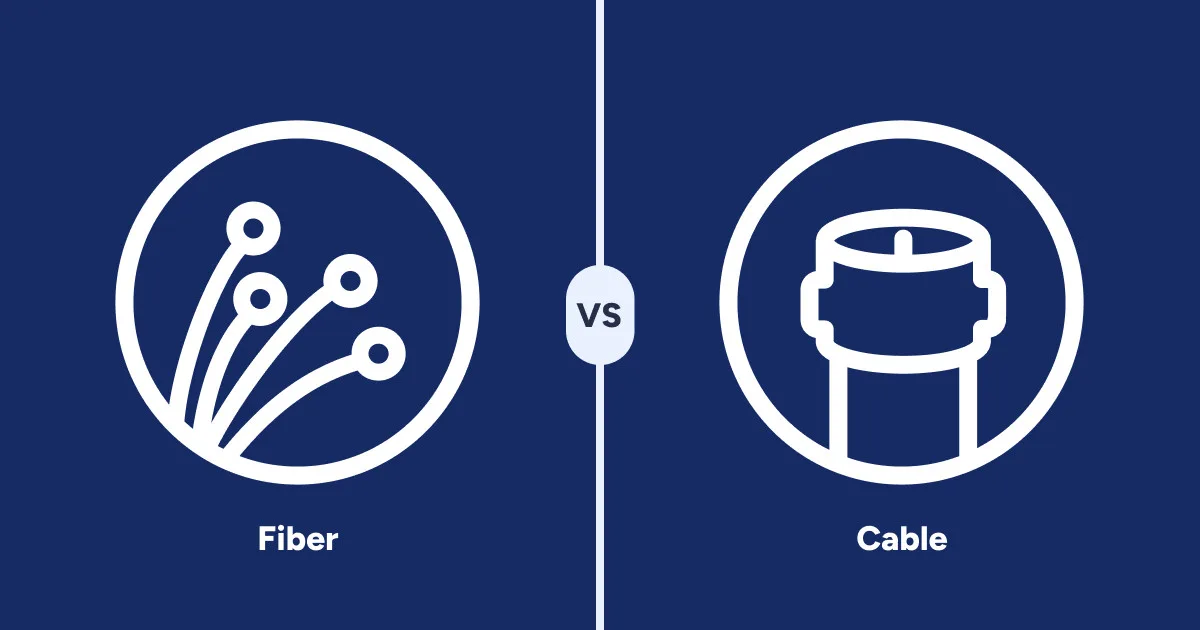
When it comes to business internet, faster isn’t always better. Fiber internet might beat out cable on speed, but each connection type has its unique advantages. And yes, there are times when paying less for slower speeds is the better business choice.
Here are the pros and cons of each:
Fiber pros
Fast, symmetrical speeds
Low latency and high reliability
Capacity for many users and devices
Cable pros
Wide availability
Lower costs with easier installs
Strong speeds for most business needs
Fiber cons
Limited availability
Higher startup cost
Professional installation requirements
Cable cons
Slower upload speeds
Variable performance during congestion
Limited potential for long-term upgrades
Fiber internet is an excellent solution for multi-location businesses and large worksites that need fast speeds and increased bandwidth for dozens of employees and devices.
Cable internet is more than capable of handling daily operations for most small businesses, including video calls, file uploads, cloud tools, and many other modern business activities. It’s also more widely available than fiber, so it’s easily accessible for most businesses.
The option that’s best for your business internet isn’t always a clear choice. This guide helps make it easier by exploring the benefits of fiber and cable business internet and explaining which businesses should use which type of connection.
Fiber vs. cable: Choosing the right internet for your business
High-performance fiber connections are enticing because who doesn’t want the fastest connection possible? But fiber really isn’t necessary for all businesses, and it can mean overspending on performance you don’t use. It’s also not available in all locations, which limits who can access fiber.
Even though fiber is lauded as the fastest connection, cable still offers very fast, reliable, and widespread connections for businesses of many sizes.
Let’s break down the main features for each type of connection:
| Feature | Fiber internet | Cable internet |
|---|---|---|
| Connection type | Fiber-optic cables using light signals | Coaxial cables |
| Typical speeds | 300–10,000Mbps | 100–2,000Mbps |
| Upload speeds | Symmetrical (upload = download) | Slower than download speeds |
| Reliability | Very reliable with minimal signal interference | Reliable, but can slow during peak network congestion |
| Availability | Limited in rural areas due to fiber build-out | Widely available across most cities and suburbs |
| Pricing | Often higher, especially for multi-gig plans | Typically lower starting prices |
| Installation | Typically requires professional installation | Often available with self-install options |
| Best for | Data-heavy businesses, cloud platforms, large teams, VoIP | Small to midsize teams, retail shops, offices with moderate internet use |
Learn more about the internet needs for small businesses and internet needs for large enterprises.
When fiber is the best for business internet
Fiber is the best internet solution for businesses that send and receive large files, host multiple video calls at once, support large teams in a single location, connect multiple locations together, or need to give remote workers access to centralized tools and data.
There are a few reasons fiber business internet could be your best option:
- Higher maximum speeds: Supports multi-gigabit speeds for high-bandwidth operations.
- High-capacity bandwidth: Handles many users uploading and downloading data at once, without slowdowns.
- Symmetrical speeds: Equal upload and download speeds allow for large file uploads, cloud backups, and frequent video calls.
- Consistent performance: Network congestion experiences fewer slowdowns during peak traffic times.
- Built for scale: Offers room to grow with your business.
- Lower latency: Supports video calls, Voice over Internet Protocol (VoIP), and remote desktops.
Shared fiber is becoming more affordable as costs go down, so the main drawback of fiber is availability. Internet service providers (ISPs) are still expanding their fiber networks to reach more business locations.
Ready to look for fiber internet?
Enter your zip code to see fiber plans near you.
When cable internet is better for business
For many small businesses, cable’s speeds and stability can support all of their internet needs. It’s also widely available in most parts of the U.S.
There are a few reasons cable internet could be better for your business:
- Widespread availability: Cable is available in metropolitan, suburban, and rural areas.
- Easier installation: Most buildings are already wired.
- Lower starting cost: You’ll often find lower entry-level pricing than fiber.
- Bundled services: Internet can be bundled with business TV, phone service, or mobile plans.
Fiber vs. cable for daily work
Beyond just speed, there are some differences between how cable and fiber connections function. Depending on your business needs, those differences can either create issues or go unnoticed during a typical workday.
Fiber
Shared fiber connections can experience slowdowns during peak usage times, but fiber networks typically offer significantly more bandwidth than cable, so congestion is less common, and slowdowns are usually less noticeable. Even during busier periods, many businesses can continue running normal operations without interruption.
Fiber also offers Dedicated Internet Access (DIA), which eliminates the headaches of network congestion. DIA is a high-tier, more expensive service than shared fiber, but it’s a good option for businesses that depend on an uninterrupted internet connection.
Fiber also offers symmetrical upload and download speeds, which allow businesses to upload large files, run video calls, and use cloud applications more efficiently. For companies doing time-critical or data-heavy work, fiber is often the most reliable choice.
Cable
It’s not uncommon for cable connections to get slower during peak usage times on the network, typically morning hours and evenings. Your cable internet traffic goes through a shared connection with traffic from all other customers on the network. As more users access the network, congestion builds, and it can cause slowdowns.
That congestion will be more apparent for businesses that deal with a lot of data-heavy and real-time activities. At peak congestion times, you might see stuttery video calls, slow file transfers, and even slower web browsing and email loading.
On the other hand, small businesses with just a few devices connected to their network, such as one or two point of sale terminals, a small security system, and a few tablets, will be less likely to notice congestion slowdowns.
Fiber vs. cable costs
ISPs have been making their fiber prices more and more competitive, so it’s possible to find cable and fiber plans with similar monthly service rates.
However, between installation and equipment fees, fiber is still going to be more expensive at the start of service.
Fiber
Fiber offers high-performance internet access, but it can come at a price. Upfront costs are often higher than cable because most new fiber connections require professional installation. Equipment for fiber connections can also be more costly than cable, either upfront or as a monthly rental fee.
Fiber can be more expensive than other options due to several reasons:
- Monthly service costs: You might pay a bit more per month compared to standard cable, but you’re paying for the extra speed.
- Upfront setup costs: Fiber installation requires specialized tools, so professional installation is always required.
- Equipment costs: Fiber requires an optical network terminal, which can increase your upfront costs.
Cable
Cable offers the best of both worlds: strong performance for most business needs, fast setup, and lower-cost plans. While cable has its speed limitations, it’s still a solid option for most small to midsized businesses.
Cable can be less expensive than fiber for a few reasons:
- Minimal installation: Many locations already have cable lines installed, meaning you don’t need to pay for an extensive installation.
- Plug-and-play equipment: Self-installation kits make setup a breeze. No technician required.
- Standard equipment: Required hardware is common and relatively inexpensive.
The right connection for your business comes down to cost versus performance. When performance can’t be compromised, fiber is the winner. If you want to save on costs while still getting a business-capable connection, cable is a strong option.
Look for cable business internet plans in your area
Enter your zip code to see all providers near you.
Fiber vs. cable business use cases
Restaurants, retail, hospitality, and offices all have different internet needs, so business size alone doesn’t give you a full picture when choosing between fiber or cable.
Let’s explore some real-world situations where each connection makes the most sense.
Fiber
Healthcare providers, financial services, tech companies, and call centers are just a few types of businesses that benefit the most from fiber, as they tend to need more bandwidth. You don’t want to worry about hiccups in your network when processing financial transactions, transferring patient data, or supporting dozens of customer calls.
Fiber offers the speeds and stability for dozens of connected devices at once, including:
- Multiple point-of-sale terminals
- Equipment monitoring
- Security systems
- Inventory systems
- TVs for streaming content
- Reservation and table management
- Tablets for tableside ordering
- Time clocks
- Handheld payment terminals
- Multiple Internet of Things sensors
In the end, the right choice comes down to how much bandwidth your daily operations require.
Cable
Single-location offices, boutique retail, cafes, and small restaurants don’t necessarily need the performance of fiber, and can easily manage their operations with cable business internet.
Cable speeds are more than enough to handle common business internet activities, including:
- Cloud tools
- VoIP
- Processing payments at a single point-of-sale terminal
- Occasional video calls
- Small security system
- Internet browsing and email
Key takeaways and next steps
- Fiber offers the fastest speeds, but upfront and monthly costs can be higher.
- Fiber offers dedicated connections that keep traffic separate on the network to maintain consistent speeds.
- Fiber is best for data-heavy, multi-location, rapidly growing, and large businesses.
- Cable offers fast and stable connections, and can cost less than fiber overall.
- Cable can support many modern business activities, including video calls and cloud tools.
- Cable is great for small and medium-sized businesses.
Get even more guidance on choosing between fiber and cable business internet by connecting with one of our U.S.-based experts, for free.
HighSpeedInternet.com partnered with Clearlink Consulting to provide guidance and help businesses find the connectivity solution that best fits their day-to-day operations.
Clearlink Consulting is an independent technology consulting firm, not a service provider. Their live agents listen to your needs and help guide you to the right business internet solution.
Call +1-833-923-6262 to get connected with a live, local agent for free.
Sarah is part of HighSpeedInternet.com’s business editorial team. All reviews are created using provider-sourced data and verified by industry-trained researchers to ensure accuracy.

Internet service providers (ISPs) employ a variety of promotions to compete for your business, including discounted service rates, gift cards, free products, and free months of service.
But before you get distracted by the numbers and freebies, know that not all business internet deals offer the same value. Some deals can end up costing you more in the long run, thanks to upfront fees and lengthy contracts. Many deals are great for one business, but have too many extras for another.
This guide will help you find the best business internet deals, including what to look for in a good deal, which promotions to avoid, and how to make sure you don’t end up overpaying for more internet than you need.
In this guide:
The best business internet deals | Finding a good deal | Deals to avoid | Fees and costs | Comparing business internet deals | Savings and performance | Key takeaways
In this guide:
The best business internet deals available right now
At any given time, you can find multiple business internet deals at many of the top ISPs, including Comcast, Spectrum, Cox, AT&T, Verizon, and T-Mobile.
Regardless of the provider, the best business internet deals will have:
- A locked-in fixed discount price for multiple years
- Value-added services your business actually needs
- Meaningful discounts, even after taxes and fees
Some of the most cost-saving deals are discounted bundled plans, typically with a combination of internet and phone or Voice over Internet Protocol (VoIP) service, or internet and business TV. You’ll also find promotional rates on individual internet services.
Keep in mind that promotions can vary by region, so a deal that’s available for one business location might not be available at another.
How to find a good business internet deal
Most ISPs often have multiple deals at once, and it can feel daunting trying to separate the good deals from those that aren’t as valuable. A good business internet deal avoids gimmicky discounts and instead provides meaningful ongoing savings for the life of your plan, or at least the next few years.
What to look for in a good business internet deal:
- Locked-in service rates for multiple years
- Bundles built for your business
Locked-in discounts
An enticing low monthly service fee isn’t very helpful if it only lasts six months before it rises beyond your budget. Look for deals that offer a fixed price for multiple years, and clear terms in your service-level agreement (SLA) on when those prices change.
The right bundles
Major national ISPs offer dozens of business internet bundle combinations, making it easier to find one that fits your needs. Look for bundles that include services your business can actually use, such as VoIP, mobile phone lines, or business TV. Learn more about bundling your business internet and phone line in this separate guide.
To find the best provider deals in your area, call +1-833-923-6262.
What to avoid in business internet deals
Free products or bonus services are tempting, but many don’t provide long-term savings or value. Deals with services you won’t use seem great at first, but can end up costing more after the promotion ends.
Avoid business internet deals with:
- Short-term discounts
- Unnecessary services
- Free or discounted products you can’t use
- Using credit to cover the cost of switching providers
Short-term discounts
Deals with promotional prices that last less than a year are often not as valuable as they seem, since the discount can often be outweighed by upfront costs and extra fees. Deals such as “save $X per year” or “X free months of service” can also vary based on the level of service you purchase.
Many short-term discounts may not apply immediately, which can result in higher monthly bills during the first few months of service.
Unnecessary services
Just as bundles can be useful, they can also be wasteful. There are many bundle deals that include services your business will never use. Once the promotional pricing ends, you’ll be stuck paying for a service you don’t need. You’re better off finding a deal on a plan that closely aligns with your operation.
Free or discounted products
Some ISPs promote business bundles that include discounted mobile lines, devices, security, equipment, or other tempting add-ons when you sign up. While these incentives can look appealing, they’re often limited to higher-tier plans and longer contracts.
In many cases, the free gift doesn’t offset the long-term cost of an oversized or mismatched service plan.
Covering the cost to switch
Canceling your business internet plan before your contract ends to move to a new provider can incur fees that may not make financial sense.
Some ISPs offer deals that help cover the cost of switching. However, you won’t see those savings when you first start your new account. Instead, they show up as small monthly billing credits over the life of a two or three-year contract.
Common fees in business internet deals
Many ISP deals promise large savings and low monthly rates, until you read the fine print. Even on solid deals that will save you money on services you can use, the advertised price likely won’t include extra fees that are due at activation and each month.
These are the common fees you’ll encounter after signing up for a business internet deal:
- Activation fees: One-time startup charges
- Equipment fees: Equipment rental and setup charges
- Installation fees: On-site setup charges
- Autopay and paperless billing fees: Monthly charges if not enrolled
Call +1-833-923-6262 to get details on the best business internet deals in your area.
Comparing deals by business size
Each stage of business has its own internet needs, and it’s important to look for promotions that match those needs. It can be easy to get sidetracked with flashy prices or freebies, but getting a plan with the right speeds and features from the start will save you more in the future.
Let’s break down what businesses of different sizes should prioritize when looking at deals.
Small businesses
- Simple internet service: Choose plans with reliable, basic connectivity.
- No unnecessary extras: Avoid add-ons you won’t use.
Growing business
- Fast connections: Prioritize speed and network stability.
- Security tools: Choose plans that include built-in security features.
- Service Bundles: Look for bundled VoIP, mobile, or TV plans to reduce overall costs.
Enterprise and multi-location
- High-security networks: Invest in secure, dedicated connections.
- Ultra-fast performance: Ensure sufficient bandwidth for large teams.
- Vendor management: Consolidate ISP accounts with multi-location plans.
How to save money without sacrificing performance
Before looking at promo prices or bundles, focus on your company’s networking requirements, both right now and as your business scales.
An internet plan with the right level of performance is far more important than low prices or other perks. An inexpensive plan that’s underpowered will cost you more in downtime and inefficiencies.
Use this checklist to map out your business internet needs before shopping for deals:
- Speed: Choose plans with enough bandwidth to support daily operations.
- Reliability: Prioritize providers with stable, proven connections in your area.
- Contract terms: Secure guarantees for latency, uptime, pricing, and speeds.
- Support: Select an ISP that delivers the level of support you need.
- Add-ons: Avoid unnecessary extras that increase long-term costs.
- Total cost of ownership: Evaluate long-term costs alongside upfront fees.
Key takeaways and next steps
By now, you understand that business internet deals can either support your business’s needs while saving money, or get you stuck in a long-term contract with a plan that’s underpowered or too expensive.
As you look for business internet deals, stay focused on a few key details that will help you get the right plan:
- Plan performance: Ensure the plan meets your operational needs.
- Ongoing costs: Calculate the true monthly and annual cost after discounts and fees.
- Total value: Focus on long-term value over short-term gimmicks.
If you’d like more guidance on finding the right business internet deal, HighSpeedInternet.com has partnered with Clearlink Consulting to offer live business internet advice, for free. Our consultants can help you identify the right plan for your business and negotiate pricing and SLAs on your behalf.
Get free, expert advice by calling +1-833-923-6262.
Definitions
Voice over Internet Protocol (VoIP): A phone system that lets your business make and receive calls over the internet instead of traditional landlines.
Sarah is part of HighSpeedInternet.com’s business editorial team. All reviews are created using provider-sourced data and verified by industry-trained researchers to ensure accuracy.

Reliable, fast network connections are crucial for businesses of all sizes, but determining what speed your business needs can be daunting. Internet speeds that are too slow can get in the way of daily operations, and plans with speeds faster than you’re using just add unnecessary costs.
Finding a plan with enough download and upload speeds to support your business without overspending doesn’t have to be difficult. By mapping out your daily business operations and future growth, you can easily find your right-fit speed and stay on budget.
Whether you’re just starting out with a new internet plan or are dealing with a current plan that’s underperforming, this guide will walk you through key considerations for choosing the right business internet speeds.
In this guide:
Ideal business internet speeds | Factors that affect speeds | Signs internet is too slow | Download vs. upload speed | When faster isn’t better | Speeds for growing businesses | Key takeaways
In this guide:
Choosing the right internet speed for your business
Getting internet that’s fast enough to enable your business operations, while also not paying for overpowered performance, can be a balancing act. Most internet service providers (ISPs) offer multiple business internet plans, each with different maximum speeds, leaving business owners with many options to evaluate.
Each company has its own internet speed needs, but there are some general guidelines you can follow.
Below is a breakdown of some general connectivity needs by business size.
| Small business | Growing business | Enterprise business | |
|---|---|---|---|
| Number of employees | 1–20 | 20–200 | 200+ |
| Download speed | 100–500Mbps | 500–1,000Mbps (1Gbps) | 1–10Gbps |
| Download activities | |||
| Upload speed range | 50–150Mbps | 200–500Mbps | Symmetrical |
| Upload activities |
Internet speed vs. bandwidth: What’s the difference?
Internet speed and internet bandwidth are often used interchangeably, but they describe two different concepts:
- Bandwidth is the maximum amount of data your connection can handle per second.
- Speed is how much data your network receives (download) or sends (upload) per second.
If the internet is a garden hose, bandwidth is the size of the hose, and speed is how much water is traveling through it.
Most ISPs advertise the highest speed your network could handle, but the real-life speeds you’ll experience will generally be slower. Check with potential ISPs about their customers’ average speeds before choosing a plan.
The exact speed you’ll get at any given time of day can depend on many factors, but it is often heavily influenced by how much traffic is on the provider’s network. To compensate for that, some ISPs offer dedicated connections or priority traffic features that essentially bypass the congestion to maintain stable speeds.
Learn more about types of business internet connections with this guide.
Ready to shop for a faster plan?
Enter your zip to find internet providers in your area with speeds for every business size and need.
Key factors that determine your business’s speed needs
Most ISPs offer plans at several different bandwidth tiers, and the price typically increases with higher bandwidth. Those tiers can range from low-cost plans with modest speeds to high-performance plans that promise up to 1Tbps.
To estimate the bandwidth you need, start by identifying the online activities and devices your business uses daily. The table below shows the typical bandwidth used by common tasks.
General business activities
| Activity | Internet speed per user |
|---|---|
| Internet browsing and email | 1–5Mbps |
| Cloud tools | 5–20Mbps |
| HD video calls | 1–4Mbps |
| Voice over Internet Protocol (VoIP) | Under 1Mbps |
| Security system | 10–50Mbps, depending on scale |
Retail and hospitality
| Activity | Internet speed |
|---|---|
| POS system | 0.5–5Mbps per terminal |
| 4K Ultra HD video streaming | 25Mbps per 4K stream |
| Guest Wi-Fi | 50–150Mbps shared bandwidth, but can be set to any limit |
Note: The speeds listed represent the bandwidth used by a single user or device while performing that activity. If multiple employees or systems are active at the same time, add those speeds together to estimate your total bandwidth needs.
Once you’ve added up the bandwidth used by each activity and multiplied it by the number of users or devices, you’ll have a good idea of the minimum speed your business needs for daily operations.
Signs your business internet is too slow
Numbers alone aren’t enough to determine what speeds your worksite needs. A good internet connection should have speeds that match your activities and number of users and devices, but also be stable enough to consistently meet those needs. Slow or unreliable connections can be a sure sign that your internet is underpowered.
- If you’re experiencing these issues, your internet connection may be too slow:
- Video calls freeze or stutter
- Large file transfers take a long time to download
- Speeds drop noticeably when more users are on the network
If these problems happen regularly, it may be time to upgrade your plan or choose a connection with more bandwidth.
Download vs. upload speed: What matters more for business
Download speeds get the most attention, but depending on your daily internet use, upload speeds can also affect efficiency.
Upload speed becomes important when employees send large amounts of data to the internet. Examples include:
- Video calls and webinars
- Cloud file uploads and syncing
- Sharing large files with clients or teams
- Cloud backups and data transfers
- Remote desktop and VPN connections
- Uploading videos or media content
- Security cameras and Internet of Things (IoT) data uploads
Because many businesses now rely heavily on these types of tasks, upload speed is becoming more important.
Many fiber business internet connections offer symmetrical speeds (where upload equals download). These connections will support video calls, cloud tools, and large file transfers much more reliably than an asymmetrical upload speed.
Here is a list of some general upload speed ranges, by activity and business size.
| Small business | Growing business | Enterprise business | |
|---|---|---|---|
| Number of employees | 1–20 | 20–200 | 200+ |
| Upload speed range | 50–150Mbps | 200–500Mbps | Symmetrical |
| Internet activities |
Why faster doesn’t always mean better performance
Speed often gets the most attention for internet performance, but it’s only one piece of the puzzle.
Let’s break down some of the components of an internet connection: Speed, latency, and jitter.
- Speed is how much data travels across the network each second.
- Latency is the time it takes for that data to move from one point to another across the network.
- Jitter is when latency varies, causing delays to fluctuate.
If we continue the hose analogy from the earlier Pro Tip box, latency is the time it takes the water to travel from the spigot to the hose nozzle, while jitter is when the water flow becomes inconsistent.
Latency and jitter matter just as much as speed when it comes to having a fast, stable connection.
High-latency connections or those with significant jitter might not be as noticeable when you’re loading websites and cloud tools, but they can cause video and voice calls to stutter or disrupt real-time collaboration.
If your current plan has enough speed to support your business, but you’re still experiencing a slow or unstable connection, it’s possible that high latency in your connection is creating issues. It might be time to upgrade your internet plan or change your provider.
Speed considerations for growing businesses
As your business grows, so should your internet speeds to keep up with more employees and internet-enabled equipment on the network.
There are several reasons it might be time to upgrade your plan for faster speeds:
- Expanding staff or locations
- Adding cloud tools to your workflow
- Adding new equipment
- Connections slow as more employees use the network
As your business grows into a larger operation, you’ll want to work directly with an ISP on a more custom internet solution with guaranteed terms for speeds and performance.
Key takeaways and next steps
- Download and upload speeds, latency, and jitter are all important for a strong connection.
- Speeds change based on network congestion, either within your business or at the ISP.
- Video calls that freeze or stutter are a good sign you need more bandwidth.
- Service-level agreements usually include terms for guaranteed speed, latency, and jitter.
- Custom solutions from an ISP are ideal for large and rapidly-growing businesses.
Determining how much internet speed your business needs can feel overwhelming. HighSpeedInternet.com partnered with Clearlink Consulting to make it easy by offering free expert business internet advice.
Clearlink Consulting is an independent technology consulting firm, not a service provider. Its live agents help businesses of all sizes determine which plans and speeds are best for their needs.
Call +1-833-923-6262 to get connected with a live, local agent for free.
It’s pretty hard to run a business without a reliable internet connection. From email to point-of-service systems, businesses need to stay connected at all times, and with the launch of the latest Hughesnet satellite, there are now a lot more options for businesses in rural areas.
What is the Jupiter-3 satellite?
On July 28, 2023, Hughesnet launched the largest commercial telecommunications satellite ever put into orbit, the Jupiter-3 (also known as EchoStar XXIV). After a long voyage to geosynchronous orbit, the satellite successfully extended all its solar arrays and antennas and was ready to add its capacity to the Hughesnet satellite network.

Jupiter-3. Image courtesy of Hughesnet.
Jupiter-3 adds more than 500Gbps in throughput capacity to HughesNet’s network, more than doubling the previous throughput of the Jupiter fleet. To capitalize on this huge increase in network capacity, Hughesnet has also been making improvements to its network on the ground. The company currently has18 active gateways for satellite teleport, which are co-located with Hughesnet’s data centers to further decrease latency.
With ground stations spread across the country, it also makes it possible to route traffic not just to maximize efficiency, but to work around storms and other adverse weather conditions. Looking down from geosynchronous orbit, Jupiter-3 has line of sight to all of these ground stations at any given time, which is a small advantage over low-Earth orbit (LEO) satellites.
How does this change impact small businesses?
With the addition of Jupiter-3 to its satellite network, Hughesnet is completely restructuring its internet plans and data policy. There are three major changes that will be of interest to business owners:
- Hughesnet now offers plans up to 100Mbps.
- All new Hughesnet plans come with unlimited standard data.
- Hughesnet equipment is now Wi-Fi 6 enabled.
This is a dramatic shift from the way Hughesnet did business before and will change the way that businesses look at Hughesnet. Its new business plans are comparable to the plans of other providers like Viasat and Starlink, so even if Hughesnet didn’t fit your business needs in the past, you might want to take a second look.
New Hughesnet Business plans
| Package | Price* | Speed | Priority Data | Details |
|---|---|---|---|---|
| Hughesnet Select Pro | $84.99/mo. | Up to 50Mbps | 100GB | |
| Hughenet Elite Pro | $99.99/mo. | Up to 100Mbps | 200GB | |
| Hughesnet Fusion Pro | $119.99/mo. | Up to 100Mbps | 200GB |
Data as of 12/19/2023. Offers and availability may vary by location and are subject to change.
*Service plan availability varies based on geographical area. 24-month commitment required. Monthly Fee reflects the applied $5 savings for ACH enrollment. Enroll before the 2nd billing cycle for continued savings.
Hughesnet has simplified its offerings to just three plans, including both Hughesnet Fusion and satellite-only service. Plans now start at 50Mbps (which was previously the highest speed available in its premium plan) and go up to 100Mbps. There is just one Fusion plan with speeds up to 100Mbps.
With higher speeds and low-latency connections through the Hughesnet Fusion plan, Hughesnet is now a much more viable option for businesses that need higher performance out of their internet connection.
New data policy
Another important change is Hughesnet’s new data policy. Under the new data policy, there is no throttling of your connection when the data runs out. Every plan comes with unlimited standard data, plus some amount of priority data. The monthly quota of priority data with each plan is quite a bit bigger than the amount of data you got in most of the old plans, though they can still be replenished with data tokens like before.
Unlimited unprioritized data isn’t quite the same as a completely unlimited plan, but it is a huge improvement from the previous policy. The new plan is very similar to Starlink’s new data policy, making it a viable alternative for folks on the Starlink waiting list.
New Hughesnet equipment for businesses
| Equipment | Satellite Plans | Fusion Plans |
|---|---|---|
| Monthly lease fee | $19.99/mo. | $24.99/mo. |
| Lease setup fee | $99.00 | $99.00 |
| Purchase fee | $299.99 | $449.99 |
| Wi-Fi modem | HT3000W (Wi-Fi 6) | HT3000W (Wi-Fi 6) + WL3000 |
| Mesh Wi-Fi node (lease) | $5.00/mo. | $5.00/mo. |
| Mesh Wi-Fi node (purchase) | $99.00 | $99.00 |
| Commercial installation (lease) | Free† | Free† |
| Commercial installation (purchase) | $299.99 | $299.99 |
†Free standard commercial installation applies to new Lease subscribers only. Not valid with Purchase option. Limited-time offer.
Another big change is the all new equipment using the Wi-Fi 6 standard. This upgrade is especially important for businesses that use a lot of Wi-Fi connected equipment, as Wi-Fi 6 was designed to manage large numbers of devices simultaneously on the same network.
The proliferation of Wi-Fi enabled devices and equipment wasn’t just the driving force behind Hughesnet’s decision to upgrade its equipment; it was also one of the motivations for the restructuring of the company’s existing plans. According to Mark Wymer, Senior Vice President for Strategy and Distribution at Hughesnet:
“That was a big part of the consideration as we developed the new plans. As we look across our network and we see what’s happening to the utilization curve—and utilization goes up year over year—we look at what type of applications our platform has to support and more and more devices are beginning to emerge.”
Hughesnet has also added mesh nodes to its list of equipment available for purchase or lease. This is useful for businesses that need an internet connection throughout a large building or multiple smaller ones.
What businesses benefit from a Hughesnet connection?
Satellite internet like Hughesnet is a great tool for businesses that need to meet their customers where they are, such as rural shops, as well as for businesses like farms or construction sites that need to operate on location.
Agriculture is often the go-to talking point for rural internet technology, but it’s not just the rolling fields of the midwest that can benefit from satellite internet. Wymer notes that many of Hughesnet’s business customers are small-to-medium operations like wineries that aren’t as heavily mechanized as some forms of agriculture, but still deal with large volumes of product and ship to clients all over the world.
Whether you’re working from your home office or managing a warehouse filled with Wi-Fi enabled equipment, the needs of rural businesses constantly increase just like those in urban areas. With the Jupiter-3 satellite, Hughesnet is now able to fill some of these gaps to ensure that rural businesses can stay connected.

Hughesnet Jupiter fleet. Image courtesy of Hughesnet.
What’s the difference between business and residential plans?
Hughesnet offers both residential and business plans and while you might be able to get by with just a residential plan, there are a number of important differences. In particular, there are three main perks that you get with a business plan:
- Priority next-day service and repair
- Prioritized customer care
- Commercial-grade installation
Downtime is a major issue for businesses as being unable to process customers’ credit cards, for example, can lose a lot of money really quickly. As such, one of the services that comes included in a Hughesnet business plan is next-day service and repair to get your business up and running as soon as possible.
Not all internet problems require physical repairs, but they still need to get resolved quickly. As such, Hughesnet business customers also get priority customer care from experienced representatives to get any other kind of technical problem resolved quickly and efficiently.
Finally, business plans come with commercial-grade installation, which can be essential in certain locations. Commercial buildings are constructed very differently than homes, often with flat or metal roofs, which require different fixtures to attach the antenna. Commercial spaces also come with a lot of other restrictions. For example, you probably can’t just drill a hole in whichever wall you want to run cables inside to your equipment. Many commercial spaces require cables to pass through secure access points. Hughesnet’s commercial installers are experienced in these situations and will handle them in order to install your equipment properly.
There are other reasons to go with a Hughesnet business plan, which Wymer sums up nicely:
“The business plans have been really honed to support business applications. […] When you couple the business version of Fusion, our Fusion Pro service, now you have the low latency and the high throughput of the GSO satellite and you’ve got an ideal solution for small businesses in low-density rural footprints.”
There are, of course, pros and cons for satellite and other wireless internet connections, but perhaps more than anyone, small businesses know how to make the best out of less-than-ideal circumstances. Hughesnet may not be the best choice in urban areas where there are lots of faster wired connections to choose from, but if your business doesn’t have access to wired infrastructure, Hughesnet strikes a good balance between speed, low latency, and affordability, and a good all-around choice when comparing different satellite providers.
More resources
If you want to find out more about current developments in the satellite internet industry and what might be on the horizon, we have several other articles available on the topic.
- When Will Project Kuiper Be Available?
- When Will OneWeb Satellite Internet Be Available?
- What Is Hughesnet Fusion?
- What Happened to Viasat’s New Satellite?
- Viasat Buys Inmarsat and Its Plans for a LEO Constellation
- Starlink Roam Is Here, but Is It Worth It?