
IPVanish Review: Plans and Pricing 2026
IPVanish has servers in over 113 countries, plus additional cybersecurity protections

Availability and speed may vary by location, and prices are subject to change. Expand for disclaimers.
IPVanish plans
IPVanish Essential – By clicking the subscribe button you agree to be charged $56.48. After your first term, your plan will automatically renew annually at $89.99 until canceled through your IPVanish account. By signing up with IPVanish, you agree to our Terms of Service, including mandatory arbitration, and the Privacy Policy.
IPVanish Advanced — By clicking the subscribe button you agree to be charged $84.84. After your first term, your plan will automatically renew annually at $109.99 until canceled through your IPVanish account. By signing up with IPVanish, you agree to our Terms of Service, including mandatory arbitration, and the Privacy Policy.
Why use IPVanish
IPVanish has plenty of servers in an extensive list of countries. Plus, it’s one of the few VPN services that offers 24/7 customer support over the phone. It also covers unlimited devices on all plans.
Pros
 Extensive country availability
24/7 customer support
Owns and operates its server network
Cons
 Substantial post-promo price hikes
No port forwarding
Limited add-ons for plan customization
IPVanish offers a solid VPN service that includes additional cybersecurity perks like file scanning and threat protection to stop phishing and scamming. IPVanish offers 24/7 customer support over the phone, making it a great option for those tired of dealing with AI chatbots or waiting three business days for an email response.
I tested IPVanish for two weeks while I worked from home, streamed, and browsed online. Signing up and paying for IPVanish was simple, but I did run into a few issues when I initially was setting up the app on my Mac. I was able to reach out to customer service and get help from a live customer support agent, but I did have to go through generic troubleshooting with a bot before being transferred to an agent.
How much does IPVanish cost?
Price score: (2.9/4) ★ ★ ★
| Plan | Price* | Features |
|---|---|---|
| Essential | $2.39–$14.99/mo. | |
| Complete | $3.09–$15.99/mo. | |
| Advanced | $3.59–$17.99/mo. |
* Availability and speed may vary by location, and prices are subject to change. See disclaimers.
IPVanish offers three plans to choose from. There isn’t a huge price difference between the plans, but if you don’t need the extra features that come with the Complete and Advanced plans, opt for the Essential plan. But if you want to max all the perks IPVanish has to offer, sign up for the Advanced plan for only a few dollars more than the Essential and Complete plans.
IPVanish is on the higher end of the price spectrum compared to other VPN services. While it may not be the most expensive VPN service, it isn’t the cheapest either.
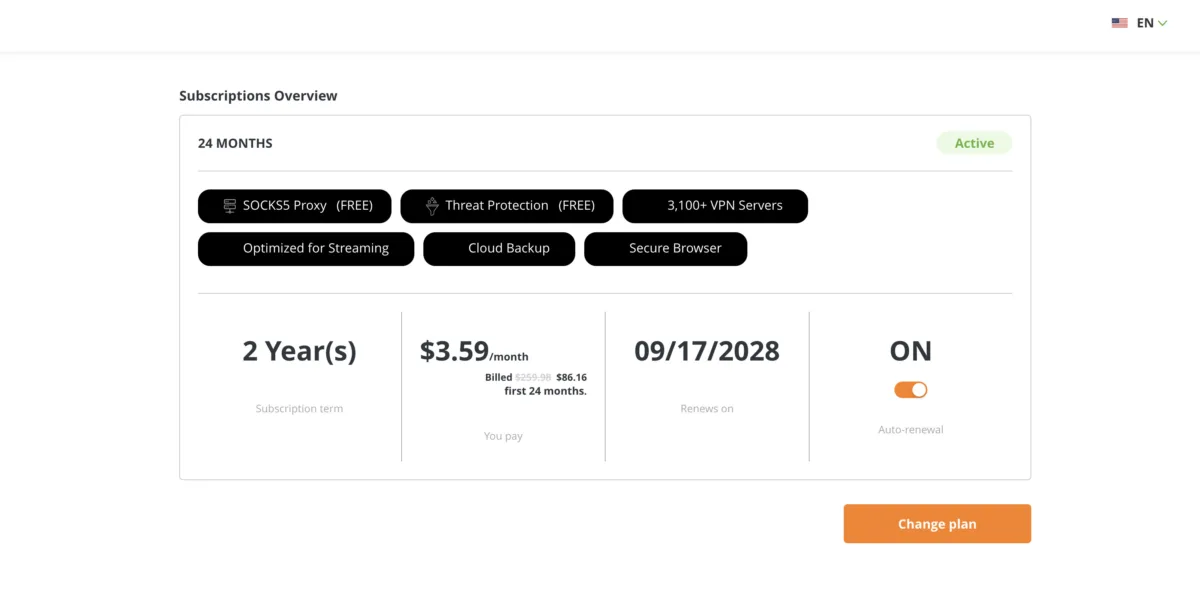
My IPVanish subscription tab shows my renewal date. Andrea GutierrezPrieto. | HighSpeedInternet.com
Like most VPN services, you’ll get a lower monthly rate if you sign up for a longer subscription. First-time customers also get a discounted rate, but IPVanish doesn’t show what the price will be when my subscription renews. I’m expecting to get hit with a price hike since the price I paid was explicitly only for the first 24 months.
I paid $86.16 for 24 months of the Advanced plan and can easily access my account and billing on the IPVanish website. Some features, like Livedrive and Secure Browser, are only available with the Advanced plan. However, IPVanish offers DNS and IP leak protection, plus eSIM data with all plans.
Which IPVanish plan should you get?
Since the price difference between IPVanish plans is minimal, I recommend opting for the Advanced plan. For just a few dollars more than the Essential or Complete plans, you’ll get access to the full suite of security, storage, and customer support features with the Advanced plan.
You’ll get access to 1TB of cloud storage, 1TB of cloud backup, a secure browser, and access to secure file syncing and sharing. You’ll also get the most eSIM data with the Advanced plan.
How fast is IPVanish?
Speed and performance score: (2.8/4) ★ ★ ★
The overall performance of IPVanish was as expected. I didn’t experience any major lags or slowdowns while connected to the VPN service. I was able to do all my daily online activities without any major issues. But the latency and jitter didn’t perform as well compared to other VPN services.
IPVanish speeds, latency, and jitter testing results
| Local server | Distant server | No VPN | |
|---|---|---|---|
| Download speed | 860Mbps (-8.5%) | 511Mbps (-45.6%) | 940Mbps |
| Upload speed | 700Mbps (-26.2%) | 102Mbps (-89.2%) | 948Mbps |
| Latency | 47.3 ms (+84.3%) | 289.5 ms (+1,028.2%) | 25.66 ms |
| Jitter | 6.6 ms (+96.4%) | 44 ms (+1,209.5%) | 3.36 ms |
IPVanish speeds
Based on our controlled testing over a fiber internet connection with symmetrical upload and download speeds, IPVanish’s impact on download speed was moderate. Average download speeds dropped by about 80Mbps, which is quite a bit of speed.
Download speeds dropped by over 400Mbps when connected to a distant server in Hong Kong, but this is typical with most VPN services. Upload speeds dropped by about 250Mbps on a local server, but I saw a whopping 840Mbps drop when connected to the distant server.
IPVanish latency and jitter
Latency increased both on the local and distant server. But latency on the distant server took a far bigger hit, increasing by over 260 milliseconds. Jitter increased by about double on the local server. On the distant server, jitter increased by over 40 milliseconds.
Latency and jitter can impact online activities like gaming, streaming, and video calls. I took a lot of video calls while connected to IPVanish and only ever experienced one minor lag, so I overall did not notice any impact on my video calls. If you plan on doing any activity that relies on low latency and jitter, connect to a local server to avoid the decreased speeds and increased latency and jitter that result when connecting to a distant server.
You can easily select a server to connect to, but there is nothing to indicate what the fastest server for your network is. There is also no option to automatically connect to the fastest server.
Are the IPVanish apps good?
Apps and UX score: (1.6/4) ★ ½
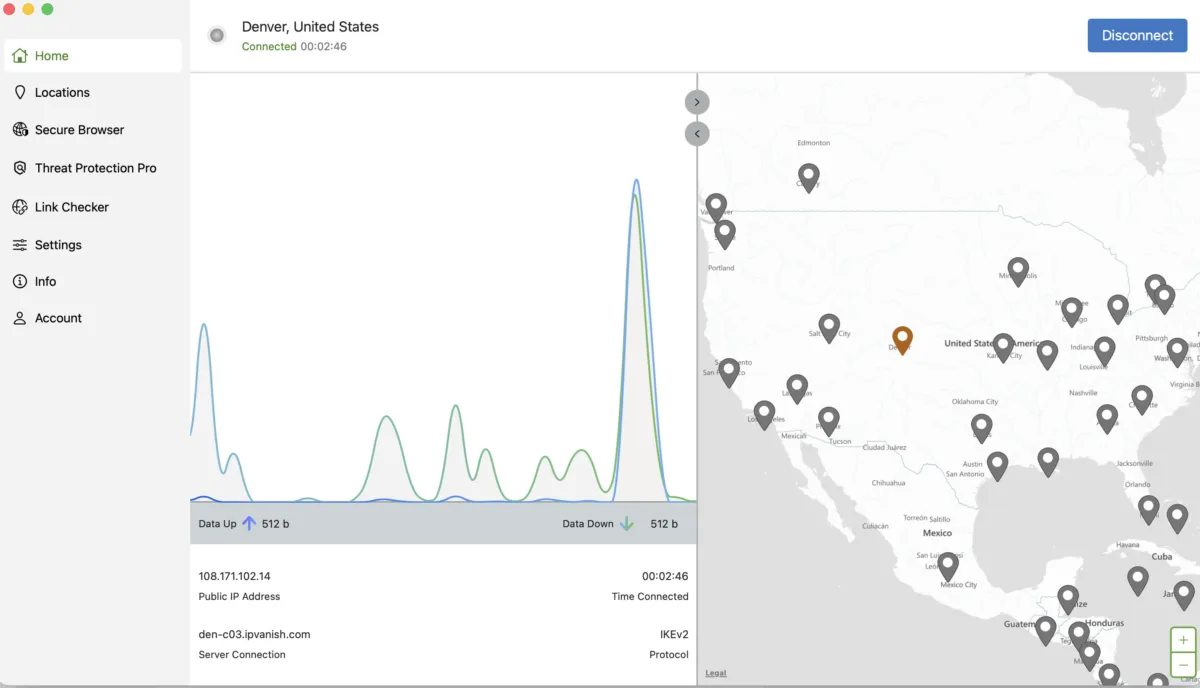
My IPVanish app shows the data up and down being used. Andrea GutierrezPrieto. | HighSpeedInternet.com
The IPVanish website is easy to navigate, and it was a simple sign-up process. I was able to download the macOS app from the IPVanish website, but I did run into a few issues when initially setting up the app and getting connected to a VPN.
I was able to successfully download and install the IPVanish app, but nothing would happen when I clicked the button to connect. There was no error or pop-up to describe what the issue was, so I headed over to the IPVanish website for troubleshooting articles. I attempted to play around with the app settings, uninstall and reinstall the app a few times, and follow the troubleshooting articles for about half an hour with no success.
I had to reach out to customer service via online chat. I spent about 15 minutes trying the troubleshooting steps suggested by the bot before I was connected to a live customer support agent. While troubleshooting with the agent, we discovered the issue was that I could only connect to the IKEv2 VPN protocol and not the WireGuard or OpenVPN protocols. The app automatically defaults to the WireGuard protocol, which was why I wasn’t able to connect.
While this was a relatively simple fix, I never got an answer as to why I was not able to connect to two of the three VPN protocols. The customer service agent told me to use the IKEv2 protocol while the developer team investigates and fixes the connection for the other two. In theory, you can toggle between three protocols, but I was only able to connect to one.
The app is pretty straightforward, but I didn’t find it to be the most intuitive VPN app I’ve tested. It took me a second to figure out the interactive map display, and I don’t love that I can’t search locations on the home tab. In order to search or connect to a specific country or location, you need to switch to the location tab, whereas other VPN apps have a search feature directly on the home tab. I did find the Double Hop feature easy to set up and use, which was one of the unique features IPVanish offers.
Does IPVanish have a good server network?
Server score: (2.2/4) ★ ★
IPVanish has 3,400 servers in 113 countries. Those numbers sit right in the middle compared to other VPN services. In order to browse and search countries and cities, you need to toggle to the Locations tab on the IPVanish app. You can see the capacity load percentage as well as how many servers are available in each city.
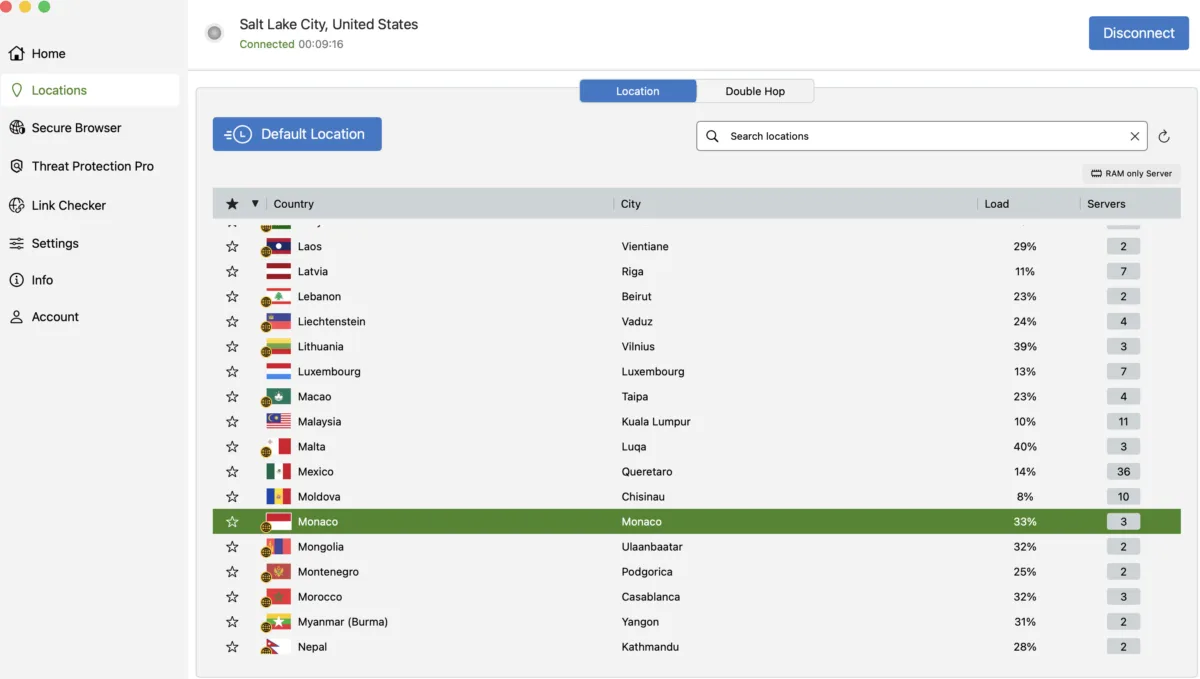
I can search and browse VPNs by country and city on the IPVanish location tab. Andrea GutierrezPrieto. | HighSpeedInternet.com
In the locations tab, you can set up Double Hop with an exit and entry location of your choosing. Overall, aside from not being able to connect to the OpenVPN and WireGuard protocols, I didn’t have any issues connecting to different servers on the IPVanish app.
Does IPVanish VPN work for age-restricted content?
IPVanish can help users get around age-restricted or regionally blocked content without having to create an account on a website. In order to bypass these restrictions, all you need to do is connect to a server in a state or country that does not have these restrictions. Don’t forget to refresh the page and your browser to ensure the VPN is active on your browser.
How secure is IPVanish?
Security, confidence, and features score: (2.6/4) ★ ★ ½
IPVanish is an overall reliable VPN service. IPVanish meets the industry security standards with reliable encryption methods and a no-logs policy. However, IPVanish is headquartered in the U.S. and is subject to the privacy laws of the U.S.
Encryption method
AES-256 encryption is the industry standard and IPVanish uses AES-256 encryption in combination with WireGuard. WireGuard is also a modern and safe encryption method; however, I was never able to connect to WireGuard or OpenVPN on my IPVanish macOS app.
No-logs policy
IPVanish has a no-logs policy and has undergone a few independent no-logs audits. IPVanish’s most recent no-logs audit was in 2025 and verified that IPVanish doesn’t store user activity or original IP addresses.
The IPVanish name
IPVanish launched in 2012, but has been acquired by two different companies since then. The most recent IPVanish acquisition was in 2019 by Ziff Davis Inc.
IPVanish is headquartered in the U.S., which is part of the Five Eyes alliance. During a criminal investigation in 2016, IPVanish gave user logs to U.S. authorities. However, this was under previous ownership, and there hasn’t been another incident since then.
What features come with IPVanish?
| Plan | Features |
|---|---|
| Essential | |
| Complete | |
| Advanced |
IPVanish plans hit all the VPN basics, but also include extra security features like a URL and link checker, a QR code scanner, and a data breach scanner. Even the basic plan includes these extra features, but if you want to max out all the security, storage, and eSIM perks IPVanish has to offer, opt for the Advanced plan.
IPVanish multiple encryption protocols
IPVanish offers three different VPN protocols you can connect to. All you need to do to switch protocols is toggle to the settings tab and then click the protocol button on the nav bar.
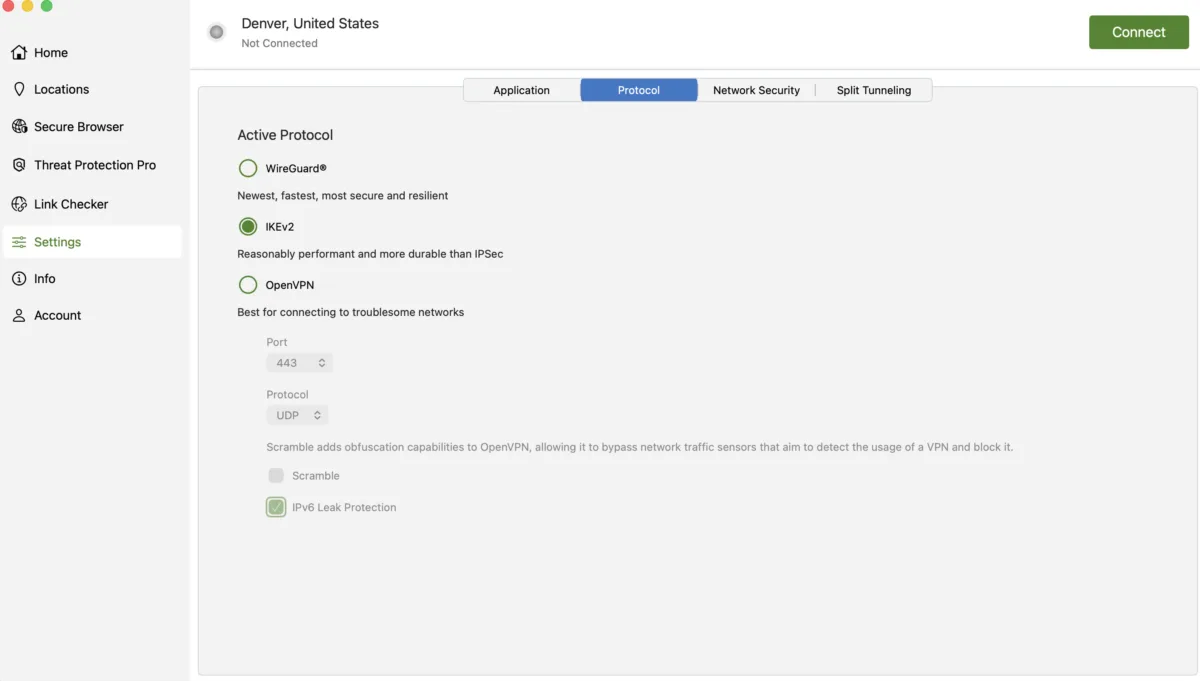
IPVanish offers WireGuard, IKEv2, and OpenVPN protocols. Andrea GutierrezPrieto. | HighSpeedInternet.com
On one of the devices I tested, I had no trouble changing the VPN protocol. But on my macOS laptop, I was only able to connect to the IKEv2 protocol. I reached out to customer support, and they were not able to tell me why I couldn’t connect to the WireGuard and Open VPN protocols, and they suggested I just use the IKEv2 protocol since that one worked for me.
While I could only use the IKEv2 protocol, here’s a rundown of all the protocols offered by IPVanish.
- WireGuard: Best for speed, security, and resiliency
- IKEv2: Reasonable performance that’s more durable than IPsec
- OpenVPN: Best for troublesome networks
IPVanish Threat Protection Pro
All IPVanish plans include Threat Protection Pro with the following blockers:
- Tracker and ad blocker
- Malicious download blocker
- Suspicious link blocker
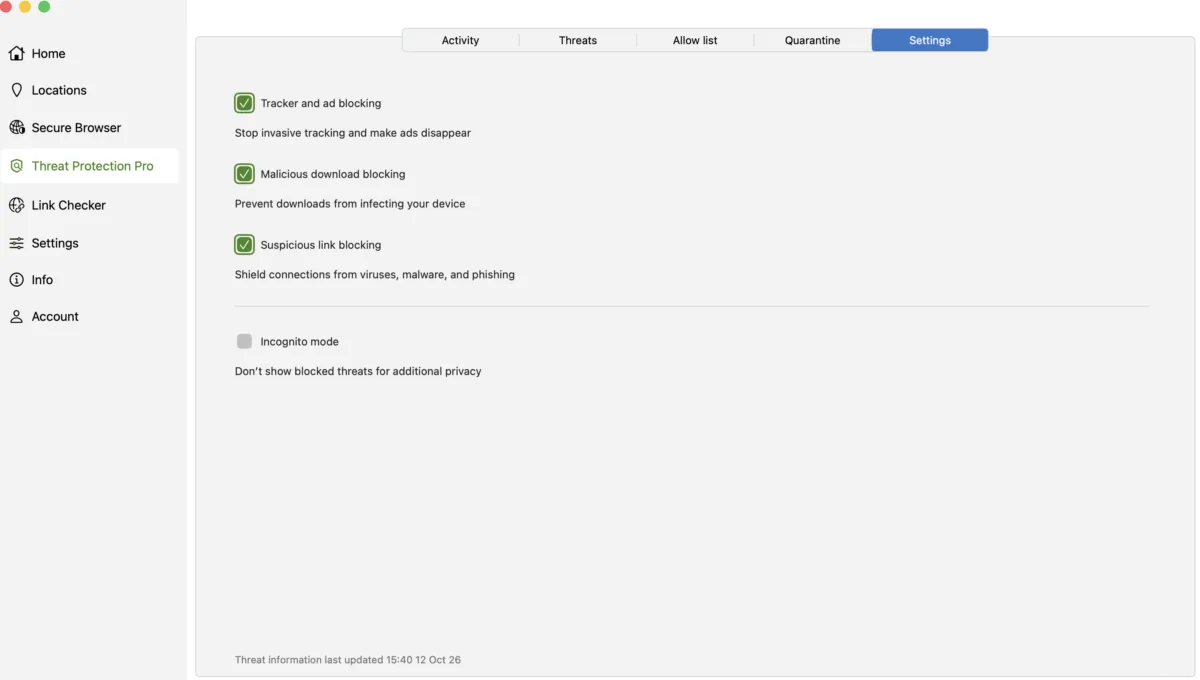
I can toggle on tracker, ad, malicious download, and link blockers. Andrea GutierrezPrieto. | HighSpeedInternet.com
You can easily toggle the blockers offered with Threat Protection Pro directly in the settings tab. You can also add items to your allow list that won’t be blocked. You can also get a rundown and activity list of the threats your blockers have detected in the Threat Protection Pro tab.
IPVanish link checker
You can verify if a URL is safe using IPVanish’s link checker. It’s a very simple feature, but it can come in handy if you run into suspicious links.
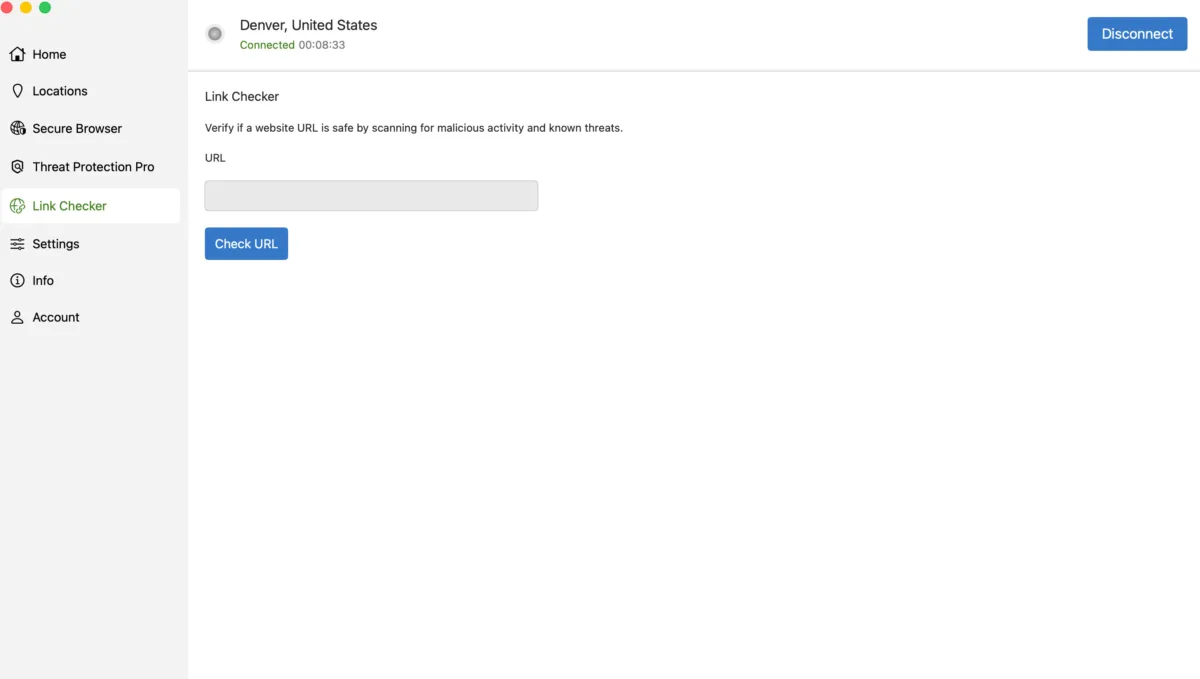
I can check URLs for threats using IPVanish’s link checker. Andrea GutierrezPrieto. | HighSpeedInternet.com
You can copy links from emails and paste them into IPVanish’s link checker if you want to verify safety. It’s a simple tool, but a very unique perk that I haven’t seen with any other VPN service.
IPVanish secure browser
The IPVanish Advanced plan includes access to a secure browser directly on the IPVanish app. It works relatively well and is almost as fast as my Chrome browser, with minimal lag.
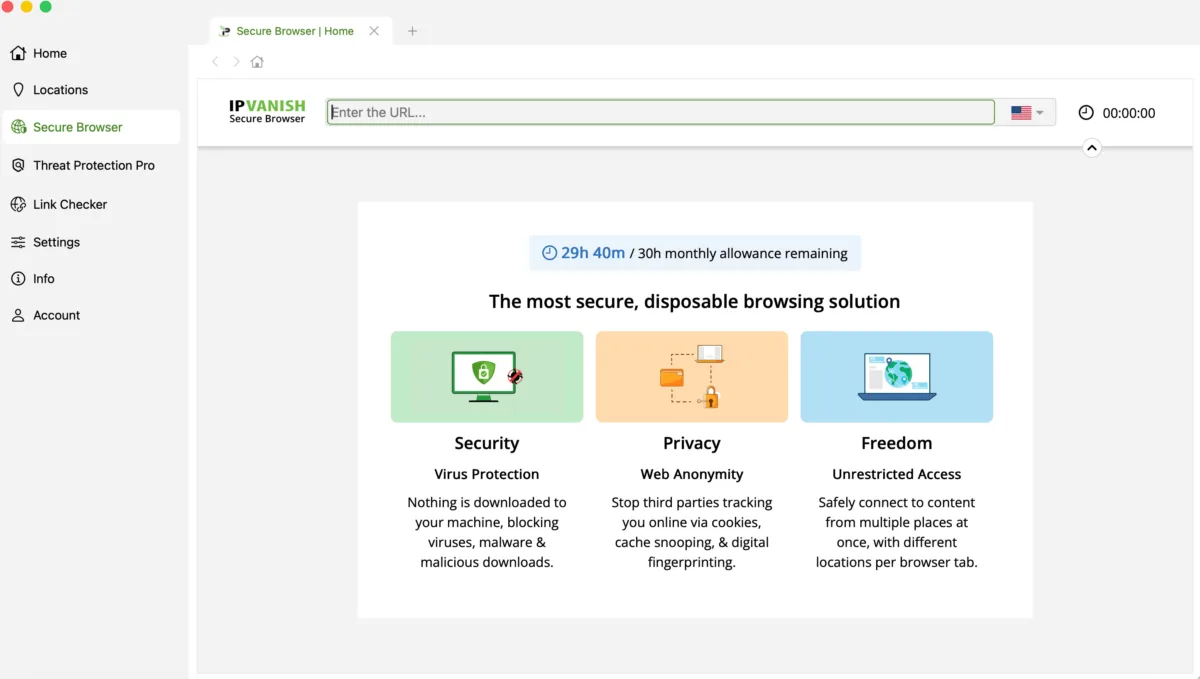
I can use a secure browser directly on the IPVanish app. Andrea GutierrezPrieto. | HighSpeedInternet.com
However, when I tried to use the secure browser to watch a YouTube video, I was immediately prompted to sign in to confirm I wasn’t a bot. The secure browser seems pretty hit or miss depending on the website. If you’re prompted to sign into your account, it sort of defeats the purpose of using the browser on the app.
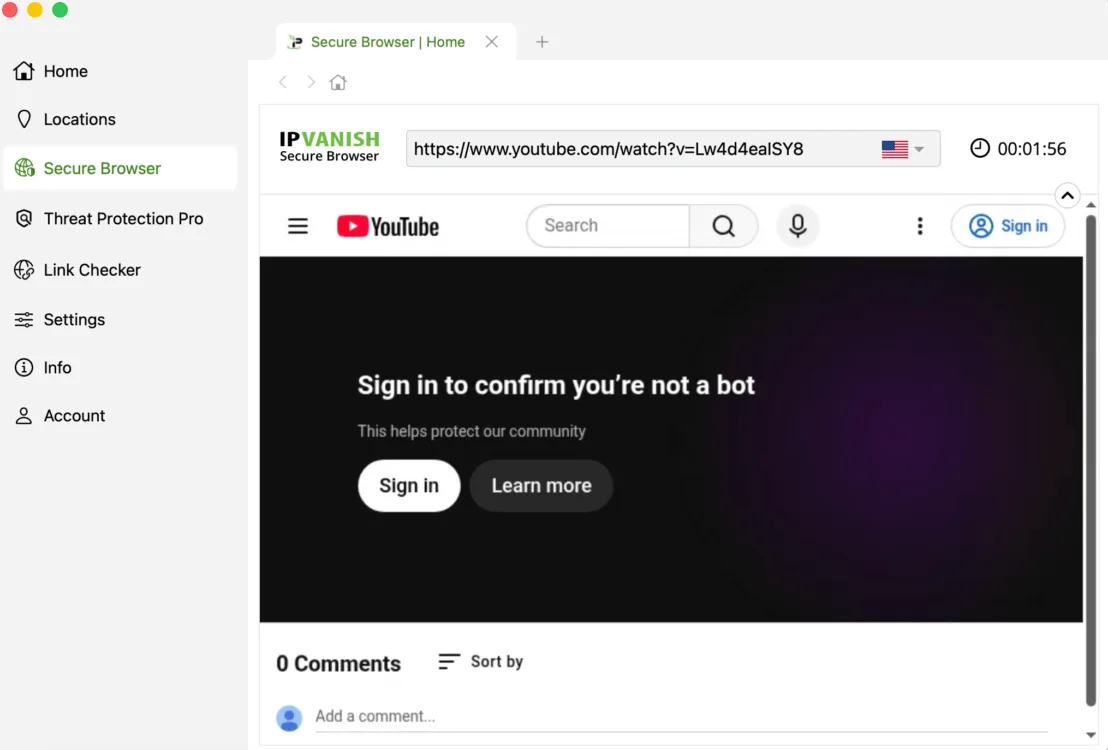
I wasn’t able to watch YouTube videos on the IPVanish secure browser without signing in. Andrea GutierrezPrieto. | HighSpeedInternet.com
What platforms and devices does IPVanish support?
Device count and compatibility score: (3.4/4) ★ ★ ★ ½
All IPVanish plans cover unlimited devices, making it one of the few VPNs that cover as many devices as you need. IPVanish offers coverage for both small and large households, so you won’t have to worry about a device limit and having to pay for a separate account to ensure all your household devices are covered.
Supported operating systems
IPVanish covers most major operating systems:
| Desktop client | Mobile | Browser | Other |
|---|---|---|---|
IPVanish coverage is limited when it comes to browser compatibility, but really shines when it comes to TV OS compatibility. IPVanish is also compatible with the Apple Vision Pro VR system and the IPVanish Router.
IPVanish isn’t compatible with the following platforms:
- Raspberry Pi
- iPad
- Amazon Fire OS for Mobile
- Volla OS
- Ubuntu Touch
- LineageOS
- GrapheneOS
- Firefox
- Microsoft Edge
- Opera
- Safari
How easy is IPVanish’s billing and cancellation?
Billing score: (4/4) ★ ★ ★ ★
You can access your account and billing directly on the IPVanish website. You can easily turn off autopay and cancel your subscription through the Subscription tab. IPVanish offers a 30-day money-back guarantee for first-time customers, and it’s very easy to get a refund.
The IPVanish refund and cancellation process was extremely easy and quick. It only took me about two minutes to cancel my subscription and process a refund. Let’s go over how to cancel an IPVanish subscription.
How do I cancel my IPVanish subscription?
Canceling IPVanish is very straightforward and can be done without having to chat with a bot or a customer service representative or reaching out over email.
- Log in to your IPVanish account online.
- Head to the Subscription tab.
- Click the Change Plan button.
- Click the Cancel Subscription button.
- Select the reason for cancellation.
- Select that you would like to cancel the service immediately. A green pop-up will appear letting you know if you are eligible for a refund under the 30-day money-back guarantee.
- Click Submit Cancellation.
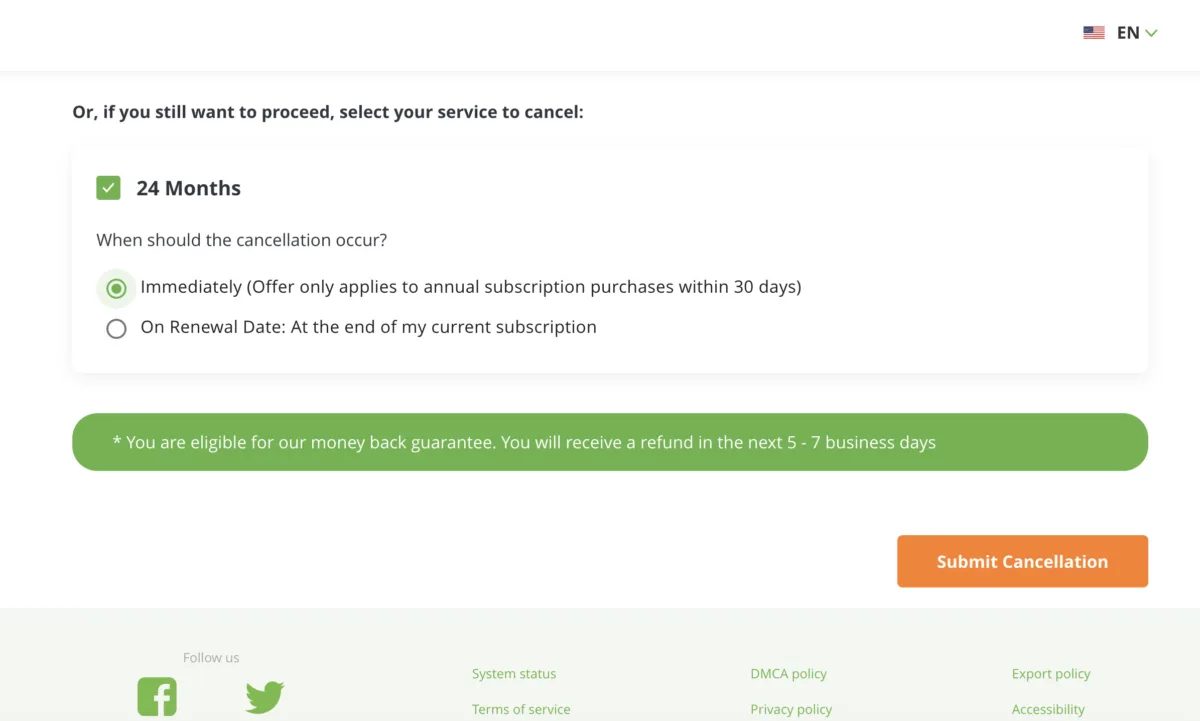
I was able to cancel and process a refund on my IPVanish account online. Andrea GutierrezPrieto. | HighSpeedInternet.com
Final call
IPVanish overall score: (70/100) ★ ★ ★
IPVanish offers a great selection of security features and extra perks, making it a solid choice for those looking to get a VPN that offers additional layers of security. IPVanish isn’t the cheapest option, but it is a reliable choice that offers customers a 30-day money-back guarantee with a quick and easy cancellation process.
IPVanish final score breakdown
| Category | Points |
|---|---|
| Price | 14.4 / 20 (★ ★ ★) |
| Billing and cancellation | 10 / 10 (★ ★ ★ ★) |
| Servers | 8.3 / 15 (★ ★ ½) |
| Speed and performance | 13.8 / 20 (★ ★ ★) |
| Security and features | 13 / 20 (★ ★ ½) |
| Devices and compatibility | 8.5 / 10 (★ ★ ★) |
| Apps and user experience | 2 / 5 (★ ½) |
| Final score | 70 / 100 |
Disclaimers
IPVanish plans
IPVanish Essential – By clicking the subscribe button you agree to be charged $56.48. After your first term, your plan will automatically renew annually at $89.99 until canceled through your IPVanish account. By signing up with IPVanish, you agree to our Terms of Service, including mandatory arbitration, and the Privacy Policy.
IPVanish Advanced — By clicking the subscribe button you agree to be charged $84.84. After your first term, your plan will automatically renew annually at $109.99 until canceled through your IPVanish account. By signing up with IPVanish, you agree to our Terms of Service, including mandatory arbitration, and the Privacy Policy.


